 Tel:
Tel:  Email:
  WhatsApp:
 Description
Key Technical Specifications
| Parameter | Specification |
|---|---|
| Protocol | EtherNET Powerlink (Real-Time Ethernet) |
| Interface Type | RJ45 (Standard Ethernet) |
| Connection Speed | 10/100 Mbps (Adaptive) |
| Module Type | Insertable Option Board (Slot compatible) |
| Bus Cycle Time | < 1ms (Typical for Powerlink) |
| Power Consumption | Derived from ACOPOS base unit (Internal bus) |
| Operating Temp | 0°C to +55°C (Dependent on base unit cooling) |
| Storage Temp | -25°C to +70°C |
| Humidity | 5% to 95% (Non-condensing) |
| Isolation | Galvanic isolation between bus and internal logic |
| Dimensions | Compact PCB form factor (Specific to ACOPOS slot) |
| LED Indicators | Status/Error LEDs for link activity |

Product Introduction
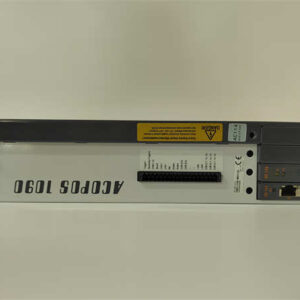
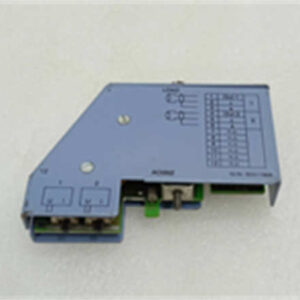
In the world of B&R ACOPOS drives, the chassis is just a muscle car without a steering wheel. The 8AC112.60-1 is that steering wheel. It plugs directly into the option slot of the drive to handle the heavy lifting of network traffic. If you are running a high-speed packaging machine or a printing press, you aren’t using standard Modbus; you need deterministic timing. That is what this card does.I have seen machines fail simply because someone used a generic fieldbus module instead of the dedicated Powerlink card. This specific module handles the synchronization of the entire drive train. It allows cycle times well below 1ms, which keeps the web tension tight or the robot arm precise. It’s a simple piece of hardware—essentially an FPGA on a board—but it is the brain behind the brawn. Treat it with respect, or your network traffic will choke the CPU.
Quality SOP & Tech Pitfalls (The Reality Check)
The Lab Report (SOP)
We treat these communication cards like memory sticks—sensitive to static and physical damage.
- Visual Inspection: We inspect the connector pins (the edge connector that mates with the drive) under magnification. Bent pins are a common failure mode in pulled parts.
- Static Check: We verify the PCB has no signs of ESD burn marks near the RJ45 transformer.
- Loopback Test: We connect the module (via a test fixture or installed in a donor ACOPOS unit) to a switch and verify link status lights.
- Firmware Check: We check if there is any firmware resident on the card (if applicable) or ensure it is clean for the controller to write to.
- Packaging: Placed immediately into an anti-static bag with pink bubble wrap.
The Engineer’s Warning (Pitfalls)
- Pin Damage: The connectors on these insertable modules are fragile. I’ve seen technicians force them into the slot without aligning the guide rails, bending the internal pins of the drive. Always look before you push.
- Cable Shielding: You might have the best card in the world, but if you use unshielded Cat5e cable in a cabinet full of VFDs, you will get “Bus Off” errors. Use shielded industrial Ethernet cable and ground the shield at both ends (or per B&R spec).
- Version Mismatch: While rare, early revisions of ACOPOS drives sometimes had compatibility quirks with newer option boards. Check the firmware version of your main controller (PPCC) to ensure it recognizes the new card revision.
Installation & Configuration Guide
This is a sensitive electronic component. Do not rush the swap.
- Safety First
- ⚠️ Power Down: Turn off the main power to the ACOPOS drive. Wait for the DC bus capacitors to discharge (wait at least 2 minutes).
- ⚠️ ESD Protection: Wear a grounded wrist strap. These boards are highly susceptible to static discharge.
- Removal of Old Module
- Remove the top cover of the ACOPOS drive if present.
- Unscrew the retaining screws holding the module in place (usually two small screws on the faceplate).
- Gently pull the module straight out. Do not wiggle it side-to-side excessively.
- Installation
- Align the 8AC112.60-1 with the option slot. Ensure the orientation matches the keying.
- Push it in firmly until the edge connector seats fully. You should feel it sit flush.
- Tighten the retaining screws. This ensures good grounding for the shielding.
- Network Connection
- Connect the EtherNET Powerlink cable to the X2/X3 port (depending on daisy chain topology).
- Ensure the cable clicks into place.
- Commissioning
- Power up the system.
- In Automation Studio, go to the hardware configuration.
- Verify that the module is detected and shows no “Device Missing” error.
- Download the configuration to the PLC.
Compatible Replacement Models
| Compatibility | Model Number | Notes & Differences |
|---|---|---|
| ✅ Drop-in | 8AC112.60-2 | Revision update. Usually adds minor firmware tweaks or manufacturing changes. Pin-compatible and functionally identical. |
| ❌ Different Protocol | 8AC110.60-1 | This is the CANopen version. It looks exactly the same but speaks a different language. Do not mix these up. |
| ❌ Different Protocol | 8AC111.60-1 | This is the PROFIBUS DP version. Again, physically similar but electrically incompatible with Powerlink networks. |
| ⚠️ System Upgrade | ACOPOSmicro | If you are replacing the whole drive, the newer micro series integrates some comms, but for the multi-system, this card is mandatory. |
Frequently Asked Questions (FAQ)
Q: Can I hot-swap this while the machine is running?
A: Absolutely not. Even though the drive might be redundant, the option slot is not designed for live insertion. You will likely short out the backplane data lines and crash the node. Kill the power.Q: My drive shows a “Option Error” after installing this. What gives?
A: Check the seating. If the card isn’t pushed all the way in, the data lines won’t connect. Also, verify in Automation Studio that you have selected “EtherNET Powerlink” in the hardware config for that specific slot. If the software expects CANopen but sees Powerlink, it will fault.Q: Does this support standard TCP/IP traffic?
A: Yes and No. EtherNET Powerlink runs on standard Ethernet hardware (Layer 1/2), so you can technically ping it. However, during the isochronous phase, the bus is locked for real-time data. Don’t try to run heavy HTTP traffic over this link, or you will introduce jitter.Q: Is the “60-1” suffix important?
A: Yes. In B&R land, the suffix often denotes the revision or specific feature set. While 8AC112.60-1 and 8AC112.60-2 are usually backward compatible, mixing them in a multi-drive system without checking the documentation is a gamble I wouldn’t take.Q: How do I know if my ACOPOS drive needs this card?
A: Look at the front of the drive. If it doesn’t have an Ethernet port built-in, or if the port is covered by a blanking plate, you need this insertable module to communicate. Older ACOPOS drives required this card for almost all fieldbus communications.