
 Tel:
 Email:
 WhatsApp:
Description
Key Technical Specifications
| Parameter | Specification |
|---|---|
| Full Model | 288055-01 |
| Product Designation | 3500/22M Transient Data Interface |
| Manufacturer | Bently Nevada (Baker Hughes) |
| System Family | 3500 Machinery Protection System |
| Primary Function | Transient and steady-state dynamic data capture and export |
| Host Integration | System 1 and compatible 3500 software |
| Communication | Ethernet link to host; rack backplane interface |
| Data Types | Waveform, transient events, startup/shutdown data |
| Rack Position | Installed in 3500 rack; verify slot requirement with OEM manual |
| Protection Role | Not part of the automatic machinery protection trip path |
| Supply Status | Legacy 3500-series module; confirm availability and firmware compatibility |
Product Introduction
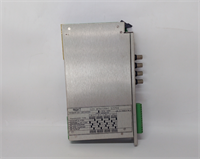
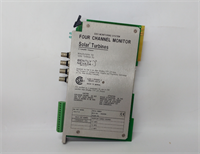
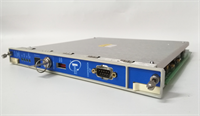
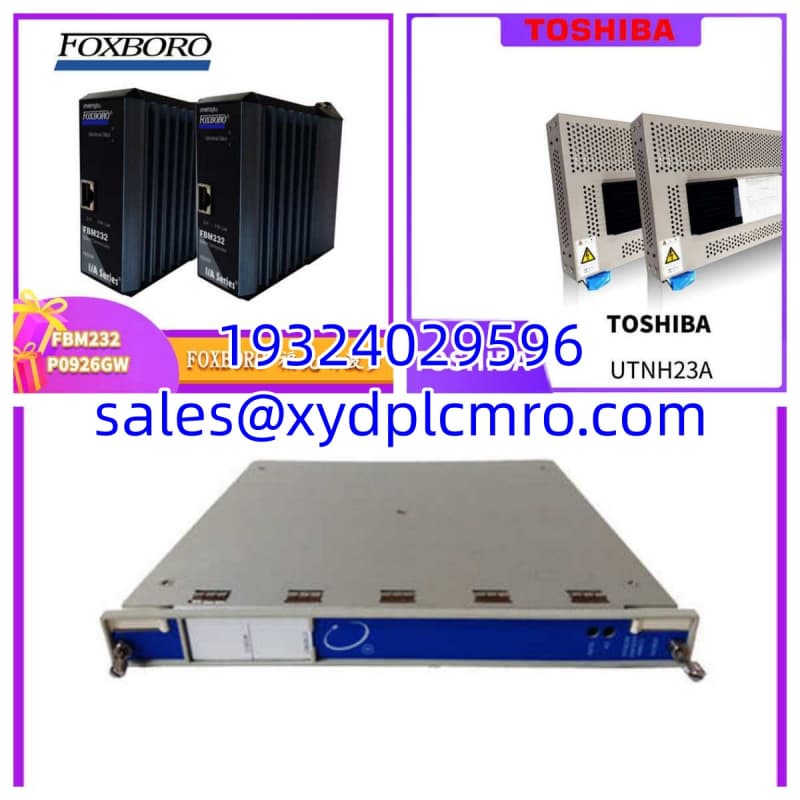
The 288055-01 is the 3500/22M Transient Data Interface, and its job is simple: get high-resolution dynamic data out of the 3500 rack without breaking the protection logic. In the field, this is the module you lean on when a compressor surges, a turbine trips on startup, or a gearbox shows a transient vibration spike that steady-state trending never explains.I treat it as a diagnostics enabler, not a protection device. The 3500/22M sits on the rack backplane, pulls transient and waveform data from the monitored channels, and pushes it to System 1 or the host platform over Ethernet. That separation matters. If this module faults, the machinery protection relays should still function, but you lose the diagnostic visibility that separates a quick fix from a week-long investigation.
Quality SOP & Tech Pitfalls
Lab Report (SOP)
- Photograph the full nameplate: 288055-01, 3500/22M revision, serial number, and firmware.
- Inspect front connectors, rear pins, and rack interface for bent pins or corrosion.
- Verify Ethernet port, LEDs, and module seating surfaces.
- Install in a compatible 3500 rack with correct power and backplane configuration.
- Confirm the module is recognized by the rack and host software.
- Verify transient data capture, timestamping, and System 1 communication.
- Record firmware revision, configuration, and test results before anti-static packing.
Engineer’s Warning (Pitfalls)
The most common mistake is assuming any 3500/22 or 3500/22M is interchangeable. Firmware, rack generation, and host software version can break communication even if the module powers up. I have seen sites replace a failed TDI and spend days wondering why System 1 shows no transient data, only to find the firmware and configuration did not match the rack. Also confirm whether the module must sit in a specific slot. In some 3500 configurations, the TDI position is not optional.
Installation & Configuration Guide
- Pre-Installation ⚠️
- Confirm the 3500 rack power status and whether the module affects only diagnostics or any auxiliary alarms.
- Photograph the existing module, slot position, Ethernet cabling, and LED status.
- Record rack firmware, System 1 version, and current configuration backup.
- Removal
- Label Ethernet cables and note the slot position.
- Remove the module without forcing the backplane connector.
- Keep the old unit for serial number and firmware comparison.
- Installation
- Install the 288055-01 in the correct 3500 rack slot per the OEM manual.
- Seat the module firmly and verify backplane engagement.
- Reconnect Ethernet and confirm host network settings.
- Power-On & Testing
- Verify rack power and module LED indicators.
- Confirm the module appears in System 1 or the 3500 configuration tool.
- Test transient capture, data export, and timestamp accuracy.
- Document serial number, firmware, slot position, and commissioning results.
Compatible Replacement Models
| Compatibility | Model | Notes |
|---|---|---|
| ✅ Drop-in Replacement | Bently Nevada 288055-01 (3500/22M) | Same part number, firmware, and rack compatibility |
| ⚠️ Engineering Review Required | Other 3500/22M revisions | May require firmware match and configuration verification |
| ⚠️ System Review Required | 3500/22 variants | Function may differ; verify TDI capability and host compatibility |
| ❌ Not Compatible | Generic Ethernet or PLC modules | Cannot replace a 3500 transient data interface |
Frequently Asked Questions (FAQ)
Q: Is 288055-01 the same as 3500/22M?
Yes. 288055-01 is the part number for the 3500/22M Transient Data Interface. Always confirm the full designation on the nameplate before procurement.Q: Does this module handle machinery protection trips?
No. The 3500/22M is a transient data interface. It supports diagnostics and data export, not the core protection trip function.Q: Can I install any 3500/22M as a spare?
Not blindly. Firmware, rack generation, and System 1 compatibility must match. A mismatched TDI can power up and still fail to deliver transient data.Q: What software does it need?
It typically integrates with Bently Nevada System 1 and the 3500 configuration environment. Verify versions against your existing plant setup.Q: What should I send for verification?
Provide a nameplate photo, rack model, slot position, firmware revision, System 1 version, and any fault messages. That prevents ordering the wrong revision.