Key Technical Specifications
| Parameter | Specification |
|---|---|
| Module Type | Ovation I/O Module |
| DCS Platform | Emerson Ovation |
| Mounting | DIN rail base unit |
| Power Supply | Redundant power via base unit |
| Communication | I/O bus via base unit; no separate cabling |
| Hot Swap | Supported without system interruption |
| Configuration | Software configured; no jumpers or DIP switches |
| Protection | Surge protection and field circuit fusing |
| Diagnostics | Color-coded status indicators |
| Operating Temp | Industrial control room range, non-condensing |
| Standards | Open industrial standards; supports third-party integration |
Product Introduction
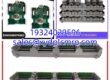
You don’t find out an I/O card is failing until the operator starts calling the control room about bad readings. The Emerson 5X00500G01 is an Ovation I/O module that sits in the rack, talks to the controller over the base unit’s internal bus, and handles the signal conversion between the field and the processor. It’s not glamorous. It just works—until it doesn’t.What I appreciate about this generation of Ovation I/O is the hot-swap capability. You can pull a suspect module and drop in a spare without shutting down the rack or disturbing the process. The software configuration means no jumper nightmares. Just verify the electronic ID matches what the controller expects, seat it, and move on. That said, this revision is sensitive to base unit compatibility. If the base is worn or the connector pins are corroded, you’ll chase ghosts for hours.
Quality SOP & Tech Pitfalls
The Lab Report (SOP)
Every unit goes through my bench protocol before it leaves the shelf:
- Visual/Counterfeit Check: Inspect the Emerson label, model number, and serial. Reject anything with aftermarket markings or signs of rework.
- Live Test on Test Rack: Seat the module in a known-good Ovation base. Confirm power-up, LED status, and communication with the controller.
- Signal Verification: Inject a test signal (voltage, current, or contact closure depending on module type) and verify the controller receives the correct value.
- Electronic ID Logging: Record the module type, group, serial number, and revision from the electronic ID. Mismatch here causes configuration faults.
- Anti-Static Sealing: Pack in an ESD bag with desiccant. No exceptions.
The Engineer’s Warning (Pitfalls)
- Base Unit Wear: I’ve seen multiple cases where a new module was installed into an old, worn base unit. The connector pins were loose or oxidized. The module tested fine on the bench but failed in the rack. Always inspect the base before installation.
- Electronic ID Mismatch: The controller expects a specific module type and revision. If you drop in a module with a different electronic ID, the controller will flag a configuration fault. Verify the ID against the existing module before you swap.
- ESD Damage: These are sensitive electronic modules. Touching the connector pins without a wrist strap can damage the input/output circuitry. It’s not theoretical. I’ve replaced boards because someone didn’t use a strap.
Installation & Configuration Guide
- Pre-Installation
- ⚠️ Safety Shutdown: Notify the control room. Place the affected I/O points in manual or bypass if possible.
- ⚠️ Photograph Everything: Capture the module’s position in the base, the base unit number, and any field wiring labels.
- ⚠️ Verify Compatibility: Confirm the replacement module’s electronic ID matches the existing module or the controller’s configuration.
- Removal
- Release the module’s retention clip or latch.
- Pull the module straight out of the base. Avoid rocking or prying.
- Inspect the base connector for bent pins, corrosion, or debris.
- Installation
- Clean the Base Connector: Use contact cleaner if needed. Ensure the connector is free of oxidation.
- Seat the Module: Align the module with the base connector and push firmly until the latch engages.
- Do Not Force: If it doesn’t seat cleanly, stop. Check alignment and pin condition.
- Power-On & Testing
- Restore power if disconnected. The module should power up automatically via the base.
- Watch the status LEDs. Verify normal operation indication.
- Check the Ovation station view. Confirm the module is recognized and free of faults.
- Verify field signal readings match expected values.
Compatible Replacement Models
| Compatibility Tier | Model / Series | Notes |
|---|---|---|
| ✅ Drop-in Replacement | 5X00500G01 (same revision) | 100% hardware and electronic ID match. Direct swap. Price varies by stock condition. |
| ⚠️ Software Compatible | 5X00500G01 (different revision) | Same hardware form factor. Requires controller configuration update to accept new electronic ID. Estimate additional labor time for reconfiguration and testing. |
| ❌ Hardware Mod Required | Non-Ovation I/O modules | Different base, bus protocol, and connector. Requires full rack replacement. Not recommended unless doing a complete DCS upgrade. |
Frequently Asked Questions (FAQ)
Q: Can I hot-swap the 5X00500G01 safely?
A: Yes, if your Ovation system supports hot swap and the module is configured correctly. I’ve done it online many times. Just make sure the control room is aware and the affected points are in a safe state. If you’re unsure, shut it down.Q: Is this a controller module?
A: No. It’s an I/O module. It connects to the controller through the base unit’s internal bus. Don’t expect it to run control logic.Q: Do I need to configure jumpers or DIP switches?
A: No. Ovation I/O modules are software configured. The electronic ID tells the controller what the module is. Just make sure the ID matches what the controller expects.Q: What happens if the electronic ID doesn’t match?
A: The controller will flag a configuration fault. You’ll need to update the controller’s configuration to accept the new module, or find a module with the correct ID. Plan for extra downtime if you get this wrong.Q: Do you test before shipping?
A: Yes. Every module is visually inspected, power-cycled on a test base, and signal-tested where possible. I log the electronic ID and pack it in anti-static material.Q: Can I use this in a non-Ovation system?
A: No. It’s designed for the Ovation I/O architecture. The base unit, bus protocol, and software configuration are all Ovation-specific. Don’t try to adapt it.