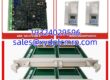
Key Technical Specifications
| Parameter | Detail |
|---|---|
| Part Number | VMIVME-7614-132 |
| Alternate Marking | 350-017614-132 D |
| Manufacturer | GE Fanuc / VMIC |
| Module Type | 6U VMEbus Single Board Computer |
| Processor | Socket 370 Intel Pentium / Celeron class (speed varies by revision) |
| Memory | DRAM configurable per revision; verify against nameplate |
| Storage Interface | IDE CompactFlash support |
| Battery-Backed Memory | 32 KB battery-backed SRAM |
| Serial Ports | 2× 16550-compatible serial ports |
| Ethernet | Ethernet interface with remote boot support |
| Operating Systems | Windows NT, Windows 2000, Linux, VxWorks, QNX, Solaris |
| Timers | Up to 3× programmable 16-bit timers |
| Watchdog | Software-selectable watchdog timer with reset |
| Bus Interface | VMEbus (P1/P2), 6U Eurocard |
| Environmental | Industrial range; some listings cite -40°C to +85°C, but confirm with OEM docs |
Product Introduction
VMEbus SBCs do not die gracefully. They sit in a dusty cabinet for fifteen years, running a turbine control loop or a test cell, and then one morning the BIOS refuses to post. The VMIVME-7614-132 is exactly that kind of board — a GE Fanuc/VMIC 6U VMEbus single-board computer built around a Socket 370 Pentium/Celeron processor. You will find it in legacy VME racks where someone needed a real-time Windows NT, Linux, or VxWorks host that could talk directly to VME I/O cards.Engineers keep this board because it is predictable. It boots, it owns the VME slot, and it runs the application without fuss. The 32 KB battery-backed SRAM is the weak spot — when that battery leaks, you lose configuration data and sometimes the board stops posting entirely. This specific revision can be picky about CompactFlash cards and BIOS settings. Treat it like a legacy controller, not a plug-and-play PC.

Quality SOP & Tech Pitfalls
The Lab Report (SOP)
- Visual and counterfeit inspection — nameplate, revision “D,” assembly number, corrosion, and capacitor condition.
- Battery check — measure the backup battery voltage; leaked cells are a common failure mode on Socket 370 VME SBCs.
- Backplane connector inspection — P1/P2 pins must be straight; bent pins cause intermittent VME timeouts.
- Live bench test — install in a known-good VME chassis, verify POST, BIOS access, and OS boot.
- Interface verification — test serial ports, Ethernet link, CompactFlash detection, and timer/watchdog function.
- VME access check — confirm the board responds as a VME master/slave per the test configuration.
- Firmware/BIOS logging — record BIOS version, board revision, and any PMC or option ROM details.
- Anti-static packaging — sealed bag with desiccant; no bare-board shipping.
The Engineer’s Warning (Pitfalls)Do not swap this board without photographing the BIOS setup, boot device order, VME address map, and CompactFlash contents first. I have seen a plant replace a VMIVME-7614, get a clean POST, and still lose the process because the new board booted from the wrong device and loaded an outdated application image. The battery-backed SRAM is another silent killer. If the old board had a dead battery, your replacement may boot fine but still fail because critical parameters were never recovered from the original system backup.
Installation & Configuration Guide
1. Pre-Installation ⚠️
- Follow site LOTO and change-control procedures.
- Photograph the installed board, slot number, jumper settings, BIOS screens, and boot configuration.
- Back up the CompactFlash/IDE disk image before removing the old board.
- Verify the replacement matches VMIVME-7614-132 and note the “D” revision.
2. Removal
- Power down the VME chassis unless the site explicitly allows controlled online replacement.
- Label front-panel cables and note which slot the SBC occupies.
- Release the card retainers and withdraw the board evenly.
- Inspect the VME backplane connector for debris or bent pins.
3. Installation
- Restore the CompactFlash image and BIOS settings from the original board. This prevents most boot failures.
- Seat the VMIVME-7614-132 firmly into the correct 6U VME slot.
- Secure front-panel retainers.
- Reconnect Ethernet, serial, and any front-panel interfaces.
4. Power-On & Testing
- Apply power and watch the POST sequence.
- Enter BIOS and confirm boot device, memory detection, and serial/Ethernet settings.
- Verify the operating system loads and the application starts.
- Test VME communication with adjacent I/O modules.
- Confirm watchdog, timers, and Ethernet remote boot features if used.
- Log the installed revision, BIOS version, and slot number.

Compatible Replacement Models
- ✅ VMIVME-7614-132 (matching revision) — True drop-in when the revision, BIOS, CompactFlash image, and VME slot assignment match. Best option.
- ⚠️ VMIVME-7614-133 or other VMIVME-7614 revisions — Same family, but may differ in CPU speed, memory, BIOS, or I/O mapping. Expect BIOS reconfiguration and possible application revalidation.
- ⚠️ VMIVME-7697 / VMIVME-7698 (Socket 370 VME SBCs) — Similar era and processor family, but not a guaranteed drop-in. Firmware, memory map, and VME resource allocation must be verified.
- ❌ VMIVME-7768 / VME-7807RC (Core 2 Duo / Pentium M SBCs) — Newer processors and different BIOS/firmware. These require application migration, driver updates, and full commissioning. Only use during a planned system upgrade.
Frequently Asked Questions (FAQ)
Can I hot-swap this board?
Not like a power supply. This is a VMEbus CPU module. Some VME chassis support limited online insertion, but pulling the system SBC while the application is running is a great way to trip a unit. Treat it as a planned outage unless your procedure explicitly says otherwise.Will any VMIVME-7614 work?
No. The “-132” and “D” markings matter. Processor speed, memory, BIOS revision, and VME resource settings can differ. Match the nameplate and verify the boot image before committing.What OS does it run?
The VMIVME-7614 family supports Windows NT, Windows 2000, Linux, VxWorks, QNX, and Solaris, depending on configuration. Your actual board may only have one OS image installed on its CompactFlash.Why won’t it boot after replacement?
Most likely the CompactFlash image, BIOS boot order, or battery-backed SRAM settings do not match the original. Restore the original disk image first, then adjust BIOS settings.Is the “350-017614-132 D” marking the same part?
It appears to be an alternate assembly or revision marking for the VMIVME-7614-132. Confirm by matching the full nameplate, board revision, and BIOS version.How long will these boards last?
There is no fixed answer. The processor and chipset are legacy, and electrolytic capacitors and backup batteries age even in storage. If the system is critical, keep a tested spare and a verified disk image.Do you test these before shipping?
Yes. Tested units go through visual inspection, battery check, POST, OS boot, interface verification, and VME communication checks. A 12-month warranty applies to tested function.