Key Technical Specifications
| Parameter | Value / Notes |
|---|---|
| Part number | 128877-103 |
| Brand | ABB |
| Product type | Industrial control / I/O module |
| Working voltage | 24V DC |
| Working current | ≤100 mA |
| Approximate weight | 0.2 kg |
| Approximate dimensions | 100 mm × 60 mm × 30 mm |
| Installation | Control-room / panel installation |
| System context | ABB DCS / AC800M / 800xA environment |
| Certification reference | UL referenced in some listings |
Product Introduction
ABB 128877-103 is an ABB industrial control module referenced in DCS, AC800M, and 800xA spare-part contexts. It is generally treated as a module-level component used for control, I/O expansion, or system integration inside ABB automation environments.The main technical distinction is that this part number appears across multiple module descriptions. Some listings treat it as a 24V DC control module with ≤100 mA operating current and approximately 0.2 kg weight, while others describe it as a broader I/O or control-unit module. Because of that inconsistency, correct application depends on the physical label, host rack, and original system documentation — not on third-party catalog descriptions alone.

Installation & Configuration Guide
Preparation — 10 min
- Confirm the physical nameplate reads ABB 128877-103.
- Record the full part number, revision, serial number, and any hardware/firmware markings.
- Identify the host system: AC800M, 800xA, DCS controller, or other ABB automation platform.
- Confirm the required supply voltage. Some listings show 24V DC; others show 220V. Do not apply power until the nameplate and system drawing agree.
- Prepare ESD protection: wrist strap, grounded mat, anti-static bag.
- Photograph the existing module, connectors, mounting position, and wiring before removal.
Removal — 5–10 min
- Place the controller or I/O rack in a safe maintenance state.
- De-energize the panel where safe and permitted.
- Apply lockout/tagout if field wiring or terminals are exposed.
- Label every cable and connector.
- Remove mounting screws or release the module from its holder.
- Do not force connectors or pry the module from the backplane.
- Store the removed module in an anti-static bag.
Installation — 10 min
- Inspect the replacement ABB 128877-103 for physical damage, bent pins, corrosion, or burn marks.
- Confirm the connector layout matches the original module.
- Align the module correctly before seating it.
- Press the module fully into position before tightening fasteners.
- Reconnect cables exactly as labeled.
- Do not reuse terminal assignments from a different module type.
- If the system uses a backplane, confirm the module seats cleanly without lateral force.
Power-On & Test — 10 min
- Restore power only after wiring, grounding, and mounting checks are complete.
- Measure supply voltage before enabling the module.
- Observe LEDs, status indicators, or display activity.
- Check for abnormal heat, noise, or smell.
- Confirm the host controller recognizes the module.
- If the module fails to initialize, remove power immediately and recheck voltage, orientation, and revision compatibility.
Troubleshooting Quick Reference
| Symptom | Most Likely Cause | First Check |
|---|---|---|
| Module does not power on | Wrong supply voltage or open fuse/breaker | Measure voltage at module terminals |
| Controller does not recognize module | Revision mismatch or backplane contact issue | Compare nameplate revision with original |
| Intermittent communication | Loose connector or backplane pin issue | Reseat module and inspect connectors |
| Overheating | Wrong module type or incorrect installation | Verify part number and airflow |
| Erratic I/O behavior | Terminal or configuration mismatch | Compare wiring with pre-removal photos |
| No LED or display activity | Power supply fault or module failure | Confirm rated supply is present and stable |
Dimensions, Mounting & Wiring Notes
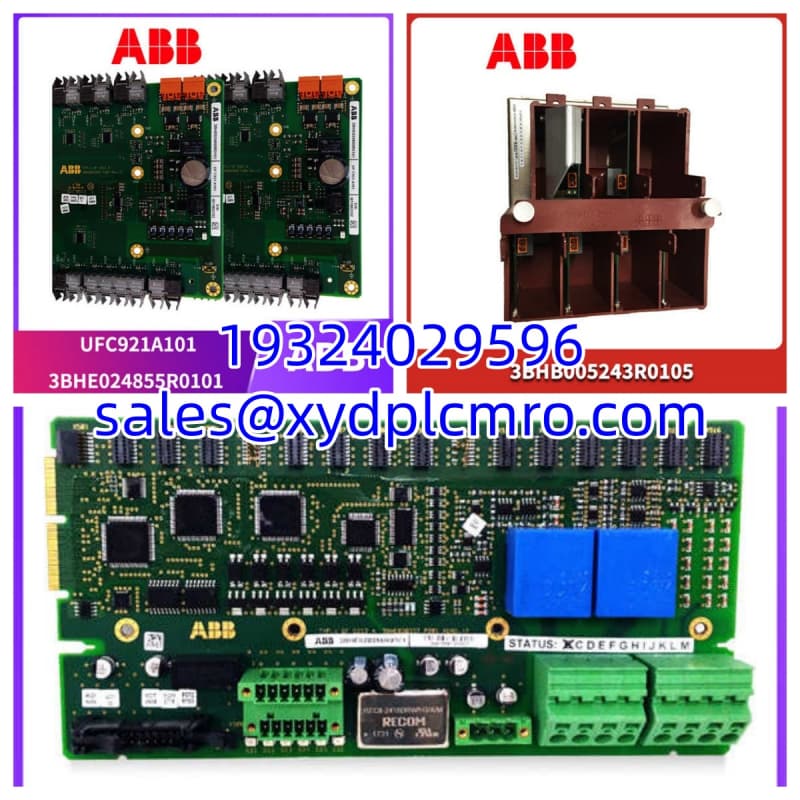
- Approximate dimensions: 100 mm × 60 mm × 30 mm
- Approximate weight: 0.2 kg
- Mounting: Control-room or panel installation
- Wiring: Confirm terminal assignments from the original system drawing
- Voltage: Verify whether the installed unit requires 24V DC or another supply rating
- Connector location: Varies by revision; photograph before removal
FAQ
Is ABB 128877-103 a CPU, I/O module, or relay module?
The available references are inconsistent. It is most safely described as an ABB industrial control / I/O-related module. Some listings associate it with PM864 or AC800M, but that association is not reliably confirmed. Check the physical nameplate and host system before treating it as a specific CPU or I/O card.Can I use ABB 128877-103 as a direct replacement for another ABB module?
Not automatically. Even if the外形 and connectors look similar, the revision, voltage rating, I/O type, and host compatibility may differ. Verify the full part number, revision code, and system documentation before substitution.What voltage does this module use?
Some listings show 24V DC, while others show 220V. Do not assume either value without checking the module label and the host system power supply.I received a unit that looks different from the old one. Is that normal?
It may be normal if the hardware revision changed. It may also mean the wrong part was supplied. Compare the nameplate, revision code, connector layout, and mounting pattern before installing it.How do I avoid buying a mismatched or counterfeit unit?
Request clear photos of the front label, rear connectors, revision markings, and serial/date codes. Compare them with the removed module. Avoid listings that only show generic stock photos or copy unrelated product descriptions.Is ABB 128877-103 still supported by ABB?
That cannot be confirmed from the available references. For official lifecycle status, firmware support, and replacement recommendations, check directly with ABB or the original system documentation.