 Tel:
 Email:
 WhatsApp:
Description
Key Technical Specifications
| Parameter | Value |
|---|---|
| Module Type | TMR with Self-Test |
| Input Points | 32, commoned in groups of 8 |
| Rated Voltage | 24 VAC/VDC |
| Input Range | 20–42.5 VAC/VDC |
| Max Voltage | 42.5 VAC/VDC |
| Frequency Range | DC or 47–63 Hz |
| Switch Threshold (ON) | > 18 V, with hysteresis |
| Switch Threshold (OFF) | < 6 V |
| Input Current | ~6–9 mA per channel @ 24 V |
| Isolation | Opto-isolated, field side to TriBus backplane |
| Backplane Bus | TriBus, 25 Mbps redundant |
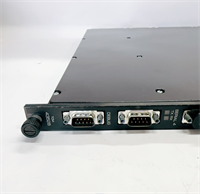
| Connector | 56-pin, mechanical keying |
| Operating Temp | 0 to +60 °C (G3-coated versions to −40 to +70 °C) |
| Storage Temp | −40 to +85 °C |
| Humidity | 5% to 95% non-condensing |
| Protection Rating | IP20 (module, in-cabinet); ETP handles field isolation |
| Safety Integrity | IEC 61508 SIL 3 via TMR voting |
Product Introduction
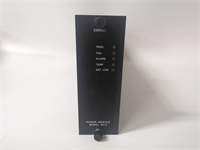
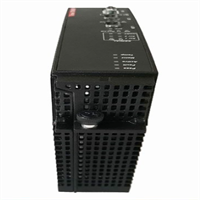
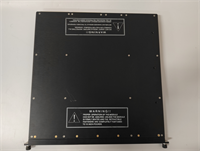
I’ve pulled more 3503E cards out of Tricon racks than I care to count, usually at 2 a.m. during a shutdown nobody planned for. This is the 24-volt digital input card in the Tricon family — the one that sits between your field devices and the TMR processors in ESD, F&G, and BMS applications. Refinery units, compressor trains, boiler protection: that’s its neighborhood. It doesn’t think. It reads contacts, three independent channels, and passes the data up for the 2-out-of-3 vote.Engineers keep specifying it because it’s boring in the best possible way. Three isolated channels per point, continuous per-channel diagnostics, and a self-test routine that catches the “stuck-open” condition — that’s the failure mode that actually gets people, because most safety systems fail to safe on power loss and a stuck-open input hides until you need it. One honest note: the 3503E is picky about its External Terminal Panel. You cannot wire field cables straight to this card. It needs the dedicated ETP (9563-810 or 9553-610 are the common ones) and the matched 56-pin cable. Skip that and you’ve got a very expensive paperweight.
 Quality SOP & Tech Pitfalls
 Quality SOP & Tech Pitfalls
The Lab Report (SOP)Every unit that leaves my bench goes through the same sequence, no exceptions:
- Visual / counterfeit check — nameplate legibility, PCB silkscreen, conformal coat (G3) continuity, connector pin straightness.
- Live test on a Tricon test rack — not a multimeter tap. Real TriBus handshake, LED boot sequence observed.
- Insulation resistance + continuity — Fluke 1508 for IR, Fluke 115 for point-to-point on the 56-pin interface.
- Firmware / revision logging — module revision recorded on the packing slip. Non-negotiable.
- Anti-static sealing — ESD bag, desiccant, sealed, labeled.
The Engineer’s Warning (Pitfalls)Two mistakes cause most of the downtime I get called out for.First: the ETP cable. Swap the module but reuse an old 56-pin cable that’s been flexed a hundred times, and you’ll get intermittent channel faults that look like a bad card. I spent a full shift chasing a “defective” 3503E that was actually a cracked cable shield. Test the cable.Second: revision mismatch across the trio. Tricon I/O doesn’t vote happily when the three channels disagree on firmware behavior. Log the revision of the card you’re removing. Install the same revision. If you can’t, plan a maintenance window for a coordinated replacement, not a hot swap.
Installation & Configuration Guide
Phase 1 — Pre-Installation (️)
- Confirm the module’s fault is real — check the chassis alarm and the module fault LED before you pull anything.
- ️ Photograph everything: the 56-pin cable routing, the ETP terminal block, wire labels, and any jumper/DIP settings on the old card.
- If the system is not hot-swappable in your configuration, execute a controlled shutdown. If it is, notify the control room and get a written go-ahead.
- Wait for bus discharge. Don’t rush this.
Phase 2 — Removal
- Label the field wires at the ETP. Masking tape and a marker beat memory every time.
- Release the 56-pin connector at the module end — pull square, no angling.
- Release the DIN/retaining clips. Pull the module straight out. Note the slot number.
Phase 3 — Installation
- Copy the DIP/jumper settings from the old card to the new one before you install it. This single step prevents roughly 90% of startup failures. Do it twice.
- Verify the mechanical key matches the slot — the card is keyed to prevent wrong-slot insertion. Force is not an option.
- Seat the module fully. Tighten the retractible screws to the specified torque. A half-seated card will pass a visual check and fail a live one.
Phase 4 — Power-On & Testing
- Confirm 24 VDC at the ETP before energizing the field side.
- Watch the LED boot sequence. Compare it to the OEM manual, not to your memory.
- Download/verify the configuration in TriStation 1131. Confirm all three channels report healthy.
- Run a channel-level proof test — force a known input, confirm the vote, clear the test.
- Log the module revision and serial number in your asset register.
Compatible Replacement Models
| Model | Compatibility | Notes |
|---|---|---|
| 3503E (same revision) | Drop-in Replacement | 100% hardware/software match. Price varies widely in the surplus channel; confirm revision before shipping. |
| 3503EN / 3503EN2 | ️ Software Compatible | Same 32-point 24 V family, but suffix variants (e.g. EDI 5909) differ in revision. Budget 2–4 hours for verification, firmware check, and recompile. |
| 3502E | Hardware Mod Required | 48 VAC/VDC input. Different field voltage class entirely. Do not substitute unless you’re redesigning the loop. |
| 3504E (64-point) | Hardware Mod Required | Higher density, different pinout and ETP. Only consider in a full system upgrade. |
| 3505E | Hardware Mod Required | Low-threshold 24 VDC variant, DC-only. Not a like-for-like swap for AC loops. |
Frequently Asked Questions (FAQ)
Can I hot-swap a 3503E without stopping the plant?
Usually yes, but it depends on your rack configuration and whether that slot is in a voting trio that’s already degraded. The module family supports hot standby and online replacement. If the system already has a fault on another channel, don’t gamble — schedule it.Is this a new or used module?
Most 3503E units circulating today are new surplus or new original from legacy stock. Ask the supplier to state it plainly and to give you the revision number. A “new” card with a five-year-old date code is still fine; a “new” card with no date code is a red flag.Why is my replacement card faulting immediately after install?
Nine times out of ten it’s one of two things: the 56-pin cable, or the card isn’t fully seated. Check the connector first, then the retaining screws. The module fault LED points at a channel, not the whole module — read it before you condemn the card.Do I need the External Terminal Panel, or can I wire directly?
You need the ETP. The 3503E connects to the field only through the dedicated 56-pin cable and its matching terminal panel. Direct wiring is not supported.Will a 3502E work if I can’t source a 3503E?
No. The 3502E is a 48 V module. Your field loops are 24 V. Different voltage class, different threshold behavior. It’s a hardware change, not a swap.What’s the realistic lead time?
From surplus stock, 1–5 working days. From the OEM channel, expect 4–6 weeks if it’s available at all — the Tricon platform is legacy. Order the spare before you need it.Does it come with a warranty?
Reputable surplus suppliers offer 12 months. Get it in writing on the invoice, along with the revision number. If a supplier won’t put the revision in writing, walk away.