
 Tel:
Tel:  Email:
  WhatsApp:
 Description
Product Introduction
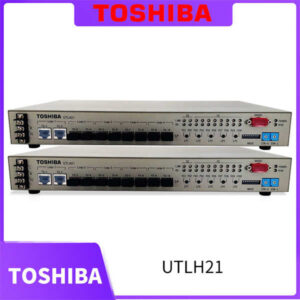
Integrating legacy automation assets into a modern SCADA environment often hits a hard wall when you realize your older Toshiba PLCs or CNC machines lack Ethernet ports. The Toshiba AIGW01G015 acts as the necessary bridge, encapsulating serial signals into standard TCP/IP packets to keep your existing hardware viable without a costly rip-and-replace.In my experience, this gateway handles the data translation with minimal latency, which is critical when you are monitoring high-speed counters or temperature loops. It supports standard Modbus protocols, making it a straightforward addition to your network topology. Honestly, if you are trying to avoid scrapping a perfectly good machine just because it uses RS485, this module is the most cost-effective path forward.

Key Technical Specifications
| Parameter | Value | Notes |
|---|---|---|
| Product Model | AIGW01G015 | Standard Industrial Grade |
| Communication Interface | Ethernet (RJ45) + Serial (Terminal Block) | 10/100Base-TX |
| Serial Port | RS485 / RS232 | Software selectable |
| Supported Protocol | Modbus TCP / RTU | Master/Slave modes available |
| Power Supply | 24V DC | Industrial standard |
| Mounting Type | DIN Rail (35mm) | Snap-on installation |
| Operating Temp. | -10°C to +60°C | Wide temperature range |
| Protection Class | IP20 | For cabinet installation |
Application Scenarios & Pain Points
The moment this module earns its price is exactly when the plant manager asks for OEE data from a machine built in 1998. Without a gateway like the AIGW01G015, you are stuck with manual data entry or expensive hardware upgrades. This device solves the “island of automation” problem by pulling data from serial-only devices and pushing it to your SQL database or cloud connector.
- Retrofitting Legacy Lines: Instead of replacing a functioning injection molding machine just to get cycle counts, you install this gateway to harvest the data via the existing serial port.
- Energy Monitoring: Aggregating power meter data from multiple sub-panels into a central Energy Management System (EMS) without running new fiber optics.
- Remote Diagnostics: Ever get called in at 2 a.m. because a remote pump station failed? This module allows the central control room to poll status registers remotely, saving the truck roll.
- CNC Integration: Connecting older Toshiba or third-party CNC controls to a DNC network for program management.
Case Study: The 2 a.m. Wake-up Call
A packaging plant in the Midwest was struggling to track downtime on their older case erectors. The machines had no Ethernet, and the operators were filling out paper logs that were often illegible. Maintenance installed the AIGW01G015 on the main controller’s serial port. Within a week, the SCADA system was logging “jam” events in real-time. The result? They identified a mechanical timing issue that was causing 15% of the downtime, fixing a problem they didn’t even know they had.
Installation Pitfalls Guide
I’ve seen too many gateways sit on the shelf because the commissioning engineer missed a simple dip switch setting. Don’t let that be you.
- Firmware Version Mismatch: Just because it’s a new box doesn’t mean the firmware is current. Older stock might have v1.0 firmware that has bugs fixed in v1.2. Check the label and the OEM site before you start programming.
- DIP Switch Configuration: The factory defaults rarely match your site’s specific baud rate or parity settings. Take a photo of the switch bank before you power it up, and double-check it against the manual.
- Termination Resistors: If you are daisy-chaining RS485 devices, you need termination. Forgetting the 120-ohm resistor at the end of the line is the #1 cause of “ghost” communication errors.
- Power Supply Sizing: This gateway draws current from the 24V rail. If you are tapping into an existing power supply that is already near capacity, the voltage might sag when the Ethernet radio transmits. Calculate your load with a 20% headroom.
- Ground Loops: RS485 is differential, but it still needs a clean ground reference. If you see sporadic timeouts, check your shield grounding. Connect the shield at one end only to avoid ground loops.