
 Tel:
 Email:
 WhatsApp:
Description
Key Technical Specifications
| Parameter | Specification |
|---|---|
| Form Factor | Standard ControlLogix I/O module footprint |
| Communication Protocol | PROFIBUS DP-V0 and DP-V1 (Master) |
| Data Mapping | Native CIP (Common Industrial Protocol) integration |
| Network Speed | Supports all standard PROFIBUS baud rates |
| Physical Interface | DB9 (RS-485) with optional termination switch |
| Power Source | Backplane powered |
| Diagnostics | Real-time fault codes, LCD display, and LED indicators |
| Operating Temp | Industrial standard range |
Product Introduction
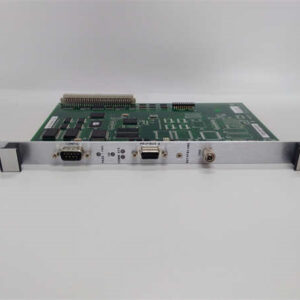
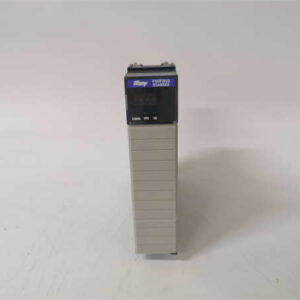
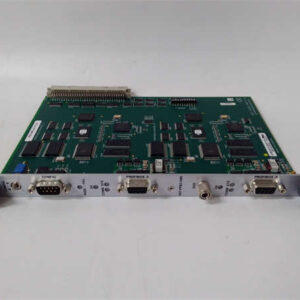
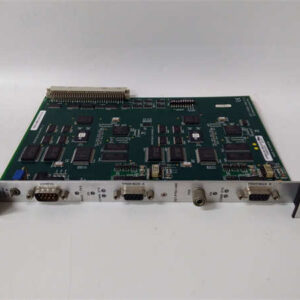
When a mixed-vendor plant floor forces you to bridge legacy PROFIBUS drives with a modern Rockwell ControlLogix system, the SST-PFB-CLX is the field-proven gateway built for that exact integration. It completely bypasses the need for clunky external protocol converters or intermediate gateways. You simply slide this card into any available I/O slot in your ControlLogix rack, wire up the DB9 PROFIBUS connector, and let it map the fieldbus data directly to the backplane via native CIP. I’ve swapped out failing external gateways with this module, and it’s a massive time-saver. You just drop it in the chassis, import the GSD files, and you’re done. The downtime saved on network configuration is enough time to commission the next line.What makes this specific module valuable is its deep Studio 5000 integration. Unlike third-party gateways that require complex ladder logic scripting or custom messaging instructions, this card acts as a native extension of the Logix processor. It automatically generates the data tags for your PROFIBUS slaves, allowing you to read and write process data exactly like local I/O. I usually keep an eye on the real-time diagnostic codes during the initial break-in period. Honestly, in automotive welding shops or water treatment plants where a slight communication delay ruins the whole process, this backplane-integrated scanner is the most pragmatic choice I’ve used.

Quality SOP & Tech Pitfalls
The Lab Report (SOP):
Before anything gets boxed up and shipped, it goes through my standard gauntlet.
- Visual/Counterfeit Check: I inspect the PCB silkscreen, SST/Woodhead logos, and the part number. I’m looking for bulging capacitors, lifted traces, or reworked solder joints on the backplane connector.
- Live Test: It gets mounted on a test rack with a ControlLogix chassis. I simulate the backplane power and monitor the DB9 output with an oscilloscope to verify the RS-485 differential signaling and baud rate scaling.
- Comms & Diagnostics: I hook up a PROFIBUS slave dummy load to confirm the DP-V1 read/write services respond correctly and the fault codes generate properly without dropping frames.
- Sealing: Once it passes, it goes into an anti-static vacuum bag with desiccant.
The Engineer’s Warning (Pitfalls):
Let me save you a headache. The most common mistake I see is screwing up the GSD file imports and tag mapping. If you manually configure the I/O sizes in Studio 5000 instead of properly importing the GSD files via the configuration tool, the data offsets will be misaligned. The PLC will read garbage data, and the drives will trip exactly when the system demands peak torque.Another trap? Backplane power draw. These modules pull significant current from the power rail. I once saw a technician cram too many high-power modules into a single chassis. The module powered up fine, but the backplane voltage sagged under load, causing intermittent communication timeouts that took us days to trace. Always check your chassis power budget.
Installation & Configuration Guide
Phase 1: Pre-Installation
- ️ Safety First: Lockout/Tagout the chassis power supply. Wait for the backplane capacitors to fully discharge.
- ️ Document Everything: Take high-res photos of the old module’s DB9 wiring, the chassis slot location, and the Studio 5000 I/O configuration. You will need them.
Phase 2: Removal
- Disconnect the DB9 PROFIBUS cable from the front panel.
- Release the module ejector levers and carefully slide the communication card out of the chassis slot.
Phase 3: Installation
- Copy the Settings: Before mounting the new SST-PFB-CLX, ensure you have the exact same GSD files and configuration tool version ready. If you skip this, the PLC will throw a major fault the second you power up.
- Slide the new module securely into the designated I/O slot. Ensure the ejector levers are fully locked and the backplane connector is seated.
- Reconnect the DB9 PROFIBUS cable according to your photos. Torque the captive screws properly to prevent arcing.
Phase 4: Power-On & Testing
- Restore the chassis power.
- Watch the LED boot sequence. The OK LED should blink, then stay solid green.
- Check the LCD display. Verify it displays the correct module status and that the PROFIBUS network is communicating.
- Force a small test write via Studio 5000 and verify the data maps correctly to the PROFIBUS slave on your diagnostic tool.
Compatible Replacement Models
| Compatibility Tier | Model / Option | Engineering Notes |
|---|---|---|
| Drop-in Replacement | SST-PFB-CLX (Same Order No.) | 100% match. Just copy the GSD configuration. Lowest risk. |
| ️ Software Compatible | SST-PB3-CLX-RLL | Enhanced design, fully backward compatible. Offers faster processing and dynamic slave addition, but requires a firmware/configuration tool update. |
| Hardware Mod Required | Anybus AB7007 (External Gateway) | Requires completely new wiring, external power supplies, and a different Studio 5000 EDS import process. |
| Hardware Mod Required | Third-Party Ethernet Gateways | Requires swapping the physical network medium. Complete PLC logic overhaul to map the new Ethernet/IP tags. |
Frequently Asked Questions (FAQ)
Q1: Can I hot-swap the SST-PFB-CLX while the PLC is running?
A: Yes, the ControlLogix chassis supports hot-swapping. However, you must ensure the chassis is properly grounded and you are wearing an ESD strap. The PLC will temporarily lose communication with the PROFIBUS slaves during the swap, so ensure your machine logic is in a safe state before pulling the module.Q2: Do I need to reconfigure the Studio 5000 project when I replace the module?
A: If you are swapping in a new SST-PFB-CLX with the same firmware revision, no. The configuration is stored in the PLC project file. Just make sure the new module is placed in the exact same chassis slot, or you will need to update the rack/slot addressing in the I/O configuration tree.Q3: The BF (Bus Fault) LED is flashing. Is the module broken?
A: Not necessarily. You likely have a PROFIBUS network issue. Check your DB9 wiring, ensure the termination resistors are switched to “ON” at both ends of the trunk, and verify that all slave devices are powered up and have the correct station addresses.Q4: Can I use a standard CompactLogix communication module instead?
A: Absolutely not. The SST-PFB-CLX is specifically designed for the ControlLogix backplane architecture. It will not physically or electrically fit into a CompactLogix chassis. If you need PROFIBUS for CompactLogix, you must use an external gateway like the Anybus AB7007.Q5: What does the “RLL” mean in the newer SST-PB3-CLX-RLL model?
A: RLL stands for Remote Link Library. It allows the module to be configured and diagnosed remotely over the ControlNet or EtherNet/IP network, rather than requiring a direct serial connection to the module’s front port.Q6: How do I handle the PROFIBUS cable shielding?
A: The DB9 connector relies on clean RS-485 differential signaling. Make sure you use shielded twisted-pair cable for the PROFIBUS network and bond that shield directly to the chassis ground at one end only. If you leave it floating, high-frequency noise from the VFDs will corrupt your data.