
 Tel:
Tel:  Email:
  WhatsApp:
 Description
Key Technical Specifications
| Parameter | Specification |
|---|---|
| Manufacturer | ProSoft Technology |
| Product Family | ProLinx Stand-Alone Gateway |
| Model | 5204-DFNT-PDPMV1 |
| Protocol Direction | EtherNet/IP (DFNT) ↔ PROFIBUS DP-V1 Master |
| Ethernet Interface | 1 × 10/100Base-T, RJ45 |
| PROFIBUS Interface | 1 × DP Master, DB9, up to 12 Mbps |
| PROFIBUS Services | Cyclic I/O data; DP-V1 Class 1/2 acyclic parameter and diagnostic services |
| Data Mapping | Cyclic I/O image; diagnostics/status mapped over DFNT |
| Configuration Tool | ProSoft Configuration Builder (PCB) |
| Power Supply | 24 VDC nominal (typically 18–32 VDC) |
| Mounting | DIN-rail, inside control cabinet |
| Operating Temperature | 0 to 60 °C (32 to 140 °F), non-condensing |
| Dimensions / Weight | Approx. 127 × 102 × 35 mm; ~0.45 kg |
| Typical Use | Rockwell EtherNet/IP PLCs communicating with PROFIBUS DP-V0/V1 slaves |
Product Introduction
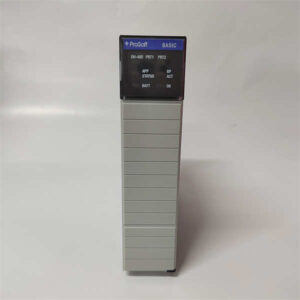
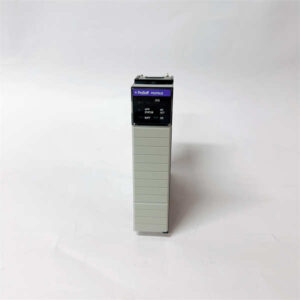
The 5204-DFNT-PDPMV1 is one of those gateways you reach for when the control system has moved to EtherNet/IP but the field devices are still on PROFIBUS. Rather than ripping out an entire segment of drives, flowmeters, or valve islands, this unit sits between the two networks and translates cyclic I/O data plus DP-V1 acyclic services.Its DFNT side speaks EtherNet/IP natively, which makes it easier to integrate with Rockwell controllers than older serial-gateway approaches. The PROFIBUS side operates as a DP-V1 master, so it can handle not only real-time I/O but also parameter reads, device identification, and extended diagnostics — useful when you need more than just “is the drive running.”Because it is a stand-alone gateway, it does not consume a slot in a ControlLogix or CompactLogix rack. That is both an advantage and a constraint: it is flexible for retrofit panels, but you must provision separate 24 VDC power, Ethernet connectivity, and PROFIBUS cabling.
Quality SOP & Tech Pitfalls
The Lab Report (SOP):
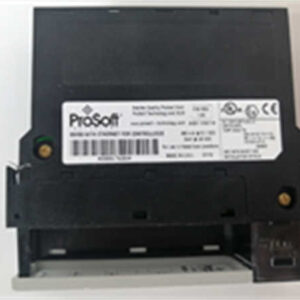
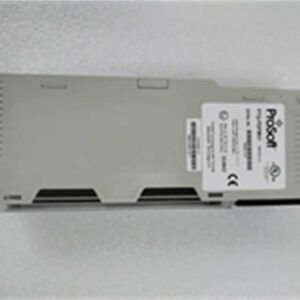
- Nameplate Verification: Confirm “ProSoft,” model “5204-DFNT-PDPMV1,” serial number, firmware revision, and power rating.
- Power Test: Apply 24 VDC; verify status LEDs indicate normal boot.
- Ethernet Test: Connect to a managed switch; verify the unit obtains or responds to its configured IP address.
- PROFIBUS Test: Connect a known-good DP slave or test stub; verify baud rate detection and slave enumeration.
- Configuration Load Test: Use ProSoft Configuration Builder to upload/download configuration; confirm cyclic data mapping and DP-V1 diagnostics are accessible.
- Thermal/Run-In: Run for at least 30–60 minutes while monitoring error counters and connection stability.
The Engineer’s Warning (Pitfalls):The most common mistake is treating this as a “plug-and-play” replacement. The gateway’s value is entirely in its configuration: slave addresses, GSD files, cyclic data lengths, and DFNT tag mapping. If you swap the hardware without restoring the configuration, the PROFIBUS side will not come up cleanly.The second issue is PROFIBUS termination and shielding. A gateway can be perfectly healthy while the bus fails because the last node lacks termination, the shield is grounded at both ends, or the DB9 pinout does not match the existing segment. Always verify the physical layer before blaming the gateway.
Installation & Configuration Guide
30-Minute Swap Procedure:
- Pre-Installation (⚠️ Critical):
- Export the existing gateway configuration from ProSoft Configuration Builder.
- Record the Ethernet IP address, subnet, gateway, and DFNT connection settings.
- Document PROFIBUS baud rate, slave addresses, GSD files, and cyclic data mapping.
- Photograph wiring, DIP switches (if present), and LED status.
- Removal:
- Disconnect 24 VDC power.
- Label Ethernet and PROFIBUS cables.
- Remove DIN-rail mounting and set the unit aside.
- Installation:
- Mount the replacement 5204-DFNT-PDPMV1 on DIN rail.
- Connect 24 VDC power with correct polarity.
- Connect Ethernet to the industrial switch.
- Connect PROFIBUS DP using shielded cable; verify termination at segment ends.
- Commissioning:
- Power up and verify status LEDs.
- Load the saved PCB configuration.
- Verify PROFIBUS slave enumeration and cyclic data exchange.
- Confirm DFNT communication with the EtherNet/IP controller.
- Monitor error counters for at least one full production cycle.

Compatible Replacement Models
| Tier | Model | Notes |
|---|---|---|
| ✅ Drop-in | ProSoft 5204-DFNT-PDPMV1 | Exact model. Verify firmware and saved PCB configuration. |
| ✅ Functional Equivalent | ProSoft ProLinx DFNT ↔ PROFIBUS DP-V1 gateway (current generation) | Same protocol function; may require configuration migration and IP reassignment. |
| ⚠️ Rack-Based Alternative | ProSoft MVI56-PDPMV1 / MVI69-PDPMV1 | PROFIBUS DP-V1 master modules for ControlLogix/CompactLogix. Not a direct hardware swap; requires rack integration. |
| ❌ Not Interchangeable | PTQ-PDPMV1 | PROFIBUS DP-V1 master for Schneider Quantum PLCs. Different platform and mounting. |
Frequently Asked Questions (FAQ)
Q1: Is this a Rockwell module that plugs into a ControlLogix rack?
No. The 5204-DFNT-PDPMV1 is a stand-alone ProLinx gateway. It mounts on DIN rail and connects via Ethernet and PROFIBUS, not through a backplane.Q2: What does DFNT mean here?
DFNT refers to DF1 Native Transport, ProSoft’s EtherNet/IP transport mechanism used in this gateway family. It allows the gateway to exchange data with EtherNet/IP controllers without requiring serial DF1 converters.Q3: Does it support PROFIBUS DP-V1 diagnostics?
Yes. It supports cyclic I/O and DP-V1 acyclic services, including parameter access and extended diagnostics for compatible slaves.Q4: Can it replace a MVI56-PDPMV1 or MVI69-PDPMV1?
Functionally, yes — it can perform the same EtherNet/IP-to-PROFIBUS role. Mechanically and architecturally, no. The MVI modules live inside a Rockwell rack; the 5204 gateway is external.Q5: What power supply does it need?
Typically 24 VDC, nominal 18–32 VDC. Verify the nameplate before wiring.Q6: What configuration software is required?
ProSoft Configuration Builder (PCB). You should export and archive the configuration before removing the original unit.Q7: What warranty should I expect?
Surplus stock typically carries a 12-month defect warranty. For a protocol gateway, verify Ethernet connectivity, PROFIBUS slave enumeration, and cyclic data mapping within the first week. A gateway that powers up can still have a corrupted configuration or marginal PROFIBUS interface that only appears under load.