
 Tel:
Tel:  Email:
  WhatsApp:
 Description
Key Technical Specifications
· I/O Channel Count: 32 total (16 Solid-State, 16 Relay)
· Relay Configuration: NC/NO (Normally Closed / Normally Open)
· Communication Bus: Dual Redundant RBUS (RBUS A and RBUS B)
· Host Interface: Remote Control Unit (RCU)
· Protection Features: Short-circuit protection on solid-state outputs
· Diagnostics: Loop monitoring for 16 solid-state channels
· Safety Feature: Fail-safe output activation upon host communication loss
· Electrical Isolation: Communication ports insulated from module circuit
· Configuration: Online parameter setting supported
· Fault Protection: Soft and hard fault protection mechanisms
· Indicators: Status LEDs for operational and diagnostic feedback
· Maintenance: Hot-swappable design for easy replacement
Product Introduction
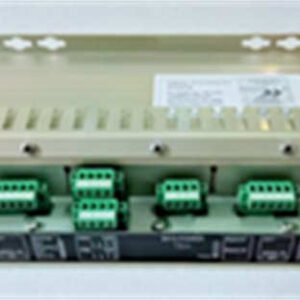
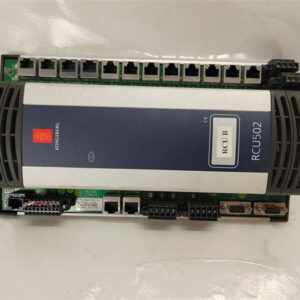
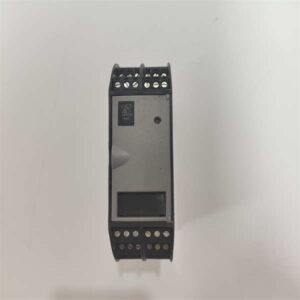
KONGSBERG RDIOR420 (306713) is a combination I/O module designed for KM Automation systems. It bridges remote field devices with the host Remote Control Unit (RCU) via a redundant process bus.This module integrates 16 solid-state digital channels and 16 relay channels into a single footprint. Field technicians note that the status LEDs provide immediate visual feedback during loop checks. If the RBUS link fails, the module defaults to fail-safe output states to protect downstream equipment.
Installation & Configuration Guide
· Preparation (10 min): Obtain the system wiring diagram. Verify the 24V DC power supply is within ±10% tolerance. Gather insulated hand tools.
· Removal (5–10 min): Isolate the module from the RBUS network. Disconnect field wiring. Release the DIN rail locking mechanism and slide the module upward.
· Installation (10 min): Slide the new RDIOR420 onto the DIN rail. Reconnect field wiring to the correct NC/NO relay terminals. Engage the locking tab securely.
· Power-On & Test (10 min): Apply power. Observe the status LEDs for normal boot sequence. Trigger a test signal on a solid-state input to verify RCU communication.
Troubleshooting Quick Reference
· Symptom: Module Status LED is OFF. Probability: High. Check 24V DC supply voltage and fuse.
· Symptom: RBUS Communication Fault. Probability: High. Inspect RBUS A and RBUS B cable terminations for loose connections.
· Symptom: Solid-State Output Not Energizing. Probability: Medium. Check for short-circuit protection trip. Review RCU diagnostic logs.
· Symptom: Relay Clicks But No Continuity. Probability: Medium. Measure contact resistance. Inspect for carbon buildup or welded contacts.
· Symptom: Intermittent Input Signal. Probability: Low. Check field wiring for ground loops or EMI interference. Verify insulation resistance.

Dimensions, Mounting & Wiring Notes
· Mounting Method: Standard DIN rail (35mm).
· Terminal Notes: Relay channels support both NC and NO wiring. Always double-check terminal block pinouts against the 306713 schematic before applying power.
· Dimensions: Refer to OEM KM Automation mechanical drawing for exact H×W×D measurements (standard KM module footprint).
FAQ
Is the RDIOR420 compatible with older RCU firmware versions?
Compatibility depends on the RCU software version. Always cross-reference the RCU firmware release notes with the RDIOR420 revision level (e.g., REV 1.4.1) before deploying.I need to replace a failed module today. Can you ship immediately?
We maintain inventory of tested 306713 modules. Standard processing takes 24 hours. Expedited shipping options are available at checkout.What happens if the host computer loses communication?
The module features a built-in fail-safe mechanism. If RBUS communication drops, predefined outputs will activate automatically to ensure system safety.Are these modules factory sealed or refurbished?
We supply both New Surplus (factory sealed) and Refurbished (tested) units. Each refurbished module undergoes a 24-hour load test and includes a signed test report.How do I configure the solid-state channels?
Channels are configured via the KM Automation engineering software. You can assign individual channels as digital inputs or outputs without removing the module from the rack.Why does my new module show a revision mismatch?
KONGSBERG periodically updates hardware revisions. A minor revision change usually works, but major changes may require an RCU software update. Always photograph your old module’s revision sticker before removal.