 Tel:
Tel:  Email:
  WhatsApp:
 Description
Key Technical Specifications
- Manufacturer: KONGSBERG
- Model Number: NA1077
- Alternate Designator: TCI
- Manufacturer Part Number: 6200421
- Operating Voltage: 24V DC (±10% tolerance)
- Module Type: Signal Conditioning / I/O Interface
- Mounting Style: DIN Rail / Backplane
- Condition: New Surplus (Factory Sealed)
- Testing Status: Function verified under test conditions
- Warranty: 1 Year Supplier Warranty
- Compliance: RoHS (verify with OEM datasheet)
- Origin: Norway / EU
Product Introduction
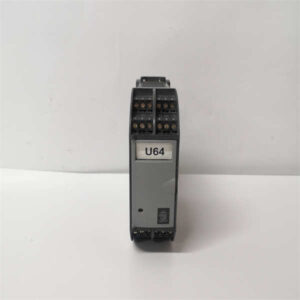
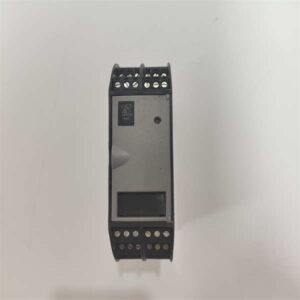
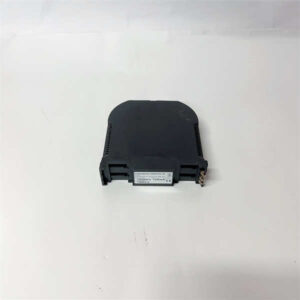
KONGSBERG NA1077 (TCI) 6200421 is a signal conditioning module for marine and industrial automation systems. It processes analog and digital I/O signals within the TCI control architecture.Field replacements require exact hardware matching. We verify DIP switch positions and firmware revisions before shipment to prevent compatibility faults. Each unit undergoes a 24-hour load test to confirm signal integrity.
Installation & Configuration Guide
Preparation (10 min)
- Lock out and tag out the main control panel.
- Measure the 24V DC power rail. Confirm it reads between 21.6V and 26.4V.
- Gather a #2 Phillips screwdriver and an anti-static wrist strap.
- Locate the wiring diagram for slot position NA1077.
Removal (5–10 min)
- Attach the anti-static wrist strap to a grounded point.
- Label all field wires with masking tape before disconnecting.
- Loosen the top and bottom terminal screws.
- Pull the module straight out. Avoid twisting the backplane pins.
Installation (10 min)
- Inspect the backplane connector for bent pins or debris.
- Slide the new NA1077 module into the designated slot.
- Reconnect field wires exactly as labeled.
- Tighten terminal screws to 0.5 Nm. (I once saw a loose neutral wire cause intermittent faults that took hours to find.)
Power-On & Test (10 min)
- Remove lockout devices and restore 24V DC power.
- Observe the module LEDs. A solid green indicates normal operation.
- Check the HMI for active fault codes.
- Force a test signal through the I/O channel to verify scaling.
Troubleshooting Quick Reference
- Module has no LED indicators: Check 24V DC supply at the terminal block. Measure for 24V ±10%. If absent, trace the backplane fuse.
- Flashing red LED: Indicates internal hardware fault or backplane communication loss. Reseat the module. If the error persists, replace the unit.
- Erratic analog readings: Inspect field wiring for ESD damage or loose connections. Verify shield grounding at the panel entry point.
- HMI shows module offline: Verify slot configuration in the TCI software. A mismatched hardware revision will prevent the controller from recognizing the card.
- Module runs hot to the touch: Check for shorted field devices. Measure current draw. Ensure the control panel cooling fan is operational.
Dimensions, Mounting & Wiring Notes
- Height × Width × Depth: 120 mm × 45 mm × 110 mm (Standard TCI form factor)
- Mounting Method: Vertical DIN rail or proprietary TCI backplane slot
- Terminal Notes: Use ferrules on stranded wire. Torque to 0.5 Nm. Do not exceed wire gauge limits specified in the OEM manual.
FAQ
Will this NA1077 drop into my existing TCI backplane?
Yes, but verify the hardware revision first. TCI modules occasionally update internal components. Match the 6200421 part number and check the DIP switch settings before powering up.I received the module but the HMI won’t recognize it. What now?
Check the slot assignment in your configuration software. Sometimes the backplane expects a different module type in that specific position. Also, ensure the 24V supply is stable during boot.Do you have a lower price if I buy five of these?
Volume pricing applies. Send your exact quantity to our sales team for a formal quote. Lead times may vary based on current surplus inventory levels.Is this module factory sealed or refurbished?
This is New Surplus. It is factory sealed but may have been stored in a warehouse for several years. We perform a full 24-hour functional test before shipping to guarantee it meets operational specs.What happens if I install it and the red LED stays on?
Power down immediately. A solid red LED usually means a backplane fault or internal failure. Contact our support team with a photo of the LED status and your panel configuration. We will arrange a replacement under warranty.How long does shipping usually take?
We ship verified stock within 24 hours of payment. Transit times depend on your location and chosen freight carrier. Expedited options are available at checkout.Can you test this with my specific TCI software version?
We test against standard TCI firmware baselines. If your system uses a custom or legacy build, send us the software version number. We will note any known compatibility issues before you order.