
 Tel:
Tel:  Email:
  WhatsApp:
 Description
Key Technical Specifications
| Parameter | Details |
|---|---|
| Product Family | EMERSON FloBoss S600+ flow computer |
| Primary Application | Gas and liquid flow metering, custody transfer, process metering |
| Compatibility | Backward-compatible with the previous 5600 model family |
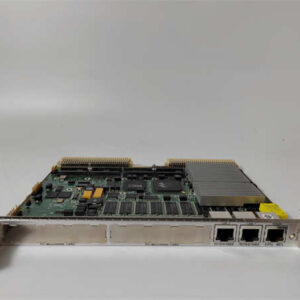
| Communications | Two independent Ethernet 10/100Base-T ports |
| Optional I/O | Optional 12-channel HART module |
| HART Support | Point-to-point and multi-drop; up to 50 transmitters |
| Remote Access | Embedded web server for diagnostics, reports, and configuration |
| Security | Username/password protection with event logging |
| Meter Interfaces | Embedded drivers for intelligent primary elements such as USM and Coriolis meters |
| Configuration | Uses existing 5600-style configurations and tools where applicable |
Product Introduction
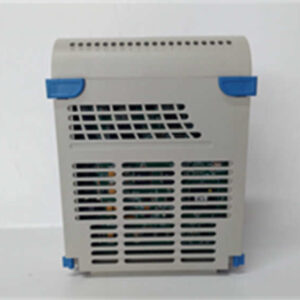
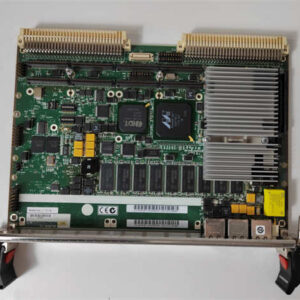
I’ve walked into enough metering stations to know the real problem is never “we need another box.” The problem is usually: the old flow computer is aging, the SCADA data looks suspicious, the meter runs are drifting, or someone is trying to migrate off a legacy 5600 without rewriting the entire metering strategy.The EMERSON FloBoss S600+ fits into that exact gap. It is a flow computer built around gas and liquid metering, with enough communication flexibility to talk to modern intelligent meters and enough backward compatibility to make a 5600 replacement less painful. What makes it useful in the field is not just the display or the menu structure. It is the fact that it can sit in a custody-transfer or process-metering role, handle multiple meter runs, store calculated data, and give you a local and remote path to diagnose problems before they become commercial disputes.This is not a generic PLC. If you treat it like one, you will configure it wrong and wonder why the totals do not match.

Quality SOP & Tech Pitfalls
The Lab Report
Before I ship or accept a FloBoss S600+ as a spare, I want to see the basics done correctly:
- Visual inspection
Check the enclosure, front panel, display, keypad, connectors, serial/Ethernet ports, and mounting hardware for cracks, corrosion, moisture damage, or bent pins. - Nameplate verification
Confirm model designation, serial number, firmware version, hardware revision, power rating, and any approval markings. - Counterfeit and tamper screening
Look for inconsistent labeling, poor print quality, mismatched screws, non-OEM stickers, or signs that the enclosure was opened without proper documentation. - Port and connector check
Inspect Ethernet, serial, HART, power, and I/O connectors. A damaged serial port can look harmless until you try to pull diagnostics at 2 a.m. - Live functional test
If possible, power the unit on a clean supply, confirm boot sequence, check front-panel display, verify menu navigation, and confirm communication port activity. - Firmware and configuration logging
Record firmware version, application version, configuration file name, meter run setup, proof-test data, and any active alarms. - Anti-static handling and sealed packing
Flow computers contain sensitive electronics. ESD damage is silent until the unit fails in the cabinet.
The Engineer’s Warning
The biggest mistake I see with the S600+ is swapping it in like a dumb I/O card.It is not.Two things will bite you:
- Firmware mismatch
If the replacement firmware does not match the existing metering configuration, you can get calculation differences, communication failures, or rejected configuration files. - Old configuration assumptions
If the site was running a 5600 configuration, do not assume every setting transfers cleanly without verification. Meter factors, stream settings, pressure/temperature compensation, alarm limits, communication addresses, and security settings all need to be checked.
I have seen a “drop-in” flow computer power up fine, show the menu, and still create a custody-transfer headache because nobody checked whether the firmware, configuration, and meter constants actually matched the original application.
Installation & Configuration Guide
1. Pre-Installation
⚠️ Lock out power before removing the existing unit.
If the S600+ is connected to live metering loops, HART transmitters, serial networks, or Ethernet/SCADA systems, treat it as part of an active process system.Before removal:
- Photograph the front panel status and alarm indicators.
- Photograph all wiring labels.
- Record serial/Ethernet connections.
- Record DIP switches, jumpers, or module positions if present.
- Export or back up the existing configuration if possible.
- Note the firmware version on the old unit.
2. Removal
- Label every cable.
- Disconnect Ethernet, serial, HART, power, and I/O connections carefully.
- Do not force connectors.
- Remove the unit from the panel or enclosure without damaging mounting hardware.
- Keep the old unit accessible until the replacement is verified.
3. Installation
- Mount the replacement FloBoss S600+ in the same orientation and enclosure environment.
- Verify power supply voltage before connecting.
- Reconnect serial, Ethernet, HART, and I/O wiring exactly as labeled.
- Copy or verify all configuration settings from the old unit before assuming the new unit is ready.
- Confirm communication addresses match the SCADA/DCS system.
- Confirm meter run configuration matches the field meters.
4. Power-On & Testing
⚠️ Do not place the unit into custody-transfer service until verified.After power-up:
- Confirm the display boots correctly.
- Check for alarms or communication faults.
- Verify Ethernet connectivity.
- Verify serial communication.
- Confirm HART channels, if installed.
- Compare live process values against expected meter readings.
- Confirm flow calculations, totals, and reports.
- Log the firmware version and configuration file.
- Perform a controlled functional check before returning the unit to full service.

Compatible Replacement Models
| Compatibility Level | Guidance |
|---|---|
| ✅ Drop-in Replacement | Same FloBoss S600+ model, matching firmware, matching configuration, and matching I/O/communication setup. |
| ⚠️ Software Compatible | Same hardware family but different firmware or configuration; may require configuration migration, communication recheck, and metering validation. |
| ❌ Hardware Mod Required | Different flow computer platform, different I/O architecture, or different metering standard support; do not use as a direct swap without engineering review. |
Frequently Asked Questions
Is the FloBoss S600+ a direct replacement for the 5600?
It is designed to be backward-compatible with the previous 5600 model and can use existing configurations and tools, but you still need to verify firmware, configuration, communication settings, and metering constants before putting it into service.Can I hot-swap a FloBoss S600+?
No. Do not remove or install it while the system is live. Power, communication, and metering loops should be handled according to site procedures. Pulling a flow computer from a live metering skid is a fast way to create bad data or trip an alarm.Does it support both gas and liquid metering?
Yes. The FloBoss S600+ is used for gas and liquid flow metering applications, but the exact calculation models, approvals, and meter types must be confirmed for your specific custody-transfer or process application.What communications does it support?
It includes two independent Ethernet 10/100Base-T ports and supports an optional 12-channel HART module with point-to-point and multi-drop architectures for up to 50 transmitters. It also has an embedded web server for remote diagnostics, report access, and configuration.Can I configure it remotely?
Yes, through the embedded web server, but remote access should be protected with username/password controls and limited to authorized personnel. In custody-transfer environments, every configuration change should be logged and reviewed.What should I check before buying a spare S600+?
Send the nameplate photo, firmware version, serial number, existing configuration file name, communication setup, meter types, and the reason for replacement. Without that, you are buying hardware, not a verified solution.Will it work with Coriolis and ultrasonic meters?
The S600+ supports embedded drivers for intelligent primary elements such as USM and Coriolis meters, but driver support, firmware level, and meter protocol compatibility should be confirmed against the actual meter model before installation.