 Tel:
Tel:  Email:
  WhatsApp:
 Description
Product Introduction
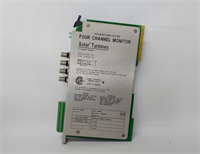
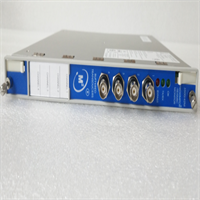
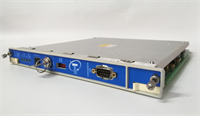
The Bently Nevada 3500/15 129478-01 is the central nervous system for your 3500 Rack, responsible for rack power distribution and system health monitoring. In rotating equipment protection deployments, this module ensures that every connected sensor and logic solver has the stable power and communication backbone they need to function. It’s a non-negotiable component for maintaining the integrity of your machinery protection strategy.This specific revision (129478-01) is designed for 120 VAC 60 Hz input environments. It handles the critical task of converting line voltage into the isolated 24 VDC required by the backplane, while continuously scanning for faults. If you are managing a legacy 3500 system in a region with stable 120V grids, this is the standard spec to maintain.
Key Technical Specifications
- Part Number: 129478-01
- Product Type: 3500 System Monitor
- Input Voltage: 120 VAC
- Frequency: 60 Hz
- Power Consumption: 60 VA maximum
- Backplane Output: 24 VDC Isolated
- Operating Temperature: 0 °C to 60 °C (32 °F to 140 °F)
- Operating Humidity: 0% to 95% RH, non-condensing
- Certifications: CE, CSA, UL Listed
- Warranty: 1 Year (Standard)
Application Scenarios & Pain Points
The “Lights Out” Scenario
Imagine the night shift at a petrochemical plant. The control room lights flicker, and suddenly, the 3500 rack LEDs go dark. A critical compressor loses its vibration monitoring. The root cause? A failed System Monitor module drawing unstable current. Without a direct replacement like the 3500/15 on the shelf, the plant faces a forced shutdown until the part arrives. This is where holding the right voltage spec (120 VAC vs. 240 VAC) in inventory earns its weight in gold.Industry Applications
- Petrochemical Processing: In these high-risk environments, the 3500/15 acts as the first line of defense. If the rack loses power during a critical over-speed event, the consequences are severe. We see this module deployed in ethylene crackers where ambient temperatures often hover near the 60°C limit.
- Power Generation: Gas turbine monitoring relies on constant rack power. A common pain point here is input frequency mismatch—installing a 50 Hz module in a 60 Hz cabinet (or vice versa) causes thermal runaway. This 129478-01 variant is strictly for 60 Hz grids.
- Metallurgy: Steel mills generate massive electrical noise. The isolation provided by this module prevents ground loops from corrupting the 4-20mA outputs feeding the DCS. If you’re retrofitting an old rack, verify the firmware revision matches your existing configuration software.
- Water & Wastewater: While less critical than oil & gas, pump stations still need uptime. The failure mode we track most often is capacitor degradation due to humidity. If your spares are stored in a non-climate-controlled warehouse, expect reduced MTBF on the power supply section.
Case Study: Compressor Train Uptime
Problem: A natural gas processing facility in Texas experienced intermittent rack resets. The on-call engineer discovered the aging 3500/15 was dropping the 24V bus under load.
Solution: They initiated a “Last Time Buy” for the 129478-01 revision to bridge the gap until a full system migration.
Outcome: By swapping in the verified OEM module, they restored stable power and bought 18 months of operational time without unscheduled downtime.
Quality Control Process
1. Inbound Inspection
We verify the source traceability of every 3500/15 against OEM packing lists. The serial number is cross-referenced to confirm it is not a known counterfeit. We perform a visual audit using a 10x magnifier to check for capacitor bulging or repair marks on the PCB—though this is rare on New Surplus stock.2. Live Functional Test
We power the module on a calibrated 120 VAC Variac to simulate line fluctuations. We monitor the backplane output with a Fluke 87V to ensure the 24 VDC remains stable within ±5%. The “Power Good” LED must illuminate immediately with no flicker during the 60-second warm-up period.3. Electrical Parameters
We conduct a Hi-pot test between the AC input and the DC output chassis. The insulation resistance must read >1000 MΩ at 500 VDC to guarantee operator safety. Any unit failing this test is scrapped immediately.4. Firmware Verification
The firmware version is read via the front port. For System Monitors, we ensure the revision matches the label (typically v1.x or v2.x for this model). Mismatched firmware can prevent the rack from booting.5. Final QC & Packaging
Passed units are sealed in anti-static bags with desiccant. We label them with our internal stock code and the “QC Passed” date. We can share test video/photos on request to prove functionality before shipment.
Installation Pitfalls Guide (“Lessons Learned”)
1. Input Voltage Mismatch
⚠️ Risk: Plugging a 120 VAC module (like this 129478-01) into a 240 VAC line will cause catastrophic failure—smoke and fire risk.
Lesson: Always double-check the label on the side of the module. If your panel has a 240 VAC bus, you need part number 129478-02 instead. Don’t assume the rack voltage matches the building mains.2. Rack Slot Orientation
❗ Risk: The 3500/15 is polarized. Forcing it into the wrong slot can bend the backplane pins.
Lesson: The module has a keying tab. Align it with the slot guide. If it doesn’t slide in smoothly, stop and rotate the module. Forcing it will cost you the price of a new backplane.3. Grounding the Chassis
⚠️ Risk: Floating grounds induce noise into sensitive vibration signals.
Lesson: Use the green star washer provided to bond the module chassis directly to the rack rail. This isn’t just for ESD; it’s for signal integrity. A loose ground screw is a common cause of “phantom” vibration alarms.4. Firmware Version Lock
❗ Risk: Newer firmware might not be backward compatible with older 3500 Rack firmware.
Lesson: Before swapping, note the firmware version of the old module. If the new one is a major revision higher, you may need to re-download the entire rack configuration. Keep a spare configuration file handy.5. Power Cycling Time
⚠️ Risk: Powering down for “just a second” to swap the module can corrupt the EEPROM.
Lesson: When replacing the module, leave the rack powered off for at least 30 seconds after removal. This allows the internal capacitors to fully discharge. Rushing this step can brick the communication modules downstream.