 Tel:
Tel:  Email:
  WhatsApp:
 Description
Key Technical Specifications
| Parameter | Specification |
|---|---|
| Model | FM9925A-E |
| Brand | ABB |
| Product Type | Automation Control Module |
| Core Function | I/O Processing, Signal Transmission |
| Input Voltage | 24V DC (Typical) |
| I/O Points | 50 (Digital & Analog) |
| Operating Temperature | -40°C to +85°C |
| Communication | Modbus RTU, Ethernet, RS485 |
| Mounting | DIN Rail |
| Weight | Approx. 1 kg |
Product Introduction
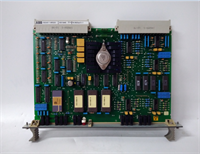
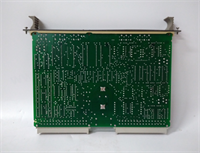
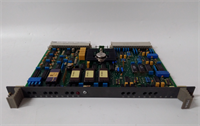
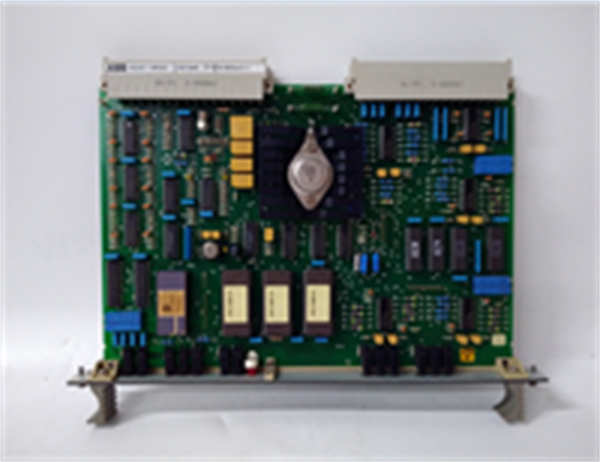
The ABB FM9925A-E is a high-performance automation control module designed for complex industrial systems. It functions as a robust input/output (I/O) interface, processing and transmitting digital and analog signals to control various industrial devices. This module is built for reliability in demanding environments, featuring a wide operating temperature range and a compact, modular design for easy integration.Engineered for versatility, the FM9925A-E supports multiple communication protocols, including Modbus RTU, Ethernet, and RS485, allowing seamless connection to existing control networks. Its core function is to handle signal processing for manufacturing, energy, and transportation applications. The unit’s durable construction and DIN rail mounting simplify installation and maintenance in space-constrained control panels.
FM9925A-E ABB
Installation & Configuration Guide
Preparation (10 min)
- Ensure the main power supply is OFF and locked out.
- Verify the control system’s voltage requirements match the module’s specifications (24V DC).
- Prepare the DIN rail and necessary wiring tools.
Removal (5–10 min)
- Disconnect all field wiring and communication cables from the module.
- Release the DIN rail locking clip at the bottom of the unit.
- Carefully slide the module off the rail.
Installation (10 min)
- Hook the top of the FM9925A-E onto the 35mm DIN rail.
- Push the bottom of the unit until the locking clip engages securely.
- Connect the 24V DC power supply and field I/O wiring to the designated terminals.
- Attach the communication cable (e.g., RS485) to the appropriate port.
Power-On & Test (10 min)
- Restore power to the system.
- Observe the module’s status LEDs to confirm it is powered and communicating.
- Use the control system software to verify that I/O signals are being read and written correctly.
- Run a simple diagnostic to ensure the module is recognized on the network.
Troubleshooting Quick Reference
| Symptom | Probable Cause | Corrective Action |
|---|---|---|
| Module Not Powering | Incorrect power supply or loose wiring. | Verify 24V DC input and check terminal connections. |
| Communication Error | Protocol mismatch or cable fault. | Confirm communication settings (e.g., Modbus address); check cable integrity. |
| I/O Signals Not Reading | Incorrect wiring or configuration. | Review wiring diagram; verify channel configuration in software. |
| Status LED is Red | Internal fault or over-temperature. | Power cycle the unit; ensure ambient temperature is within -40°C to 85°C. |
Dimensions, Mounting & Wiring Notes
- Dimensions: Compact design, approximately 50mm x 90mm x 114mm.
- Mounting: Standard 35mm DIN rail.
- Wiring: Use appropriate gauge wire for 24V DC and I/O signals. Ensure all connections are tight.
- Note: The module’s I/O configuration (e.g., 8 digital inputs, 4 digital outputs) may vary. Consult the specific datasheet for your unit’s exact channel layout.
FAQ
What is the primary function of the ABB FM9925A-E?
It serves as an input/output (I/O) module, processing digital and analog signals to control and monitor industrial equipment within an automation system.What communication protocols does it support?
The module is designed to support multiple industrial protocols, including Modbus RTU, Ethernet, and RS485, for flexible system integration.Is this module suitable for harsh environments?
Yes, it is built for industrial use with a wide operating temperature range of -40°C to +85°C, making it suitable for demanding conditions.How is the FM9925A-E powered?
It typically operates on a 24V DC power supply. Always verify the specific voltage requirements on the unit’s label before installation.What systems is this module compatible with?
It is part of ABB’s IndraControl series and is designed for use in DCS (Distributed Control System) and other industrial automation applications.