 Tel:
Tel:  Email:
  WhatsApp:
 Description
Product Introduction
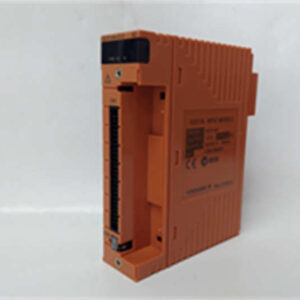
Maintenance teams often waste hours dragging a laptop to the field just to trim a pressure transmitter. The YOKOGAWA YHC5150X solves this by putting full configuration power into a rugged, pocket-sized handheld. It connects directly to smart devices via standard HART or DE protocols, eliminating the need for bulky PCs in hazardous zones.Why keep this in your toolkit? Because it handles device description (DD) files for over 90% of market instruments, not just Yokogawa gear. In our experience, the boot time is under 15 seconds, which matters when you are standing on a ladder in the rain. Well, technically it supports FOUNDATION Fieldbus too, but only if you load the specific software license key beforehand. This design choice is actually clever—it lets you start with a basic HART tool and upgrade later without buying new hardware.
 Key Technical Specifications
 Key Technical Specifications
| Parameter | Value | Notes |
|---|---|---|
| Supported Protocols | HART 5/6/7, DE, FOUNDATION Fieldbus | License dependent |
| Display | 3.5-inch QVGA Color LCD | Visible in direct sunlight |
| Battery Life | >12 Hours (Typical) | Li-Ion rechargeable |
| Protection Rating | IP67, NEMA 4X | Dust tight, water immersion resistant |
| Operating Temp | -20°C to +60°C | Storage: -30°C to +70°C |
| Memory | 256 MB Flash | Stores thousands of tag logs |
| Connectivity | USB 2.0, Ethernet (optional) | For DD file updates |
| Weight | Approx. 650 g | Including battery |
| Explosion Proof | ATEX, IECEx, UL, CSA | Class I Div 1 / Zone 1 |
| DD Library | Pre-loaded + Expandable | Supports EDDL technology |
| Charging Time | <4 Hours | Via AC adapter or USB |
| Warranty | 1 Year | From date of shipment |
Application Scenarios & Pain Points
Picture this: It’s 2 AM, a level transmitter in the crude unit is drifting, and the control room sees a flat line. You grab your old single-protocol tester, get to the site, and realize the new device speaks HART 7 with a specific DD file your old tool can’t read. Now you have to go back to the shop, wake up the IT guy, load drivers, and return two hours later. The YOKOGAWA YHC5150X prevents this nightmare by carrying the entire library in its internal memory.
- Petrochemical Refineries: When was the last time your team missed a shutdown window because of missing tools? This unit configures safety valves and flow meters on the fly, keeping turnaround schedules tight.
- Power Generation Plants: High vibration areas demand reliable gear. The IP67 rating means a sudden steam leak or rainstorm won’t kill your communicator mid-task.
- Water Treatment Facilities: If you manage mixed fleets (Rosemount, Endress+Hauser, Yokogawa), do you really want three different handsets? One YHC5150X handles them all, reducing capital spend.
- Pharmaceutical Manufacturing: Calibration records are critical. The internal logging feature captures every change, creating an audit trail that satisfies FDA 21 CFR Part 11 requirements without extra software.
- Case Study: A mid-stream gas plant in Texas faced recurring communication faults on their custody transfer meters. The engineering team deployed five YHC5150X units to perform simultaneous diagnostics across the metering skid. They identified a grounding loop issue within 45 minutes—a task that previously took a day with laptops. The on-call engineer actually got home before midnight for once.
Quality Control Process (SOP Transparency)
We don’t just ship boxes; we verify functionality. When a YOKOGAWA YHC5150X arrives, we first check the source traceability. We look for the original factory packing list and verify the serial number against Yokogawa’s database to ensure it’s not a gray market clone. Visually, we inspect the casing for cracks, the screen for dead pixels, and the connector ports for bent pins. Honestly, if the rubber boot looks worn, we reject it immediately.Next comes the live functional test. We connect the unit to a simulated HART loop using a Fluke 754 Process Calibrator as the device under test. We power it on, checking that the boot sequence completes without error codes. Then we perform a communications handshake, read the device tag, and write a new value to verify read/write access. We run the backlight test and check battery discharge rates over a 2-hour sample period. Finally, we verify the firmware version (e.g., V02.00.00) and take a photo of the ‘About’ screen. If it passes, we sign the QC sheet, seal it in an anti-static bag, and pack it with bubble wrap. We can share these test photos or a short video clip upon request.
Installation Pitfalls Guide (“Lessons Learned” Voice)
Even simple tools get misused. Here is what usually goes wrong when teams rush.
- Firmware Version Mismatch: Newer smart devices often require the latest Device Description (DD) files. If your YHC5150X hasn’t been updated in two years, it might see the device but fail to display specific parameters. ❗ Always update the DD library before heading to the field. We saw a project where engineers couldn’t access diagnostic menus on new flow meters simply because their tool library was from 2018.
- Connection Polarity: HART is polarity insensitive, right? Mostly. But when using power-limited barriers or specific intrinsically safe setups, reversing leads can prevent communication entirely. Check the loop diagram. Don’t assume the red clip always goes to the positive terminal if the barrier wiring is non-standard.
- Battery Neglect: These are Li-Ion packs. If you leave them in a hot truck or drain them to zero repeatedly, they swell. A swollen battery can crack the screen from the inside. Charge it fully before storage, and don’t leave it in a freezing car overnight.
- Wrong Network Load Resistor: To communicate, a HART loop needs a 250-ohm resistor. If you clip onto a panel terminal that already has one, you’re fine. If you clip directly across a power supply without resistance, communication fails. Keep a spare 250-ohm resistor in your pouch.
- ESD Damage: It’s rare for handhelds, but dry winter air plus plastic cases equals static. If the screen freezes instantly upon touching a live terminal, you might have zapped the comms chip. Ground yourself before clipping on in dry environments.