
 Tel:
Tel:  Email:
  WhatsApp:
 Description
Key Technical Specifications
| Parameter | Specification | Notes |
|---|---|---|
| Part Number | CP-9200SH/CPU | Primary identifier |
| Input Voltage | 200V AC | Standard industrial voltage |
| Output Voltage | 0-260V | Dynamic control range |
| Control Method | Vector Control | Ensures smooth torque and speed |
| Protection | Overcurrent, Overheat, Overload | Built-in safety mechanisms |
| Supported Motors | 3-Phase Asynchronous/Synchronous | Compatible with YASKAWA servo/motor systems |
| Interface | RS-485 / Ethernet | For system integration |
| Operating Temp | -40°C to +105°C | Wide environmental tolerance |
Product Introduction
The “Brain” of the YASKAWA CP-9200SH System
If you are working with a YASKAWA CP-9200SH motion control system—commonly found in robotics, CNC machining, or high-speed packaging lines—this CP-9200SH/CPU is the heart of the operation. It is not just a PLC; it is a dedicated motion controller capable of handling complex kinematics and synchronizing multiple axes with microsecond precision.Why Engineers Choose This
In the field, reliability and precision are non-negotiable. This CPU module stands out because it integrates advanced control algorithms directly into the hardware, reducing the latency that plagues soft-motion solutions. I’ve seen these units running 24/7 in automotive assembly plants, where a missed step means a defective part. The robust build quality is designed to withstand the electrical noise generated by large servo motors. However, it is a finicky beast when it comes to firmware versions; mixing old and new code can lead to catastrophic synchronization errors.

Quality SOP & Tech Pitfalls
The Lab Report (SOP)
Before this unit ships, we ensure it is ready for the rigors of the factory floor:
- Visual & Anti-Counterfeit: Inspect the gold fingers and connectors for oxidation. Verify the holographic YASKAWA logo and serial number against the original packaging.
- Live Power-On Test: We power it up on a calibrated test bench. We monitor the startup sequence, verify the LED status indicators (RUN/ERROR), and check the internal temperature sensors to ensure the cooling fans activate.
- Firmware Verification: We log into the unit to confirm the firmware version matches the required specification for the target system. We also verify the checksum of the stored logic to prevent data corruption.
- ESD Protection: The unit is tested for insulation resistance to ensure the internal circuitry can withstand the static discharge common in industrial environments.
The Engineer’s Warning (Pitfalls)
- The Firmware “Gulf”: One of the most common failure points is the firmware version. If the replacement CPU has a significantly different firmware revision than the rest of the system, it may refuse to communicate with the drives (e.g., the CP-9200SH/CVIF module). Always ensure version parity before powering up.
- The DIP Switch Disaster: Do not assume the switches are in the “default” position. Before removing the old CPU, take a high-resolution photo of the DIP switch settings. Mismatched settings (e.g., communication baud rates or address codes) will result in a “No Response” error at startup.
- Electrostatic Shock: These boards are sensitive to ESD. Even if the unit tests fine on the bench, if it is handled without a proper wrist strap in the field, it can develop latent damage that causes intermittent failures months later.
Installation & Configuration Guide
Replacing this CPU requires meticulous attention to detail to avoid a system-wide failure.
- Pre-Installation
- Safety First: Lock out the power supply to the entire control cabinet. Use a voltage tester to verify there is no residual charge.
- Documentation: Take a clear photo of the current DIP switch positions and any cable connections to the CPU module. Label the wires if necessary to prevent miswiring.
- Environment: Ensure the replacement CP-9200SH/CPU has been acclimated to the ambient temperature of the installation site for at least 2 hours to prevent thermal shock.
- Removal
- Power Down: Turn off the main breaker to the drive system.
- Disconnect: Carefully disconnect any communication cables (Ethernet/RS-485) and power cables.
- Release: Unlock the DIN rail clips or remove the mounting screws. Gently pull the module straight out to avoid bending the pins on the backplane.
- Installation
- Seating: Align the module with the backplane connector. Press firmly until the locking mechanism clicks into place. You should feel a distinct resistance when the pins make contact.
- Settings: Set the DIP switches and jumpers to match the configuration documented in Step 1. Double-check for 100% accuracy.
- Cabling: Reconnect the power and communication cables. Ensure all connectors are torqued to specification to prevent vibration from loosening them.
- Power-On & Testing
- Restore Power: Turn the main breaker back on.
- LED Check: Observe the front panel LEDs. The “RUN” light should illuminate steadily, and the “ERROR” light should be off. If the ERROR light flashes, refer to the YASKAWA manual for the specific fault code.
- System Test: Initiate a jog test on all axes. Verify that the motion is smooth, the speeds match the expected values, and there are no audible mechanical noises indicating a misalignment in the control loop.
Compatible Replacement Models
While this is a proprietary part, there are specific upgrade paths available.
- ✅ Drop-in Replacement: CP-9200SH/CPU (Exact Match)
- This is the direct equivalent. Ensure the firmware version (e.g., v1.00 vs v2.00) is compatible with the existing system.
- ⚠️ Software Compatible: CP-9200SH/CPU v2.0+
- Newer versions of the CPU may offer improved processing speed or additional I/O ports. However, they may require a firmware update of the entire system or a recompile of the motion logic.
- ❌ Hardware Incompatible: CP-9200SH/CVIF or CP-9200SH/CAM
- These are I/O modules and cannot function as the central processing unit. Do not attempt to use them as a CPU replacement.

Frequently Asked Questions (FAQ)
Q: What is the difference between the CP-9200SH/CPU and the CP-9200SH/CVIF?
A: The CPU is the brain that runs the program and calculates the motion paths. The CVIF is an I/O module that handles the physical connections to sensors and actuators. You cannot replace a CPU with a CVIF; they serve entirely different functions.Q: Can I upgrade the firmware on this unit myself?
A: Yes, but proceed with caution. YASKAWA provides specific software (e.g., MotionPro) for this purpose. However, if you are not familiar with the communication protocol (e.g., CANopen or EtherCAT), a firmware flash can “brick” the unit. It is often safer to have the supplier perform the update.Q: Is this unit still in production?
A: YASKAWA frequently updates their product lines. If this specific model is discontinued, it may be classified as “Obsolete.” In that case, you may need to consider a full system upgrade to a newer series (e.g., the A1000 or F700 series) to get support.Q: What should I do if the unit arrives and the LEDs are flashing red?
A: A red flashing LED typically indicates a hardware or firmware error. First, double-check that all cables are securely connected. If the issue persists, verify that the firmware version on the new CPU matches the version used in the existing system. If it’s a version mismatch, you may need to roll back the firmware.Q: Does this come with the necessary drivers and software?
A: Typically, the physical hardware is sold separately from the software licenses. You will need a valid license for the YASKAWA MotionPro or compatible software to program and configure the new CPU.
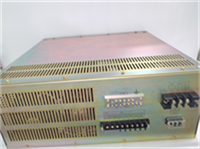
YASKAWA CP-9200SH/CPU Motion Controller