 Tel:
 Email:
 WhatsApp:
Description
Key Technical Specifications
| Parameter | Specification |
|---|---|
| Product Type | Unity processor for Modicon Premium rack |
| Model Family | TSXP572634 / TSXP572634M |
| Processor | 32-bit RISC; fast Boolean execution |
| Internal RAM | Program/data RAM with PCMCIA expansion |
| Program Memory | Expanded capacity with PCMCIA card |
| Ethernet | 10/100BASE-TX RJ45, Modbus TCP/IP, Transparent Ready |
| Serial Ports | 2 × non-isolated Mini-DIN RS485 |
| I/O Capacity | High-capacity discrete I/O; analog I/O support |
| Rack Support | Multiple racks with 12-slot or smaller configurations |
| Power Supply | 5 V DC from Premium backplane |
| Environment | Industrial operating temperature range; IP20 |
| Programming | EcoStruxure Control Expert / Unity Pro |
Product Introduction
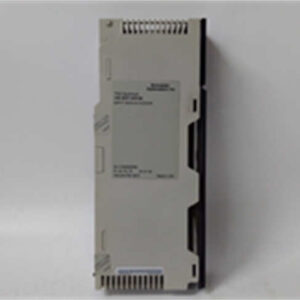
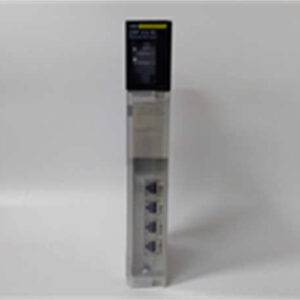
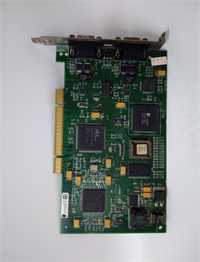
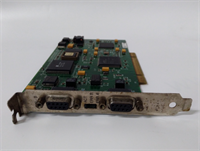
I’ve pulled more than one TSXP572634 out of a dusty Premium rack where the plant didn’t care about “new platforms” — they cared about whether the line started on Monday. This is a Modicon Premium Unity processor, not a standalone Ethernet module. It sits in the CPU slot, runs the application, and talks to the rest of the plant through its built-in Ethernet and RS485 ports.Engineers kept this CPU alive because it was predictable. You get internal RAM, PCMCIA expansion, Modbus TCP/IP, and Transparent Ready services without bolting on extra communication cards. It handles substantial discrete I/O and fits neatly into existing Premium racks. The RS485 ports are non-isolated, which matters when you’re chasing ground loops on old machinery. This revision is not fancy by today’s standards, but it is well understood, well documented, and still showing up in water treatment, packaging, HVAC, and legacy manufacturing cells.
Quality SOP & Tech Pitfalls
The Lab Report (SOP)
- Visual inspection: housing, connector pins, PCMCIA slots, rack clips, and label authenticity.
- Backplane seating check: verify CPU keying and rack compatibility before power-up.
- Live test on a Premium test rack with a known-good TSX PSY power supply.
- LED status verification: RUN, ERR, I/O, ETH, and serial port indicators.
- Ethernet communication test: ping, Modbus TCP read/write, and Transparent Ready access where supported.
- Serial port check: RS485 wiring verification and basic Modbus/Uni-Telway communication test.
- PCMCIA card detection: confirm card presence, capacity, and application load behavior.
- Firmware/version logging: record processor type, firmware, and any option identifiers.
- Insulation and multimeter checks on power inputs and communication connectors.
- Anti-static packaging and photo documentation before shipment.
The Engineer’s Warning (Pitfalls)
- Do not assume TSXP572634 and TSXP572634M are identical. The “M” suffix typically indicates the Unity/Ethernet variant. Putting the wrong CPU revision into a rack that expects Unity firmware, Ethernet services, or a specific PCMCIA application will give you a blinking ERR light and a very quiet production manager.
- The RS485 ports are non-isolated. If you wire them across equipment with different ground potentials, you can kill the serial interface or get intermittent dropouts that look like a software bug.
- PCMCIA cards are a classic failure point. A loose card, corrupted application, or mismatched memory size can prevent the CPU from entering RUN.
- This is a discontinued platform. “New” often means surplus. Always verify labels, firmware, and basic communication before committing it to a critical rack.
Installation & Configuration Guide
- Pre-Installation: Lock out power to the Premium rack. Wait for capacitors to discharge. Photograph the existing CPU, PCMCIA cards, Ethernet cabling, RS485 wiring, and rack slot position. ️
- Removal: Label all cables. Release the CPU retaining clips. Remove the CPU straight out of the backplane. Inspect the backplane pins for damage.
- Installation: Verify the replacement CPU matches the required family and firmware capability. Install any required PCMCIA card. Copy and confirm all previous configuration settings, including IP address, Modbus TCP parameters, serial port settings, and application memory source. Seat the CPU firmly until the clips lock.
- Power-On & Testing: Restore rack power. Watch the LED sequence. Confirm the CPU loads the application from internal memory or PCMCIA. Test Ethernet communication, serial links, and I/O status. Verify the rack reports no configuration or I/O faults before returning to production.
Compatible Replacement Models
- Drop-in Replacement: Another TSXP572634 / TSXP572634M with matching firmware capability, PCMCIA configuration, and application compatibility. Surplus availability varies.
- ️ Software Compatible: Other Modicon Premium Unity CPUs such as TSXP5726xx/TSXP573x family members. These may require firmware checks, application recompilation, PCMCIA migration, and communication reconfiguration.
- Hardware Mod Required: Migration to Modicon M580 (for example, BMEP582020) is not a direct drop-in. It requires a new rack, I/O migration, network redesign, and application conversion.
Frequently Asked Questions (FAQ)
Is TSXP572634 the same as TSXP572634M?
Not necessarily. The “M” version is the Unity processor with integrated Ethernet. Always confirm the exact label, firmware, and communication features before swapping.Can I still buy this new?
True factory-new stock is rare. Most available units are surplus, tested surplus, or sealed surplus. Treat every listing as “verify before use.”Will it fit my existing Premium rack?
Yes, if it is a genuine Modicon Premium CPU and the rack supports Unity processors. Check the rack type, power supply capacity, and slot rules first.Why is my ERR LED blinking after replacement?
Common causes include wrong CPU variant, missing or corrupted PCMCIA card, bad backplane contact, incorrect application, or communication configuration errors. Start with the PCMCIA card and label verification.Can I migrate to M580 without rewriting everything?
No. M580 is the recommended successor, but it is not a direct hardware replacement. Expect engineering work for rack, I/O, network, and application migration.Is the Ethernet port isolated?
Do not assume isolation. The RS485 ports are documented as non-isolated; for Ethernet isolation behavior, confirm with the OEM datasheet before connecting it to sensitive network segments.