
 Tel:
Tel:  Email:
  WhatsApp:
 Description
Key Technical Specifications
| Parameter | Specification |
|---|---|
| Output Quantity | 32 Discrete Points |
| Output Voltage | 24 VDC (19.2 to 30 VDC range) |
| Output Type | Source (Positive Logic) |
| Current Rating | 0.5A per channel, 4A per group |
| Total Module Current | 16A Maximum |
| Logic Response | ≤ 1ms (State 0 to 1) |
| Isolation Voltage | 1780 Vrms (Channel to Bus), 500 Vrms (Group to Group) |
| Leakage Current | 0.4mA at 30V |
| Power Dissipation | 1.75W + (0.4V x Total Load Current) |
| Backplane Current | 200mA at 5V DC |
| Protection | Internal 5A Fuse (per group), Electronic Overload |
| Switching Freq. | ≤ 1Hz (Resistive Load) |
Product Introduction
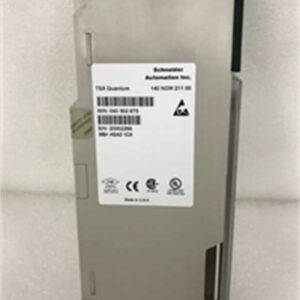
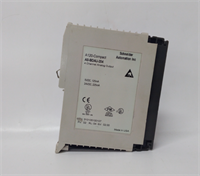
Let’s be honest, the Modicon Quantum platform is the “old reliable” of the automation world. You don’t choose it because it’s the newest thing on the block; you choose it because it survives environments that would kill a standard PC in five minutes. The 140DDO35300 is the standard workhorse for digital outputs in this system. It’s not fancy, but when you need to drive 32 solenoids on a hydraulic press or light up a wall of indicators in a control room, this module gets it done.I’ve installed hundreds of these in rack setups. The real value here is the density—getting 32 points of isolated output in a single slot saves massive amounts of panel space. It handles 0.5A per point, which is plenty for most industrial relays, but you have to watch your group amperage. If you try to pull more than 4A on a single group, you’re going to blow the internal protection. It’s a source output (positive logic), which is the standard for most US-engineered systems, making wiring straightforward. Just don’t expect it to switch at high speeds; keep the frequency under 1Hz if you want it to last.
Quality SOP & Tech Pitfalls (The Reality Check)
The Lab Report (SOP):
Before this module leaves the warehouse, we don’t just look at it and guess.
- Visual Inspection: We check the connector pins for bending and the casing for heat stress marks.
- Backplane Comms Test: We seat it in a Quantum rack and verify it handshake with the CPU (usually a 140CPUxxx).
- Live Output Test: We force bits in the logic and use a Fluke multimeter to verify voltage appears on all 32 channels.
- Isolation Check: We verify the optical isolation between the bus and the field side to ensure no shorts that could fry your CPU.
The Engineer’s Warning (Pitfalls):
- The “Source” Trap: This is a Source output. That means the module provides the positive voltage. If you wire it to a sinking input card or mix up your commons, you will create a short circuit. I once saw a junior tech smoke a power supply because he treated this like a sinking output. Double-check your wiring diagrams.
- Group Current Limits: The module is rated for 16A total, but grouped into 4s. If you wire all 8 channels in a group to high-draw devices, you will exceed the 4A group limit. You need to distribute your loads across the groups (0-7, 8-15, etc.) evenly.
Installation & Configuration Guide
- Pre-Installation:
- ⚠️ Power Down: Turn off the 24VDC field power. Do not hot-swap this unless you are absolutely sure your backplane supports it (and even then, don’t risk it).
- Check Jumpers: If replacing an old unit, verify if there are any specific wiring conventions used by the previous integrator.
- Removal:
- Unlatch the bottom clip and slide the module out.
- Label Your Cables: The terminal block (usually a 140XBP*** or similar connector) can be tricky. If it’s not keyed, label every wire.
- Installation:
- Slide the 140DDO35300 into the Quantum rack slot. Ensure it seats firmly against the backplane.
- Connect your 24VDC field power to the appropriate terminals. Remember, this is Source, so your load connects between the Output Terminal and the Negative/Common rail.
- Power-On & Testing:
- Apply power. The “Bus” LED should turn green, indicating communication with the PLC.
- Go online in Unity Pro or Concept software. Force a few outputs (e.g.,
%Q0.0.0) and verify the physical LED on the module lights up and the device actuates.
Compatible Replacement Models
| Compatibility Tier | Model Number | Notes |
|---|---|---|
| ✅ Drop-in Replacement | 140DDO35300C | This is the “Conformal Coated” version. It is fully compatible and actually better for harsh, corrosive environments. |
| ✅ Direct Replacement | 140DDO35301 | Very similar spec, but check the voltage range and logic type (Source vs Sink) before swapping. |
| ⚠️ Logic Inverse | 140DDO35310 | Warning: This is Negative Logic (Sinking). It fits in the slot, but your wiring and logic will be backwards. Do not use unless you rewire. |
| ❌ Different Voltage | 140DDO15310 | This is a 5VDC TTL module. It will not drive 24VDC field devices. |

Frequently Asked Questions (FAQ)
Q: Can I hot-swap this module while the PLC is running?
A: Technically, the Quantum backplane supports it, but I wouldn’t recommend it unless you have redundant power supplies and a UPS. If you pull it while energized, you risk arcing the backplane connectors. Shut the rack down if you can.Q: My output LED is on, but the device isn’t moving. Why?
A: Check your common wiring. Since this is a Source output, the module pushes positive voltage. If your Common (COM) wire is loose or disconnected, the circuit never closes. Also, check for blown fuses if your external wiring didn’t have individual protection.Q: What is the difference between 140DDO35300 and 140DDO35300C?
A: The “C” stands for Conformal Coating. The circuit board has a protective chemical layer sprayed on it. It protects against humidity, dust, and salt spray. If you are in a paper mill or wastewater plant, the “C” version is worth the extra cost.Q: Can I use this to drive a 120VAC contactor?
A: Absolutely not. This is a 24VDC module. If you hook 120VAC to it, you will destroy the output transistors instantly. For AC, you need a relay output module like the 140DAO84000.Q: How do I know if I’m exceeding the current limit?
A: You have to do the math on your load side. If you have 8 solenoids drawing 0.6A each on one group, that’s 4.8A, which is over the 4A group limit. You need to split those solenoids across two different groups or use an external relay panel.