Tel:
Tel:  Email:
  WhatsApp:
 Description
Key Technical Specifications
| Parameter | Specification | Notes |
|---|---|---|
| Protocol | Modicon S908 RIO | Proprietary deterministic protocol |
| Transfer Rate | 1.544 Mbps (T1) | Fixed rate |
| Cable Type | RG-6/U Coaxial | 75 Ohm impedance |
| Max Distance | 1,200 m (4,500 ft) | Without repeaters/fiber |
| I/O Capacity | 64 Input / 64 Output Words | Per drop |
| Ports | 2x BNC (Channel A & B) | Redundant cabling support |
| Bus Current | 750 mA @ 5VDC | Drawn from backplane |
| Power Dissipation | 3.0 W (Typical) | Heat generation |
| Max Drops | 31 Drops | Per network |
| Isolation | 500 VDC | Channel to Bus |
Product Introduction
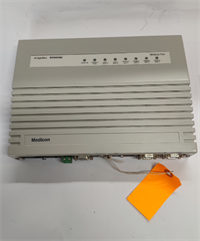
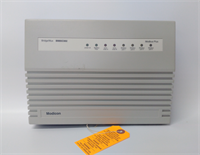
The 140CRP93200 is the workhorse that keeps legacy Modbus Remote I/O networks alive. In an era where everything is moving to Ethernet, this module is a stubborn reminder of the “good old days” of thick RG-6 coaxial cable. It sits in the Quantum rack and acts as the translator, taking the high-speed logic from your CPU and pushing it out over long distances to remote I/O drops. It’s not fancy, but it is incredibly tough.The killer feature here is the Dual Coax (Redundant) design. If you are running a critical process—like a pipeline or a boiler control—you don’t want a single cable cut to shut you down. The 140CRP93200 supports redundant cabling (Channel A and Channel B). If the primary cable gets chewed by a rodent or crushed by a forklift, the module switches to the secondary path. It handles the S908 protocol at a fixed 1.544 Mbps, which is fast enough for almost any discrete I/O application.

Quality SOP & Tech Pitfalls (The Reality Check)
The Lab Report (SOP):
We don’t just ship these; we verify they can actually talk to the field.
- Visual Inspection: We check the BNC connectors. On old units, these often get wiggled loose or the center pins get bent.
- Backplane Test: We seat it in a 140XBP chassis and apply 5VDC. We verify the RUN LED is solid and the COMM LED is flashing (indicating bus activity).
- Cable Integrity: We use a time-domain reflectometer (TDR) or a simple ohmmeter check on the ports to ensure the internal termination resistors aren’t blown.
- Firmware Check: We verify the firmware revision. Mixing old and new firmware in a redundant pair is a classic way to crash a system.
The Engineer’s Warning (Pitfalls):
- The “Slot Number” Nightmare: This is the #1 mistake I see. When you configure this in Unity Pro or Concept, you have to tell the software which slot the module is in. If your hardware is in Slot 3, but your software thinks it’s in Slot 2, the CPU will scream “IO Fault” and go into a fault state. Double-check your physical slot vs. your logical configuration.
- Termination: Coaxial networks must be terminated with 75-ohm resistors at both ends. If you swap this module and forget to reinstall the terminators on the far ends of the cable run, you will get signal reflections. The result? Intermittent faults that drive you crazy at 3 AM.
Installation & Configuration Guide
- Pre-Installation:
- ⚠️ Safety: De-energize the rack if possible. While the backplane is hot-swappable, dropping a tool into a live 24VDC bus bar is a bad day.
- Cable Check: Inspect your coaxial cables. If the BNC connectors are corroded, clean them now.
- Removal:
- Unscrew the BNC connectors (Channel A and B).
- Release the locking tab and slide the module out.
- Installation:
- Slot Alignment: Insert the new 140CRP93200 into the exact same slot as the old one.
- Connectors: Tighten the BNC connectors. Do not overtighten; finger-tight plus a quarter turn is usually enough.
- Terminators: If this is the last module on the drop, ensure you install the 75-ohm terminator on the unused port (if applicable).
- Power-On & Testing:
- Power up. Check LEDs: RUN (Green) should be on. ERR (Red) should be off.
- If you have a redundant system, verify the Primary/Secondary status matches your expectation.
Compatible Replacement Models
| Compatibility Tier | Model Number | Notes & Differences |
|---|---|---|
| ✅ Drop-in Replacement | 140CRP93200 | Exact match. Watch out for the “C” suffix (140CRP93200C) which implies conformal coating for harsh environments. |
| ⚠️ Functional Equivalent | 140CRP93100 | This is the Single cable version. It will work, but you lose the redundant cable capability (Channel B). Only use in a pinch. |
| ❌ Incompatible | 140CRA93200 | Do not mix these up! The CRA is the Remote Drop adapter, not the Head adapter. They look similar but function differently. |
| ❌ Incompatible | 140NOM21100 | This is a Modbus Plus (MB+) adapter, completely different protocol and cabling. |
Frequently Asked Questions (FAQ)
Q: What is the difference between the 140CRP93200 and 140CRA93200?
A: It’s all about who is the boss. The CRP (this model) is the “Head”—it sits with the CPU and controls the network. The CRA is the “Remote”—it sits out in the field and listens to the CRP. You cannot swap them.Q: My “Error A” light is flashing. What does that mean?
A: That usually points to a physical layer issue on Channel A. Check your coaxial cable for cuts, kinks, or loose BNC connectors. It could also mean your termination resistor is missing or has the wrong resistance (should be 75 ohms).Q: Can I use fiber optic cable with this?
A: Not directly. The 140CRP93200 has copper BNC ports. To go fiber, you need to use a media converter (like the 490NRP95400) to convert the electrical signal to optical.Q: Does this module require a battery?
A: No. Unlike the CPU, the RIO head adapter doesn’t hold a user program or RAM that needs saving. It’s a communication bridge. If power is lost, it just resets and re-joins the network when power returns.Q: How far can I run the cable?
A: With standard RG-6/U coaxial cable, you are limited to about 1,200 meters (4,500 ft) total per network segment. If you need to go further, you’ll need to insert a repeater or switch to fiber optics.