Tel:
Tel:  Email:
  WhatsApp:
 Description
Product Introduction
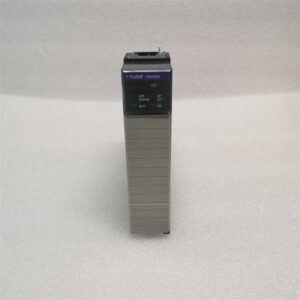
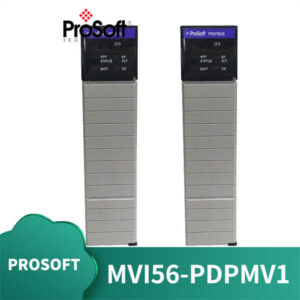
Integrating legacy European machinery into a Rockwell Automation architecture often creates a communication bottleneck that standard Ethernet/IP simply cannot bridge. The PROSOFT 5204-DFNT-PDPMV1 solves this by sitting directly in the ControlLogix backplane, translating Profibus DP protocols without requiring an external gateway PC. It effectively turns your Allen-Bradley PLC into a Class 1 Profibus Master.Why does this specific module matter? In high-speed packaging lines, scan time is critical. This unit handles up to 32 slave devices with a data update rate that keeps cycle times under 5 ms in most configurations. While newer modules exist, the 5204-DFNT-PDPMV1 remains the industry standard for brownfield upgrades where replacing field instruments is cost-prohibitive. Honestly, the stability of this card in electrically noisy environments—like near large VFDs—is something we rarely see in generic alternatives. Just ensure your ControlLogix firmware is compatible before ordering.
 Key Technical Specifications
 Key Technical Specifications
| Parameter | Value |
|---|---|
| Platform Compatibility | Rockwell Automation ControlLogix (1756 chassis) |
| Protocol Support | Profibus DP V0 / V1 (Master Class 1) |
| Max Node Count | 32 Slave Devices |
| Baud Rates | 9.6 kbps to 12 Mbps (Auto-detect or Manual) |
| Connection Type | 9-pin D-Sub Female (RS-485) |
| Backplane Current Load | 150 mA @ 5V DC (Typical) |
| Operating Temperature | 0 °C to 60 °C (32 °F to 140 °F) |
| Storage Temperature | -40 °C to 85 °C (-40 °F to 185 °F) |
| Relative Humidity | 5% to 95% (Non-condensing) |
| Isolation Voltage | 250 V AC (Continuous) |
| Configuration Software | ProSoft Configuration Builder (PCB) |
| LED Indicators | OK, RUN, ERR, NET (Status diagnostics) |
Application Scenarios & Pain Points
The alarm goes off at 2:00 AM because a critical filler station stopped communicating. The plant uses a mix of German sensors and an American PLC. Without a dedicated master module like the 5204-DFNT-PDPMV1, the engineer would be stuck manually polling devices or, worse, replacing perfectly good field hardware just to speak a different language. This module eliminates that translation layer friction, allowing the ControlLogix processor to see remote I/O and drives as if they were local tags.
- Pharmaceutical Packaging: Can you afford a batch rejection due to data loss? This module maintains strict cycle times required for track-and-trace serialization on high-speed blister packers.
- Automotive Assembly Lines: When robotic cells from different vendors must sync, the 12 Mbps throughput ensures position data updates fast enough to prevent collision faults.
- Water Treatment Facilities: In remote pump stations, the ability to daisy-chain up to 32 nodes reduces cabling costs significantly compared to running individual Ethernet drops.
- Food & Beverage Processing: If your line includes legacy conveyors with Profibus drives, this card allows seamless integration into modern HMI systems without a protocol converter box.
- Metallurgy: High electromagnetic interference often kills standard comms cards. The isolated design here survives where others fail, keeping the furnace control loop stable.
Case Study: A mid-sized automotive stamping plant in Ohio faced recurring timeouts between their Siemens-driven press feeds and a new Allen-Bradley safety system. Downtime was costing $15,000 per hour. The maintenance team installed the 5204-DFNT-PDPMV1 into the existing 1756 chassis. Within four hours, they mapped the Profibus tags directly into the Studio 5000 project. The result? Zero communication faults over the next six months, and the engineering manager finally stopped sleeping at the plant.
Quality Control Process (SOP Transparency)
We don’t just box and ship. Every PROSOFT 5204-DFNT-PDPMV1 undergoes a rigorous verification process to ensure it works in your rack on day one.
- Inbound Inspection: We trace the source. If there’s no OEM packing list or valid customs documentation, we reject it. We verify the serial number against ProSoft’s database and inspect the hologram sticker. Visually, we look for burnt components, bent pins on the D-Sub connector, or yellowing plastic (a sign of heat stress).
- Live Functional Test: We install the module into a verified Allen-Bradley 1756-L72 ControlLogix rack. Power up involves checking the “OK” and “RUN” LEDs. We then establish a handshake using ProSoft Configuration Builder, cycling through baud rates from 9.6 kbps to 12 Mbps. We simulate traffic on 10 slave nodes to ensure data integrity. Finally, we run a continuous load test for 24 hours, logging temperature rise with a thermal camera.
- Electrical Parameters: Using a Fluke 1587 insulation tester, we measure isolation resistance between the backplane and the Profibus port (>10 MΩ @ 500V). Ground continuity is checked to ensure the chassis ground lug is solid.
- Firmware Verification: We read the internal firmware version. If it’s an obsolete revision known to have bugs (e.g., early v1.x releases), we flag it. We photograph the DIP switch settings and label the box with the exact firmware build found inside.
- Final QC & Packaging: Once passed, a senior technician signs the test report. The unit goes into an anti-static bag, sealed with a tamper-evident sticker. We add double-layer bubble wrap and a “QC Passed” label with the date. Need proof? Ask us for the test video before we ship.
Installation Pitfalls Guide (“Lessons Learned”)
I’ve seen million-dollar lines sit idle because of simple configuration oversights. Don’t let that be your project.
- Firmware Version Mismatch: ❗ Check this first. Newer ControlLogix firmware sometimes rejects older ProSoft add-on profiles (AOP). I once saw a team spend six hours troubleshooting wiring when the issue was simply that Studio 5000 couldn’t recognize the module’s GSD file version. Always match the AOP version to the module firmware.
- DIP Switch / Jumper Misconfiguration: The default factory setting is rarely your site setting. Take a photo. Then take another one. of the old module’s switches before you pull it. Specifically, check the termination resistor switch. If you have devices at both ends of the line and forget to terminate one end, you’ll get intermittent errors that drive you crazy.
- Terminal / Wiring Incompatibility: The 9-pin D-Sub pinout for Profibus is standard, but shield grounding practices vary. Some sites ground the shield at both ends; others only at one. If you switch modules and change the grounding scheme without checking, noise can corrupt your data. Verify your site standard against the manual.
- Power Supply Undersizing: Adding a communication master increases the backplane load. If your 1756 power supply is already running at 90% capacity, adding this 150 mA load could cause voltage dips during peak I/O updates. Calculate your total rack current and leave a 20% headroom buffer.
- ESD Damage: These modules are sensitive. I watched a technician swap a card in winter without a wrist strap, and the “ERR” LED lit up red instantly. Static electricity fried the comms chip. Always wear a grounded wrist strap and touch the chassis before handling the card edges.