 Tel:
Tel:  Email:
  WhatsApp:
 Description
Product Introduction
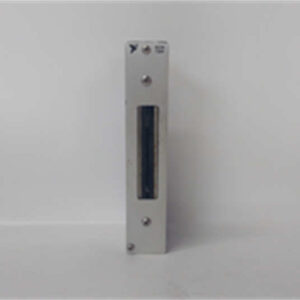
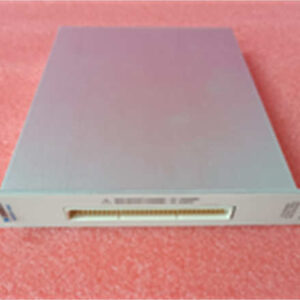
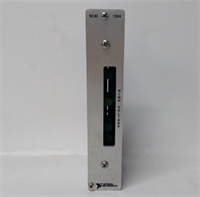
When a legacy test rig loses its data acquisition card, the whole line stops until a direct replacement appears. The NI PXI-6052E fills that gap immediately, serving as a 32-channel multifunction DAQ solution for PXI chassis systems. Engineers rely on this specific model because it bridges older SCXI signal conditioning hardware with modern LabVIEW environments without requiring code rewrites.Speed matters here. This module delivers a 333 kS/s aggregate sampling rate across all channels, which is plenty for monitoring vibration or temperature trends in real-time. Honestly, the 16-bit resolution makes it superior to many 12-bit successors for low-level signal work. While newer X-series cards exist, they often demand updated drivers that break old executables. Sticking with the PXI-6052E ensures your existing VIs run without modification. It’s a pragmatic choice for maintaining continuity.
 Key Technical Specifications
 Key Technical Specifications
| Parameter | Value |
|---|---|
| Architecture | M Series Multifunction DAQ |
| Analog Inputs | 32 Single-Ended or 16 Differential |
| Resolution | 16 bits |
| Max Sample Rate | 333 kS/s (aggregate) |
| Input Range | ±10 V, ±5 V, ±2.5 V, 0 to +10 V |
| Analog Outputs | 2 channels, 16-bit, 100 kS/s |
| Digital I/O | 8 lines (TTL compatible) |
| Counters | Two 24-bit up/down counters |
| Bus Interface | 32-bit PXI (CompactPCI compatible) |
| Connector | 68-pin VHDCI female |
| Operating Temp | 0 °C to 55 °C |
| Driver Support | NI-DAQmx 7.4 and later |
Application Scenarios & Pain Points
The phone rings at 2 a.m. because a thermal cycling chamber stopped logging data. The culprit? A failed DAQ card in the control rack. Without a spare NI PXI-6052E on the shelf, the team faces days of shipping delays and recalibration. This module prevents that downtime by dropping directly into existing PXI-1033 or PXI-1042 chassis. It handles the heavy lifting for sensor integration where timing and synchronization are non-negotiable.
- Automotive Component Testing: Need to validate sensor outputs under load? This card captures transient spikes that slower modules miss.
- Pharmaceutical Batch Recording: Compliance requires unbroken data logs. Can you afford a gap during a 48-hour sterilization cycle?
- Power Supply Characterization: With 16-bit precision, measuring ripple voltage becomes straightforward rather than an estimation game.
- Academic Research Labs: Universities keep these running for decades because the driver support never breaks. Why fix what isn’t broken?
- Semiconductor Wafer Probing: High channel density allows monitoring multiple test points simultaneously without expanding the chassis footprint.
Field Case Note:
A contract testing lab in Michigan faced a crisis when their primary reference card died during a certification run. They swapped in a stored NI PXI-6052E from our stock. The engineer expected hours of debugging driver conflicts. Instead, the system recognized the hardware instantly. The test resumed within 20 minutes. The client saved $15,000 in potential penalty fees for missed deadlines. Sometimes, old tech is the only thing that keeps the business running.
Quality Control Process (SOP Transparency)
We don’t just box it up. Every NI PXI-6052E goes through a rigorous verification loop before it leaves our facility. First, we trace the source. We check the OEM packing list or customs documentation to ensure the unit wasn’t pulled from a hazardous environment. Our technicians inspect the PCB for corrosion, yellowing, or suspicious solder rework. If the hologram label looks off, we reject it immediately.Next comes the live functional test. We install the card into a verified NI PXI-1033 chassis running a clean Windows 10 image with NI-DAQmx 8.9. We power it up and watch the LED sequence. A solid green means good; blinking red means trouble. We run a full self-test via Measurement & Automation Explorer (MAX). Then, we sweep all 32 analog input channels with a calibrated Fluke 5520A calibrator to verify linearity across the ±10 V range. We log the temperature rise after a 4-hour continuous burn-in. If it passes, we photograph the firmware version and the serial number. Finally, we seal it in an anti-static bag, add bubble wrap, and slap a QC Passed label with today’s date on the box. We can share the test video and raw data logs upon request.
Installation Pitfalls Guide (“Lessons Learned” Voice)
 Installation Pitfalls Guide (“Lessons Learned” Voice)
I’ve seen good engineers waste days troubleshooting issues that came down to simple oversights. Don’t be that person. Here is what usually goes wrong when swapping these cards.
- Driver Version Mismatch ❗
Your legacy LabVIEW 7.1 code might not talk to NI-DAQmx 9.0. We once saw a team spend six hours rewriting VIs because they installed the latest drivers on an old machine. Fix: Check your software version first. Stick to the last supported driver for your OS if you aren’t upgrading the whole stack. - Cable Pinout Confusion ❗
The 68-pin VHDCI connector looks similar to SCSI cables, but the pinouts differ. Plugging in a standard SCSI cable can short pins. Fix: Use only shielded NI-compatible cables (like SH68-68-EPM). Take a photo of the backplate before unplugging anything. Then take another one. - Slot Number Restrictions ❗
Not every slot in a PXI chassis supports timing and triggering. Putting the PXI-6052E in slot 3 instead of slot 2 might disable your star trigger line. Fix: Consult your chassis manual. Usually, slot 2 is the system timing slot. Move the card there if synchronization is critical. - Ground Loops ❗
Connecting single-ended inputs to a grounded signal source while the chassis is also grounded creates a loop. The data will look noisy. Fix: Switch to differential mode for noisy environments or isolate the signal source. Don’t ignore the noise floor. - ESD Damage ❗
Touching the connector pins without a wrist strap is gambling. Static electricity can fry the input amplifiers instantly. The card might pass self-test but fail on real signals. Fix: Wear the strap. Ground yourself before touching the card. It costs nothing compared to a $2,000 replacement.