 Tel:
Tel:  Email:
  WhatsApp:
 Description
Key Technical Specifications
- System Architecture: Distributed I/O processing for Metso DNA/Valmet DNA.
- Communication Protocol: Proprietary DNA Bus (often RS-485 based or Ethernet depending on generation) connecting to Field I/O clusters.
- Upstream Interface: Ethernet (10/100 Mbps) or specialized backplane connection to the Station Computer.
- Redundancy: Supports hot-swappable redundant pairs (A/B channels) for high availability.
- Operating Temperature: 0°C to +60°C (Typical for industrial control rooms).
- Storage Temperature: -20°C to +70°C.
- Power Supply: Typically 24V DC input (check specific terminal labeling).
- LED Indicators: Run, Fault, Comm A, Comm B, Power, Redundancy Status.
- Mounting: DIN Rail or specific Metso DNA rack chassis.
- Compatibility: Works with Metso DNA Series 500/600 and early Valmet DNA systems.
Product Introduction
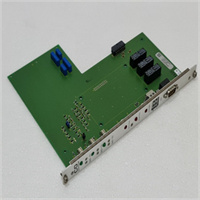
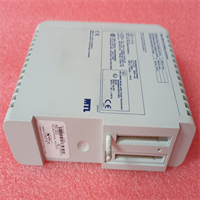
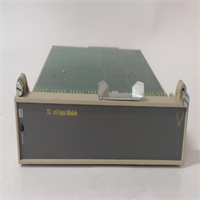
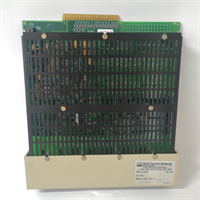
If you are running a paper machine, a boiler control system, or a chemical process built in the late 90s or 2000s, the IOP114 is likely the workhorse keeping your field instruments talking to the control room. When Metso split into Valmet and Neles, this hardware lineage went to Valmet, but you will still see “Metso” silkscreened on thousands of these units in the field.The IOP114 isn’t just a passive gateway; it runs a localized real-time OS that scans connected I/O modules (like AI-16 or DO-8 cards) at high speed, performs linearization and alarm checking locally, and then pushes only the necessary data to the central server. This architecture reduces network load significantly. I’ve seen plants where replacing a failing IOP114 restored communication to 64 field points instantly. The build quality is tank-like, designed for the vibration and electrical noise of a pulp mill or power plant. However, be careful with the firmware version. An IOP114 with old firmware might not “handshake” correctly with a modern Valmet DNA workstation running the latest software suite, causing “Node Missing” alarms.
Quality SOP & Tech Pitfalls (The Reality Check)
The Lab Report (SOP)
We treat legacy DCS processors with extreme caution.
- Visual Inspection: Check for capacitor leakage (common in units from the early 2000s) and verify the DIP switches are set to the factory default or documented position.
- Backplane Comms Test: We install the IOP114 into a test rack with simulated I/O modules. We verify it can successfully poll all slots and read data without CRC errors.
- Redundancy Failover: If testing a pair, we pull the primary unit while monitoring the secondary. The switchover must happen within milliseconds without dropping the communication link to the server.
- Firmware Verification: We connect via the service port to read the firmware version string. We cross-reference this with the client’s DNA system version to ensure compatibility.
- Burn-in: Run under load for 24 hours at 45°C ambient to weed out infant mortality failures.
The Engineer’s Warning (Pitfalls)
Don’t ignore the Node Address switches. The IOP114 usually has physical DIP switches or rotary selectors to set its Node ID on the DNA bus. I once watched a mill stay down for a shift because a technician swapped a card but left the new one on “Node 1” while another active card was already on “Node 1”. The bus collision killed communications for the whole segment. Always photograph the switch settings of the old card before pulling it, and replicate them exactly on the new one.
Also, watch out for the Metso vs. Valmet branding confusion. The hardware is identical, but newer replacement units might say “Valmet”. If your spare parts database only searches for “Metso”, you might miss available stock. Conversely, ensure your engineering station software recognizes the “Valmet” hardware ID if you are mixing old and new stock.
Installation & Configuration Guide
Time estimate: 20 minutes (plus system recognition time).
- Pre-Installation
- ⚠️ REDUNDANCY CHECK: If this is part of a redundant pair, verify the partner unit is healthy and in “Standby” mode before removing the active unit. If it’s a single unit, a brief communication loss to that I/O cluster is expected.
- Document Settings: Take a high-resolution photo of the DIP switches, jumpers, and rotary selectors on the old card. This is critical.
- Discharge static. Touch the rack frame.
- Removal
- Disconnect any external serial/service cables.
- Release the locking mechanism (usually a lever or screw at the top/bottom).
- Pull the card straight out. Do not wiggle excessively to avoid damaging the backplane pins.
- Installation
- Set Switches: Before inserting the new IOP114, set the DIP switches/rotary selectors to match your photos exactly.
- Align the card with the guide rails and push firmly until the backplane connector seats fully.
- Engage the locking mechanism.
- Power-On & Testing
- Restore power (if disconnected).
- LED Sequence: Watch the “Run” LED. It may blink amber while booting, then turn solid green. The “Fault” LED should remain off.
- System Check: Go to the Valmet/Metso DNA Engineering Station or Operator Station. Look for the I/O cluster status. It should change from “Bad” or “Offline” to “Good” within 1-2 minutes.
- Verify field values are updating. If the status is good but values are frozen, check the downstream cabling to the field I/O modules.
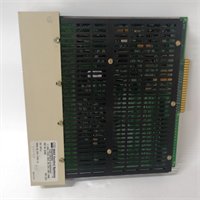
IOP114 METSO
Compatible Replacement Models
| Model Number | Compatibility Tier | Notes |
|---|---|---|
| IOP114 | ✅ Drop-in Replacement | Standard model. Ensure firmware matches system generation. |
| IOP114-XX | ✅ Drop-in Replacement | Suffixes (e.g., -01, -02) indicate minor hardware revisions. Generally interchangeable if firmware is updated. |
| Valmet IOP114 | ✅ Drop-in Replacement | Same hardware, rebranded after the Metso split. Fully compatible. |
| IOP113 / IOP115 | ❌ Hardware Mod Required | Different channel capacities or form factors. Not direct swaps. Check chassis compatibility. |
Frequently Asked Questions (FAQ)
Is the IOP114 still supported by Valmet?
Yes, Valmet continues to support the DNA system legacy hardware, including the IOP114, as many long-running process industries (pulp & paper, energy) still rely on them. However, firmware updates may require a specific service contract or a visit from a Valmet specialist if the system is very old.Can I hot-swap this module?
In a redundant configuration, yes. You can remove the active IOP114, and the standby unit should take over seamlessly. For non-redundant setups, removing the card will interrupt communication to all field devices connected to that specific processor. Plan accordingly to avoid process upsets.What does it mean if the “Comm” LED is flashing red?
This indicates a loss of communication either upstream (to the main server) or downstream (to the field I/O modules). Check the termination resistors on the DNA bus cable. If the bus is daisy-chained, a break anywhere in the loop can cause this. Also, verify the Node Address switches haven’t vibrated loose.My system says “Hardware Mismatch” after installing the new card.
This usually means the firmware version on the new IOP114 is significantly different from what the DNA Server expects. You may need to use the Valmet DNA maintenance tool to “Download Firmware” or “Sync Hardware” to the new card. Do not force it to run with mismatched firmware; it can cause data corruption.Why is the card labeled “Metso” when the company is now “Valmet”?
Metso Automation’s paper and board business became Valmet in 2013. The hardware manufactured before the split (and for a few years after using existing stocks) retains the Metso logo. They are functionally identical to the Valmet-branded versions. You can mix them in the same rack without issue.