 Tel:
Tel:  Email:
  WhatsApp:
 Description
Key Technical Specifications
| Parameter | Specification |
|---|---|
| Processor Architecture | 32-bit RISC (PowerPC based) |
| Memory (RAM) | 128 MB SDRAM (ECC protected) |
| Flash Memory | 64 MB Non-volatile storage |
| Bus Interface | VME64x (P1/P2 connector) |
| Communication Ports | 3x Ethernet (10/100 Base-T), 1x Serial (RS-232) |
| Watchdog Timer | Hardware enforced, non-maskable |
| Operating Temperature | -30°C to +65°C (-22°F to 149°F) |
| Humidity Range | 5% to 95% non-condensing |
| Power Consumption | Typical 12W @ 5V DC |
| Mounting | 6U VME Form Factor |
| Firmware Platform | Speedtronic Mark VIe OS |
| Certifications | UL, cUL, CE, Ex (Zone 2 pending config) |
Product Introduction
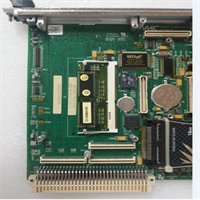
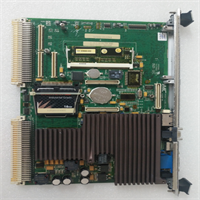
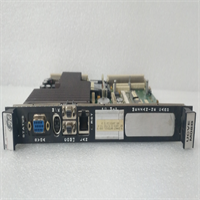
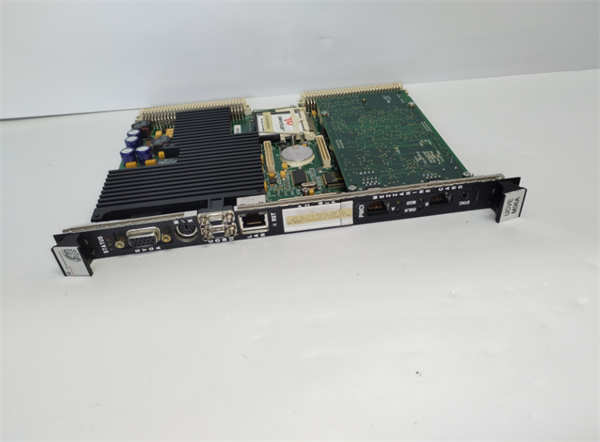
Walking into a control room with a tripped turbine is a nightmare, especially when the culprit is a dead backplane controller. The GE IS215UCVEM06A isn’t just another circuit board; it’s the brain of the Mark VIe simplex or TMR rack that keeps your megawatts flowing. I’ve pulled these out of racks baking at 50°C in Texas refineries and seen them keep ticking while cheaper controllers fried. It handles the heavy lifting of logic execution and network traffic without choking, which is exactly what you need when a flame detector spikes.Engineers stick with this specific revision because it balances raw processing speed with proven stability in high-noise environments. You get 128 MB of RAM, which sounds small by laptop standards, but in deterministic control logic, it’s plenty to hold complex protection sequences without swapping to disk. The triple Ethernet ports allow for redundant networking, a feature that saved a plant in Ohio last year when a primary switch failed during startup. Just be warned: this specific ’06A’ revision is notoriously picky about grounding straps. If your chassis ground resistance is over 1 ohm, expect communication dropouts that look like software bugs but are actually physics fighting back.
Quality SOP & Tech Pitfalls (The Reality Check)
The Lab Report (SOP)
We don’t just plug it in and hope. Every IS215UCVEM06A leaving our bench goes through a brutal gauntlet:
- Visual/Counterfeit Check: Microscope inspection of solder joints and GE holographic labels. Fake boards flood the market; we check the component date codes against the assembly revision.
- Live Test on Test Rack: Loaded into a verified Mark VIe VME chassis with a known-good backplane. We run the
UCVEdiagnostic suite for 4 hours minimum. - Insulation Resistance/Multimeter Checks: Using a Fluke 87V, we verify 5V DC rail integrity and check for shorted capacitors on the VME bus lines.
- Firmware Version Logging: We capture the exact boot loader version. Mismatches here cause headaches later.
- Anti-static Sealing: Placed in a metallized shield bag with desiccant, then boxed. No bubble wrap touching the pins.
The Engineer’s Warning (Pitfalls)
Here is where people lose money and downtime. First, firmware mismatches. If you swap this card into a rack running an older Mark VIe build, the UCVE might try to initialize I/O packs using a protocol they don’t understand. The result? A rack timeout and a turbine trip. Always check the TOOLBOX project version before swapping hardware.Second, ESD damage during handling. I watched a junior tech pull one of these out of a bag, touch the edge connector to “check the fit,” and kill the memory controller instantly. The board looked fine. It powered up. But it failed the memory self-test three days later during a critical load test. That’s a $15,000 mistake caused by skipping the wrist strap. Treat these like live explosives; one static spark and the logic is gone.
Installation & Configuration Guide
Time estimate: 30 minutes for a skilled tech. Do not rush.
- Pre-Installation
- ⚠️ SHUT DOWN POWER. Remove 24V DC and 125V DC supplies to the entire rack. Wait 30 seconds for capacitors to discharge.
- ⚠️ PHOTO EVERYTHING. Take high-res photos of the DIP switches and jumper settings on the failed card before you pull it. The new card comes default; if you don’t copy these settings, it won’t talk to the network.
- Ground yourself. Attach your anti-static wrist strap to the rack chassis, not a painted surface.
- Removal
- Label every cable connected to the front panel (Ethernet A, B, C, Serial). Use masking tape and a sharpie.
- Release the top and bottom DIN rail clips or ejector levers gently. Do not pry with a screwdriver; you will crack the PCB.
- Slide the module straight out. If it sticks, check for hidden screws or locked levers, do not force it.
- Installation
- COPY DIP/JUMPER SETTINGS. This step prevents 90% of startup failures. Match the failed card’s switch positions exactly on the new IS215UCVEM06A. Verify twice.
- Align the card with the VME guides. Slide it in smoothly until the rear connector seats fully. You should feel a firm stop.
- Engage the ejector levers or DIN clips until they lock flush with the faceplate.
- Power-On & Testing
- Re-apply power to the rack. Watch the LEDs immediately.
- LED Sequence: The
RUNLED should flash green. TheFAULTLED must stay off. IfFAULTturns red solid, you have a hardware mismatch or bad seating. - Connect your engineering laptop to the service port. Open GE Toolbox ST.
- Download the logic project to the new controller. Verify communication with all I/O packs. If one pack shows “Comms Fail,” re-check your DIP switch settings on the UCVE.
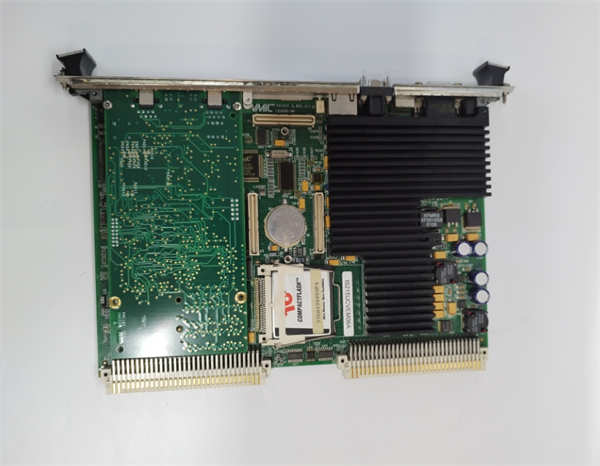
IS215UCVEM06A GE
Compatible Replacement Models
| Compatibility Tier | Model Number | Notes & Differences |
|---|---|---|
| ✅ Drop-in Replacement | IS215UCVEM06A | Exact match. Ensure revision suffix matches or exceeds original. |
| ⚠️ Software Compatible | IS215UCVEM07A | Newer revision. Hardware is identical, but may require a firmware update in Toolbox ST to recognize the new silicon. Estimate 15 mins extra for flash. |
| ❌ Hardware Mod Required | IS215UCVEM05A | Older revision. Might lack memory capacity for newer logic blocks. Not recommended unless it’s an emergency stop-gap and logic is simplified. |
Frequently Asked Questions (FAQ)
Q: Can I hot-swap this card while the turbine is running?
A: Absolutely not. The Mark VIe system is TMR (Triple Modular Redundant) capable, but the UCVE is the controller. Pulling it live will cause a loss of voting logic and likely trip the unit. You must schedule a controlled shutdown or isolate the specific rack if your architecture allows (rare for the main controller).Q: My new card powers up but the “Ready” light never turns on. What gives?
A: 9 times out of 10, you missed the DIP switch settings. The default factory setting puts the card in a bootstrap mode waiting for a serial download, not network mode. Compare your switches to the old card photo again. If they match, check the 5V DC rail voltage at the backplane; if it’s under 4.75V, the card won’t boot.Q: Is this compatible with the older Mark V systems?
A: No. Different architecture entirely. Mark V used proprietary buses; Mark VIe uses VME. Trying to force this into a Mark V rack will bend pins and destroy the backplane. Stick to IS200/IS210 series for Mark V.Q: How long does the firmware download take?
A: Depends on your logic size. For a standard Frame 7EA gas turbine, expect 5 to 8 minutes over a direct Ethernet connection. If you’re doing it over a daisy-chained network with noise, it could take 20 minutes or time out. Use a direct laptop-to-card connection for the initial load.Q: Does “New Surplus” mean it’s used?
A: No. It means GE manufactured it, boxed it, and it sat in a warehouse for 3 years without being installed. It has zero runtime hours. However, electrolytic capacitors can degrade sitting on a shelf. Our SOP includes a “reform” power-up cycle to condition the caps before we ship it to you. Don’t trust a vendor who ships shelf-warmers without testing.