

 Tel:
Tel:  Email:
  WhatsApp:
 Description
Key Technical Specifications
| Parameter | Specification | Notes |
|---|---|---|
| Architecture | TMR (Triple Modular Redundant) | Three independent processors voting 2oo3 |
| Safety Integrity | SIL 3 (IEC 61508) | Suitable for high-risk ESD/F&G applications |
| Logic Scan Time | 8 – 12 ms | Typical for full safety logic sweep |
| Memory | 2 MB User Logic | Non-volatile storage for program and history |
| Communication | TriBus + Ethernet/Serial | Proprietary backplane + Modbus/TCP options |
| Operating Temp | -20°C to +60°C | Derating required above 50°C in confined racks |
| Power Input | 24 V DC (Redundant) | Requires dual power feeds for full redundancy |
| MTBF | > 100,000 Hours | Based on typical safety system configuration |
| Certification | TUV, FM, CSA | Meets global hazardous location standards |
| Dimensions | Standard Trusted Slot | Fits existing Trusted chassis without modification |
| Weight | Approx. 0.8 kg | Heavy due to shielding and robust construction |
| Diagnostic Coverage | > 99% | Continuous self-check of CPU, memory, and I/O |
Product Introduction
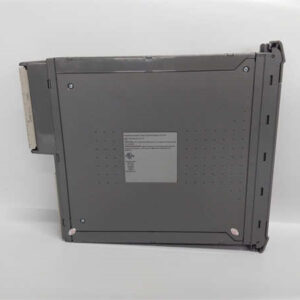
In the world of Emergency Shutdown (ESD) systems, “good enough” gets people killed. The ICS Triplex T9310-02 isn’t just another PLC CPU; it’s the guardian that sits between a gas leak and a catastrophic explosion. I’ve spent years troubleshooting these in offshore platforms where salt spray eats connectors and vibration loosens screws. While modern systems promise “cloud connectivity,” the T9310-02 promises one thing: it won’t fail when you need it most. Its TMR architecture means two out of three processors must agree before an output changes. I’ve seen one channel fry from a lightning strike while the other two kept the platform safe. That’s not marketing; that’s physics.Engineers stick with this specific part number (PN-175486) because re-validating a safety loop is a nightmare of paperwork and regulatory hurdles. If your current system uses the T9310-02, swapping to a newer model often requires a full SIL re-certification, costing tens of thousands in engineering hours. The T9310-02 handles complex logic scans in under 12ms consistently. It’s not fast by consumer standards, but for safety interlocks, speed without stability is dangerous. A word of caution: these units are sensitive to power quality. I’ve watched a “healthy” module lock up because someone connected it to a dirty 24V supply with excessive ripple. Clean power isn’t optional here; it’s mandatory.
 Quality SOP & Tech Pitfalls (The Reality Check)
 Quality SOP & Tech Pitfalls (The Reality Check)
The Lab Report (SOP)
We treat safety controllers differently than standard I/O. You can’t just plug it in and hope.
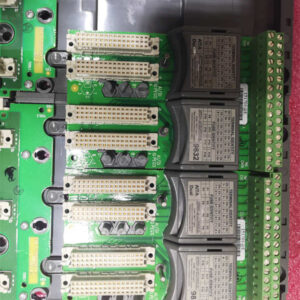
- Visual & Counterfeit Check: We inspect the PCB for reflow marks or mismatched component dates. Fake safety modules exist, and they lack the redundant circuitry.
- TriBus Verification: We insert the T9310-02 into a dedicated Trusted test rack with two other known-good processors. We verify the “TriBus” communication links establish correctly.
- Forced Fault Testing: We physically disconnect one processor’s power mid-cycle. The system must maintain operation without a trip (de-energize to trip logic check). If it trips on a single fault, the unit fails our test.
- Watchdog & Memory Test: We run a diagnostic script to force memory bit-flips. The module must detect and correct them instantly.
- Final Seal: Units are bagged with humidity indicators. We provide a signed test sheet showing the “Voting Status” during the test.
The Engineer’s Warning (Pitfalls)
The biggest mistake I see? Ignoring the firmware revision. The T9310-02 has gone through several firmware updates over its lifecycle. Mixing a new surplus unit with an old firmware version against existing cards in a TMR group will cause a “System Mismatch” fault, forcing the whole rack into a safe state (shutdown). I once flew to a refinery at 3 AM because a tech swapped a card without checking the version, shutting down a crude unit. Second, battery backup. These modules often have internal batteries for clock/data retention. If the unit has sat on a shelf for five years, that battery is likely dead or leaking. Always plan to replace the battery or verify voltage before installing in a critical loop.
Installation & Configuration Guide
 Installation & Configuration Guide
Replacing a safety controller is high-stakes. Do not rush.
- Pre-Installation Safety ⚠️
- Bypass Management: Before touching hardware, you must manage the safety logic. Put the relevant loops in “Maintenance Mode” or bypass them via the HMI/Engineering workstation according to your Permit to Work. Failure to do this will trip the process.
- Document Everything: Take high-res photos of the front DIP switches, jumper settings, and cable routing. Note the Firmware Version displayed on the existing card.
- Removal
- Disconnect the TriBus cables carefully. They are fragile.
- Release the locking levers on the card faceplate.
- Slide the T9310-02 out smoothly. Do not twist.
- Installation
- Critical Step: Match the DIP switch settings and jumpers from the old card to the new T9310-02 exactly. Even one switch in the wrong position prevents the TMR synchronization.
- Insert the new module firmly until the levers lock.
- Reconnect TriBus cables. Ensure they click into place. A loose TriBus cable causes intermittent voting errors that are a nightmare to diagnose.
- Power-On & Testing
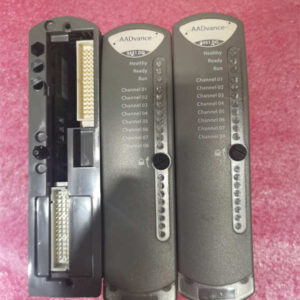
- Restore power. Watch the LED sequence. You should see a self-test phase, then synchronization with the other two channels.
- Verify the “System OK” and “Voting Match” LEDs are solid green.
- Remove Bypasses: Once the controller confirms it is synchronized and healthy, slowly remove logic bypasses one by one while monitoring the field devices.
- Run a partial stroke test or functional test to confirm the output logic responds correctly.
Compatible Replacement Models
| Compatibility Tier | Model Number | Notes & Cost Impact |
|---|---|---|
| ✅ Drop-in Replacement | ICS Triplex T9310-02 (PN-175486) | Exact match. No logic changes or re-certification needed. High cost due to scarcity. |
| ⚠️ Software Compatible | ICS Triplex T9310-03 / T9320 | Newer hardware revisions. May require a firmware download from the engineering station to match the group. Minor labor cost. |
| ❌ Hardware Mod Required | Rockwell ControlLogix Safety | Completely different architecture. Requires new chassis, rewiring, full logic rewrite, and SIL re-validation. Massive CAPEX project. |
Frequently Asked Questions (FAQ)
Q: Can I install just one T9310-02 to test it before putting it in the TMR group?
A: Yes, you can run it in “Simplex” mode for testing if your baseplate supports it, but be careful. The diagnostics might flag missing partners. Ideally, test it in a spare TMR rack if you have one. Never hot-swap into a live TMR group without verifying the firmware version first.Q: The “Battery Low” LED is on. Can I still use it?
A: For logic execution? Yes. The battery is usually for real-time clock and event history logging. However, in a safety audit, a low battery might be cited as a maintenance deficiency. Replace the battery immediately if accessible, or plan to swap the module soon. Don’t ignore it.Q: Why is the price so high for an obsolete part?
A: Supply and demand, plain and simple. These systems run for 20+ years in oil refineries and nuclear plants. When a card fails, they must have the exact model to avoid a massive re-validation project. There are no new ones being made, so the remaining stock commands a premium.Q: How do I know if the surplus unit has been stored correctly?
A: Ask for the date code. If it’s older than 5 years, insist on a test report showing the capacitor leakage and battery voltage. Electrolytic capacitors dry out over time, even on the shelf. We reform the capacitors on older stock before shipping.Q: Is PN-175486 exactly the same as T9310-02?
A: Yes, 175486 is the specific part number stamped on the label for the T9310-02 revision. Sometimes OEMs change internal components but keep the model number. Always check the revision letter (e.g., Rev C vs Rev D) against your existing cards to ensure compatibility in the voting group.