 Tel:
Tel:  Email:
  WhatsApp:
 Description
Key Technical Specifications
| Parameter | Specification |
|---|---|
| Processor | 1.8 GHz Intel Pentium M |
| User Memory | 256 MB (Application + Data) |
| Max I/O Capacity | 128,000 discrete points |
| Analog Channels | Up to 4,000 channels |
| Communication Ports | 2 x Ethernet (10/100 Mbps), 1 x Serial (RS-232/485) |
| USB Port | 1 x Type B (for programming) |
| Power Requirement | 5 V DC @ 2.8 A (typical backplane load) |
| Operating Temp | 0°C to 60°C (32°F to 140°F) |
| Protocol Support | Modbus TCP/IP, SRTP, EGD, OPC |
| Redundancy | Supported (requires partner CPU and sync modules) |
| Mounting | RX7i Universal Backplane (slots 1-8) |
| Certifications | UL, cUL, CE, C-Tick |
Product Introduction
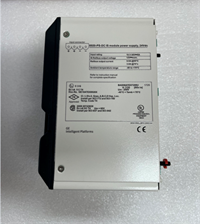
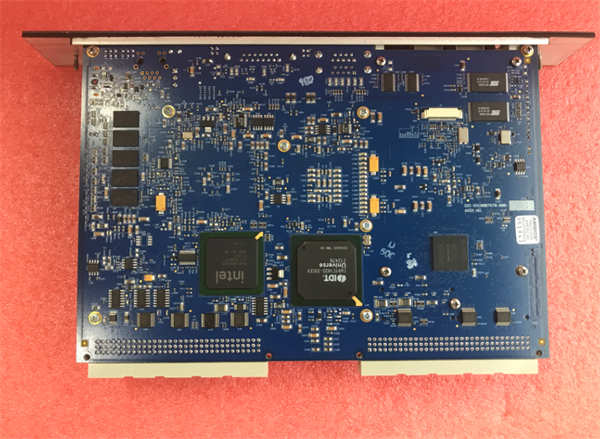
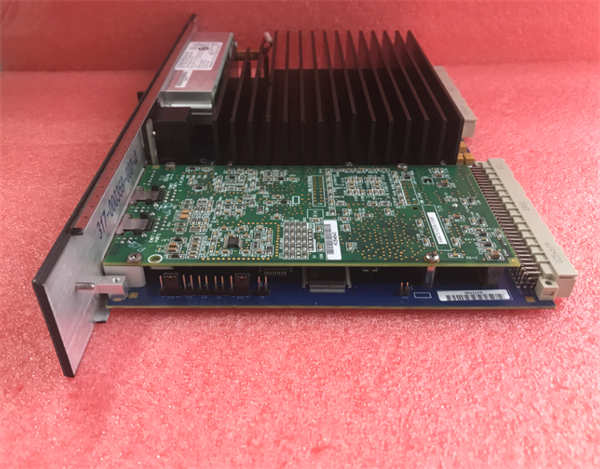
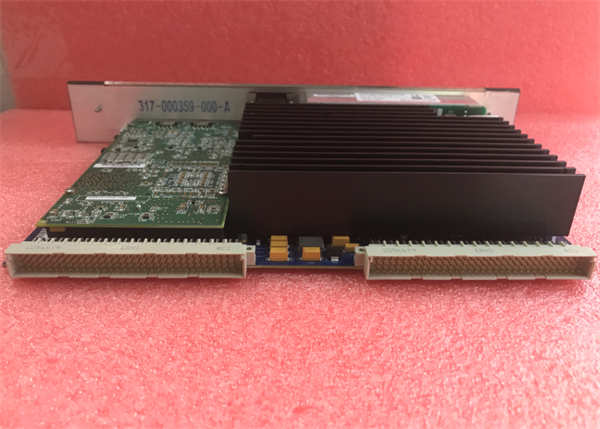
The IC698CRE040-HN serves as the central brain for GE Fanuc’s PACSystems RX7i platform, designed for large-scale industrial automation requiring high-speed logic execution. It handles complex motion coordination and massive I/O counts without the latency found in older PLC architectures.Unlike mid-range controllers, this unit processes logic at scan times under 1 ms for typical programs, utilizing a dedicated 1.8 GHz processor. Field data shows it sustains heavy Ethernet traffic (SRTP and Modbus TCP) simultaneously while maintaining deterministic control cycles.
 Installation & Configuration Guide
 Installation & Configuration Guide
Preparation (10 min)
- Power down the entire rack. Verify 0 V DC at the power supply terminals.
- Ground yourself using an ESD wrist strap. The CPU contains sensitive CMOS components.
- Confirm the backplane slot is free and the locking levers are open.
Removal (5–10 min)
- Disconnect Ethernet and serial cables. Note their positions (Port 1 vs. Port 2).
- Press the ejector latches on the top and bottom of the existing module.
- Slide the module out smoothly. Do not wiggle excessively; bent pins on the backplane connector cause intermittent faults.
Installation (10 min)
- Align the IC698CRE040-HN guide rails with the chassis slots.
- Push firmly until the module seats completely against the backplane. You should feel a solid stop.
- Engage the locking levers. They must click into place. If they don’t, the module is not seated.
Power-On & Test (10 min)
- Restore power to the rack. Watch the CPU LEDs immediately.
- The OK LED should turn solid green within 15 seconds. A flashing red indicates a firmware mismatch or battery failure.
- Connect a laptop via USB or Ethernet. Launch Proficy Machine Edition.
- Perform a “Verify” operation to check hardware configuration against the loaded project.
Troubleshooting Quick Reference
| Symptom | Probability | Action |
|---|---|---|
| OK LED Flashing Red | High | Check battery voltage (replace if < 3.0V). Verify firmware version matches project. |
| No Comm via Ethernet | Medium | Inspect link lights on the port. Ensure IP address does not conflict with other devices. |
| CPU Won’t Seat | Low | Inspect backplane pins for debris or bending. Clean with compressed air only. |
| Random Faults | Medium | Measure backplane 5V supply under load. Voltage drop below 4.75V causes instability. |
| Battery Alarm | High | Replace CR2032 battery immediately while powered up to retain RAM content. |
Dimensions, Mounting & Wiring Notes
- Dimensions: 14.5 cm (H) × 10.2 cm (W) × 16.8 cm (D) – includes handle and connectors.
- Mounting: Slides into RX7i universal backplane slots. Requires no screws; uses integrated locking levers.
- Terminal Notes: Ethernet ports use standard RJ45 connectors. The serial port is a D-Sub 9-pin male.
- Warning: Do not hot-swap this CPU unless the system is explicitly configured for redundancy and hot-swapping is enabled in the hardware config.
FAQ
Q: Can I use the IC698CRE040-HN to replace an older IC697CPU model?
A: No. The physical form factor and backplane pinout differ between the 90-70 series and PACSystems RX7i. You would need to migrate the entire rack and I/O modules.Q: I see a “BAT” light on. How long do I have before I lose my program?
A: If the CPU is powered, the RAM stays alive regardless of the battery. Replace the battery while the unit is ON. If power is lost with a dead battery, the program vanishes instantly.Q: What exactly does the “HN” suffix mean in this part number?
A: Suffixes like HN often indicate specific factory configurations or hardware revisions (e.g., specific memory chip batches). Functionally, it operates as a standard CRE040, but always verify the exact firmware pre-loaded on the unit.Q: Is this unit new or refurbished?
A: Availability varies. We stock both new surplus (factory sealed) and refurbished units. Refurbished items undergo a 24-hour load test and include a 1-year warranty. Check the specific listing status.Q: Does this support Proficy Machine Edition v10?
A: Yes, but you must install the appropriate Support Pack. Older versions of the software may not recognize the specific hardware revision without an update.Q: How much margin should I leave on the 5V power supply?
A: Keep at least 20% headroom. If the CPU draws 2.8A, ensure your power supply can deliver at least 3.5A for that rail to prevent brownouts during peak I/O updates.