
 Tel:
Tel:  Email:
  WhatsApp:
 Description
Key Technical Specifications
| Parameter | Specification |
|---|---|
| Processor Type | Intel 486-based (Embedded) |
| User Memory | 512 KB (Shared for Program, Data, Fault Tables) |
| Max I/O Capacity | Up to 4,096 discrete points (system dependent) |
| Analog Channels | Supports up to 512 analog channels |
| Motion Control | Supports up to 8 axes (with appropriate motion modules) |
| Serial Ports | 1 x RS-232/485 (Port 1 – Configurable) |
| Ethernet Port | Optional (Requires separate IC693ACC302 kit or built-in depending on sub-model, usually external for 372) Correction: CPU372 typically has built-in Serial; Ethernet often requires the ACC302 coprocessor or specific variant. |
| Power Requirement | 5 V DC @ ~1.8 A (Backplane load) |
| Operating Temp | 0°C to 60°C (32°F to 140°F) |
| Battery Backup | Required for RAM retention (Lithium Coin Cell) |
| Mounting | 90-30 Baseplate (Slots 1-10) |
| Protocol Support | SRTP, Modbus RTU/TCP (via add-on), EGD, Genius Bus (via adapter) |
| Certifications | UL, cUL, CE |
Product Introduction
The IC693CPU372-AE represents the pinnacle of the GE 90-30 series performance. Designed for demanding applications requiring fast scan times, complex math, and multi-axis motion coordination, it utilizes a robust 486-class architecture. With 512 KB of memory, it can handle massive ladder logic programs, extensive data logging, and sophisticated PID loops simultaneously.The “AE” revision ensures the unit benefits from the latest component sourcing available before the product line’s end-of-life, offering enhanced reliability for aging infrastructure. It is the preferred upgrade path for facilities migrating from slower 90-30 CPUs (like the CPU350/351/360) without changing their existing I/O wiring or backplane.
Installation & Configuration Guide
Preparation (10 min)
- LOTO: Lock Out/Tag Out the main power supply to the PLC rack. Verify 0 VAC/VDC.
- ESD Safety: Wear a grounded wrist strap. The 486 processor and memory chips are sensitive to static.
- Slot Selection: Identify Slot 1 (left-most) for the CPU. If Slot 1 is occupied by a Power Supply (rare in 90-30, usually separate), place CPU in the first available slot designated for logic. Correction: In 90-30, the CPU can go in any slot, but Slot 1 is standard convention.
Removal (5–10 min)
- Disconnect any serial cables or Genius bus cables attached to the front ports.
- Loosen the two mounting screws (top and bottom) securing the CPU to the baseplate.
- Gently pull the module straight out. Do not rock it excessively to avoid bending the 40-pin (or 96-pin depending on exact connector type) baseplate connector.
Installation (10 min)
- Align the IC693CPU372-AE guide rails with the baseplate slot.
- Push firmly until the rear connector seats fully. Ensure there is no gap between the module face and the baseplate.
- Tighten the two mounting screws. Torque to approx. 0.5 Nm. Do not overtighten.
- Reconnect communication cables. Ensure terminal blocks are secure.
- Battery Check: Verify a fresh lithium battery is installed in the compartment on the front face.
Power-On & Test (10 min)
- Restore power. Watch the LED sequence: PWR, OK, RUN, BATT, FAULT.
- The OK LED should turn solid green within 10-15 seconds.
- Connect a programming laptop using Proficy Machine Edition (or the older Logicmaster 90-30).
- Go online. Verify the CPU identifies as “CPU372” and check the hardware configuration.
- Perform a “Verify” operation to ensure program integrity.
Troubleshooting Quick Reference
| Symptom | Probability | Action |
|---|---|---|
| OK LED Flashing Red | High | Fatal fault. Check battery (data loss?), program corruption, or incompatible I/O config. Reload firmware/project. |
| BATT LED On | High | Battery voltage low. Replace immediately while powered to save RAM. |
| No Comm via Serial | Medium | Check baud rate, parity, and wiring (RS-232 vs RS-485 jumpers). Verify COM port settings in software. |
| Slow Scan Time | Low | Program too large or inefficient logic. Use “Scan Time” diagnostic tool in Proficy to identify bottlenecks. |
| Motion Axis Faults | Medium | Check motion module configuration and feedback wiring. Ensure CPU372 motion enable bits are set. |
| Unit Won’t Start | Low | Baseplate connector bent pins or dirty contacts. Reseat module and clean contacts with contact cleaner. |
Dimensions, Mounting & Wiring Notes
- Dimensions: Approx. 12.5 cm (H) × 10.0 cm (W) × 15.0 cm (D) – Standard 90-30 single-slot width.
- Mounting: Slides into 90-30 baseplate. Secured via two front-face screws.
- Terminal Notes: Serial port uses a removable terminal block or DB9 connector (check specific front plate). Pinout is configurable via software/hardware jumpers.
- Warning: This CPU draws significant current (~1.8A). Ensure the Power Supply module (e.g., IC693PWR321/331) has enough capacity for the CPU plus all I/O modules.
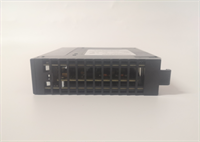
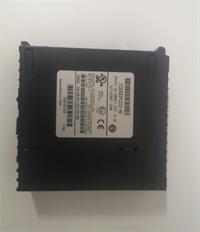
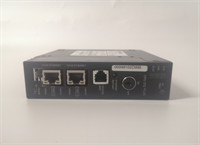
IC693CPU372-AE GE
FAQ
Q: What is the main advantage of the CPU372 over the CPU360?
A: The CPU372 offers significantly faster processing speeds (486-based vs. earlier architectures), larger memory (512 KB vs. 240 KB), and native support for advanced motion control (up to 8 axes) without needing a separate motion coprocessor in many configurations.Q: Does the “AE” revision require different software?
A: No. It is programmed using the same Logicmaster 90-30 or Proficy Machine Edition software as all other 90-30 CPUs. The revision is transparent to the programming environment.Q: Can I use 90-70 I/O modules with this CPU?
A: No. The IC693CPU372 is strictly for the 90-30 series baseplates and I/O modules (IC693xxxx). 90-70 modules (IC697xxxx) have different connectors and protocols.Q: How do I backup the program if the battery dies?
A: You must connect to the CPU via serial or Ethernet (if equipped) and upload the program to your PC before the battery fails completely. Once the battery is dead and power is lost, the RAM content is erased permanently.Q: Is this CPU redundant?
A: No. The CPU372 is a standalone unit. The 90-30 series does not support hot-standby redundancy in the same way the 90-70 or RX3i systems do.Q: What type of battery does it use?
A: Typically a standard CR2032 or equivalent 3V lithium coin cell, accessible from the front panel without removing the module.
Quality Transparency Strategy (SOP)
1. Incoming Inspection
- Origin Verification: Validate serial number format against GE 90-30 production logs.
- Revision Check: Confirm “AE” label presence and legibility.
- Physical Inspection: Inspect the 40/96-pin connector for bent pins (critical failure point). Check for capacitor leakage or burn marks.
- Battery Compartment: Ensure the battery holder is not corroded and makes good contact.
2. Live Functional Testing
- Test Rack Setup: Installed in a verified 90-30 baseplate with dummy I/O and a known-good Power Supply.
- Boot Test: Verify successful boot sequence and “OK” LED stability.
- Memory Stress Test: Write a 400 KB dummy program, verify, run for 2 hours, then read back. Check for bit errors.
- Comm Test: Establish serial communication at various baud rates (9600, 19200, 38400) to verify port integrity.
- Motion Sim: If test rig supports it, simulate a motion command to verify co-processor handshake.
3. Electrical Testing
- Backplane Continuity: Verify continuity on all connector pins.
- Power Draw: Measure 5V current consumption under load. Must be within spec (approx. 1.8A).
- Insulation: Check isolation between logic ground and chassis.
4. Firmware/Revision Verification
- Firmware Version: Document the embedded firmware version. Update if a newer stable version is available and requested.
- Visual Record: High-res photos of the “AE” label, connector pins, and battery compartment.
5. Final QC & Packaging
- QC Sign-off: Technician verifies functional tests and physical condition.
- ESD Protection: Sealed in anti-static bag with desiccant.
- Packaging: Double-boxed with foam inserts to protect the rear connector pins.
- Documentation: Include test report showing memory integrity and comm port success.
Technical Pitfall Guide
- Power Supply Undersizing:
- Risk: The CPU372 draws nearly 2A. Adding many high-density I/O modules might exceed the capacity of a small PS (e.g., 15W unit).
- Consequence: System resets randomly or fails to start.
- Fix: Calculate total backplane load. Upgrade to a 30W or 50W Power Supply (e.g., IC693PWR331) if needed.
- Battery Data Loss:
- Scenario: Storing the spare CPU for 5 years without checking the battery.
- Result: Battery leaks or dies. First power-up wipes the memory if a program was stored on it (though usually, programs are loaded from PC).
- Prevention: Always install a fresh battery before putting a refurbished unit into service. Never rely on CPU RAM for long-term archival without power.
- Connector Pin Damage:
- Detail: The 90-30 baseplate connectors are fragile.
- Risk: Forcing the module in misaligned bends pins.
- Consequence: Intermittent faults that are nightmare to diagnose.
- Protocol: Visual inspection of pins before every insertion. Use a flashlight.
- Software Compatibility:
- Scenario: Using a very old version of Logicmaster that doesn’t recognize the “AE” revision features (rare, but possible with specific firmware).
- Fix: Use the latest supported version of Proficy Machine Edition or Logicmaster 90-30 (v6.0+).
- Heat Dissipation:
- Risk: Installing in a tightly packed enclosure with no airflow. The 486 processor runs warm.
- Consequence: Thermal shutdown or reduced lifespan.
- Fix: Ensure enclosure fans are working. Maintain ambient temp < 60°C.




