

 Tel:
Tel:  Email:
  WhatsApp:
 Description
Key Technical Specifications
| Parameter | Specification |
|---|---|
| Model Number | IOCHAS-0001S |
| Manufacturer | Honeywell (Honeywell International Inc.) |
| System Compatibility | FC-200 DCS (Distributed Control System) |
| Communication Ports | 1 x RS485, 1 x RS232 (Selectable) |
| Redundancy | Active/Active Redundant (Hot Standby) |
| Power Supply | 24 VDC (Typical) |
| Operating Temperature | -5°C to 55°C (41°F to 131°F) |
| Dimensions | Standard DCS I/O Module Size |
| Certifications | CE, UL Listed (as per original packaging) |
Product Introduction
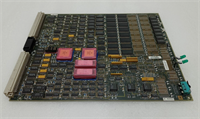
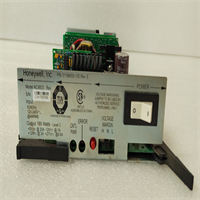
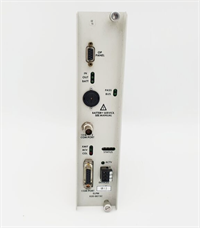
You open the rack and see the Honeywell IOCHAS-0001S staring back at you. It’s a workhorse from the FC-200 era, a solid piece of kit that’s seen its share of refinery upsets and plant shutdowns. This isn’t just any I/O module; it’s the heartbeat of redundancy. In a system where a single point of failure can shut down a $10 million process line, this card ensures you keep breathing. It handles the dirty job of converting field signals to digital data and back, and its dual-port RS485/RS232 capability makes it a versatile gateway for serial instrumentation. It’s old school, but it’s reliable. Just don’t expect it to support modern TCP/IP protocols—you’re dealing with raw ASCII or Modbus RTU here.
Quality SOP & Tech Pitfalls
The Lab Report
Before it hits your dock, every IOCHAS-0001S goes through a gauntlet. First, we check for counterfeit signs—scratches on the Honeywell logo usually mean a knockoff. Then, it gets slapped onto a test rack running original Honeywell firmware. We verify the LED patterns during boot (you want the “Good” lights to blink in unison on both sides). We measure the 24VDC draw to ensure it’s within spec, and we test the RS ports with a loopback plug to ensure the transceivers aren’t dead. Finally, we bag it in anti-static foam and ship it with a “No Restock” sticker on the front.The Engineer’s Warning
⚠️ DIP Switch Disaster: Do not swap this module without taking a photo of the DIP switch settings. These switches control the card’s personality (addressing, redundancy mode). Swap them blindly, and you’ll spend the next 4 hours staring at a “Configuration Error” message on the operator console. It’s a rookie mistake, but it happens. Also, be aware that this module is part of a legacy system. If your plant has upgraded to Experion or Enterprise, this card won’t fit. It’s strictly FC-200 territory.
Honeywell IOCHAS-0001S I/O Module
Installation & Configuration Guide
Phase 1: The Shutdown (Safety First)
- Power Down: Kill the 24VDC power to the chassis. Wait 5 minutes to let the capacitors discharge. You don’t want to fry your fingers or the new card.
- Label Everything: Before you touch a wire, take a high-resolution photo of the current wiring. Label every cable with a Sharpie and a piece of tape. You will forget which wire goes where.
- Document Settings: If there are any physical switches or jumpers on the front, write down their positions. This is critical for redundancy to work.
Phase 2: The Physical Swap
- Release Clips: Locate the DIN rail clips on the sides of the module. Press them down and slide the old card out. It should come free with a slight tug.
- Inspect: Look for signs of arcing or corrosion on the backplane. If the gold fingers on the new card are dirty, wipe them with a lint-free cloth.
- Insert: Slide the new IOCHAS-0001S into the empty slot. Push until you feel the mechanical lock engage. Ensure it is fully seated.
Phase 3: The Power-Up
- Reconnect: Restore 24VDC power to the rack.
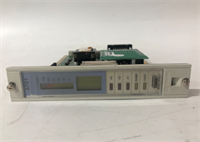
- LED Check: Watch the front panel LEDs. The “Power” light should come on steady. The “Redundancy” lights should blink in sync. If one is solid red, you have a mismatched pair.
- Download Logic: Once the card is recognized by the controller, download the I/O configuration from your engineering station. Verify the tag values match what you see on the physical inputs.
Compatible Replacement Models
| Compatibility | Model Number | Notes |
|---|---|---|
| ✅ Drop-in | IOCHAS-0001 | The direct predecessor. Same footprint, same function. Use this if you’re doing a like-for-like swap. |
| ⚠️ Software | IOCHAS-0002 | Newer version with more memory and faster processing. Requires a firmware update on the controller to recognize it. |
| ❌ Hardware | 1756-IF16 (Allen-Bradley) | A completely different architecture. You would need to rewire the entire system and rewrite the PLC logic. Only consider this during a full system upgrade. |
Frequently Asked Questions
Q: Is this a hot-swappable module?
A: Yes, the IOCHAS-0001S is designed for hot swapping. However, I’ve seen it fail to initialize if the system wasn’t properly prepared. Always ensure the controller is in “Manual” or “Test” mode before pulling the card to prevent a catastrophic I/O scan error that crashes the entire process.Q: Can I use this in a non-redundant system?
A: Technically, yes. But it’s like carrying a spare tire when you only have one car. The hardware is built for redundancy (dual processors). If you use it in a single controller setup, you’re wasting half its capability. It will work, but you won’t get the failover benefits.Q: What if the “Redundant” LED is solid red?
A: That means the primary and secondary cards don’t agree on something. Check the firmware versions—they must match exactly. Also, verify the DIP switch settings. If both cards are good, swap the cables between them to see if the issue follows the card or stays with the slot.Q: Is this module still supported by Honeywell?
A: Honeywell has long since moved on to the Experion system. This is a legacy part. You won’t get tech support from their main line, and spares are getting scarce. If you’re buying this, you’re likely maintaining an older installation that isn’t going anywhere anytime soon.Q: How do I test this before installing it?
A: You can’t really test the analog/digital signals without a host controller. The best you can do is power it up on a bench and check the LED sequence. If the “Self-Test” passes and the redundancy lights sync, it’s good to go. Otherwise, it’s a paperweight.