 Tel:
Tel:  Email:
  WhatsApp:
 Description
Key Technical Specifications
| Parameter | Specification |
|---|---|
| Part Number | 51308307-175 |
| Model Code | CC-TCNT01 |
| Slot Capacity | 4 Slots (Supports 2 Controllers + 2 I/O or Redundant setup) |
| System Compatibility | Honeywell Experion PKS, C300 Controller |
| Mounting Type | DIN Rail or Panel Mount |
| Operating Temp | 0°C to 60°C (32°F to 140°F) |
| Storage Temp | -40°C to 85°C |
| Humidity | 5% to 95% (Non-condensing) |
| Safety Certifications | ATEX, IECEx, FM, CSA (Check specific revision label) |
| Dimensions | Approx. 230mm x 140mm x 110mm |
Product Introduction
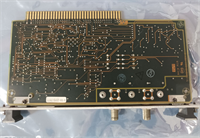
You don’t buy a base module for fun; you buy it because the old one is flickering red LEDs or you’re expanding a rack in a hot, noisy cabinet. The Honeywell CC-TCNT01 (51308307-175) is the backbone for your C300 controllers. It’s not the brain—that’s the controller module you plug into it—but it’s the nervous system that keeps everything powered and talking. I’ve seen these units sit in sulfur-rich environments for a decade and still work perfectly because they are built like tanks.This specific carrier is designed for the Experion PKS system, handling the heavy lifting of power distribution and signal integrity for up to four modules. It supports redundant controller configurations, which is critical when you’re managing a process that can’t afford a hiccup. The build quality is typical Honeywell—heavy-duty plastic, solid locking mechanisms, and clear labeling. It’s a passive component mostly, but if the backplane traces corrode or the locking tabs snap, your expensive controller becomes a paperweight.
Quality SOP & Tech Pitfalls (The Reality Check)
The Lab Report (SOP)
Before we ship a CC-TCNT01, we don’t just look at the box.
- Visual Inspection: We check the DIN rail clips. They are brittle and often cracked if the previous tech dropped it. We also inspect the backplane pins for bending.
- Continuity Test: Using a Fluke multimeter, we verify continuity across the power rails to ensure no blown fuses or open circuits on the backplane.
- Mechanical Fit: We test-fit a known good C300 controller to ensure the locking screws engage smoothly without cross-threading.
- Packaging: It goes into an anti-static bag with bubble wrap. This isn’t a delicate circuit board, but the plastic housing scratches easily.
The Engineer’s Warning (Pitfalls)
- The “Force” Trap: The locking mechanism on the front requires a specific technique. I’ve seen operators use pliers to crank the screws down. Don’t do this. The plastic threads strip easily. Hand-tighten until snug.
- Dust Ingress: This base has ventilation slots. If you are installing this in a cement plant or steel mill, ensure your cabinet filters are clean. I once pulled one of these out that was packed solid with conductive dust—it caused a short across the backplane that fried the controller.
- Redundancy Jumper: If you are setting up a redundant pair, verify the physical slot arrangement. Putting the primary and secondary in the wrong slots can cause communication headaches during the initial download.
Installation & Configuration Guide
Swapping a base module is a “rip and replace” job, but do it wrong and you’ll damage the controller pins.
- Pre-Installation:
- ⚠️ Power Down: Turn off the 24VDC supply. Wait 30 seconds for capacitors to discharge.
- Photo Op: Take a picture of the wiring terminals and the module arrangement. You will forget which wire went where.
- Removal:
- Disconnect the field wiring from the terminal blocks (if attached to the base).
- Unlatch the DIN rail clip at the bottom. It’s stiff; use a flathead screwdriver gently.
- Lift the module up and off the rail.
- Installation:
- Hook the top of the CC-TCNT01 onto the DIN rail first.
- Push the bottom until the clip snaps into place.
- Crucial: If you are migrating from an older base, check the part number suffix. While 51308307-175 is standard, ensure your controller firmware supports the hardware revision.
- Power-On:
- Reconnect power.
- Watch the LEDs on the controller modules. You should see a “Run” status. If you see “IO Fault,” check your seating.
Compatible Replacement Models
| Compatibility | Model Number | Notes |
|---|---|---|
| ✅ Drop-in Replacement | CC-TCNT01 (51308307-175) | Exact match. Standard 4-slot base. |
| ✅ Direct Swap | CC-TCNT01 (51308307-xxx) | Different suffix (e.g., -150 or -200). Usually just packaging/revision updates. Verify with datasheet. |
| ⚠️ Software Compatible | CC-PCNT01 | This is the Controller module, not the base. Do not confuse them. You plug the PCNT into the TCNT. |
| ❌ Hardware Mod | CC-TAOX01 | This is an Analog Output module. Completely different form factor and function. |

Frequently Asked Questions (FAQ)
Q: Does this base module come with the controller?
No. This is just the chassis (the “socket”). You need to purchase the C300 controller module (like the CC-PCNT01) separately and plug it into this base.Q: Can I hot-swap this base module?
Absolutely not. This is the power distribution point. Pulling this out while live will arc, likely damage the controller, and could trip your main power supply. Kill the power before touching this.Q: What does the “175” in 51308307-175 mean?
It’s a revision or manufacturing code. Generally, a higher number is a newer revision. The -175 is a very common revision that is backward compatible with older C300 controllers, but always check the compatibility matrix if you are mixing very old hardware.Q: My base has 8 slots, is this the right one?
No. The CC-TCNT01 is a 4-slot base. If you have an 8-slot rack, you are likely looking at a different carrier series or a multi-drop setup. This unit is specifically for compact, 4-module configurations.Q: Is this ATEX rated for hazardous areas?
The base itself is part of a system. The CC-TCNT01 is designed to meet ATEX and IECEx standards when installed in a proper enclosure, but check the specific label on the unit. If the label is faded, your safety inspector might reject it for Zone 1/Zone 2 use.