
 Tel:
Tel:  Email:
  WhatsApp:
 Description
Key Technical Specifications
| Parameter | Specification |
|---|---|
| Processor Type | 32-bit RISC (Embedded) |
| Network Interfaces | 2x 10/100 Base-TX Ethernet (RJ45) |
| Protocol Support | Modbus TCP/IP, GE Global Data, SNMP |
| Input Voltage | 24V DC ± 10% (Nominal) |
| Power Consumption | 12W Typical (0.5A @ 24V) |
| Temperature Range | -30°C to +65°C (-22°F to 149°F) |
| Humidity Tolerance | 5% to 95% Non-condensing |
| Memory | 64MB SDRAM, 32MB Flash |
| Form Factor | Eurocard 6U VME (Single Slot) |
| LED Indicators | Power, Status, Link/Activity (per port) |
| Mounting | DIN Rail or VME Backplane |
| Certification | UL, CSA, CE, ATEX (Zone 2) |
Product Introduction
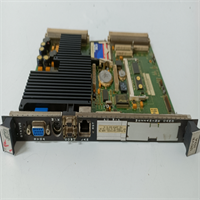
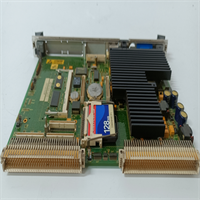
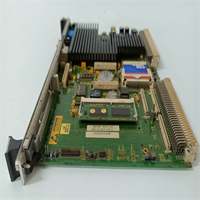
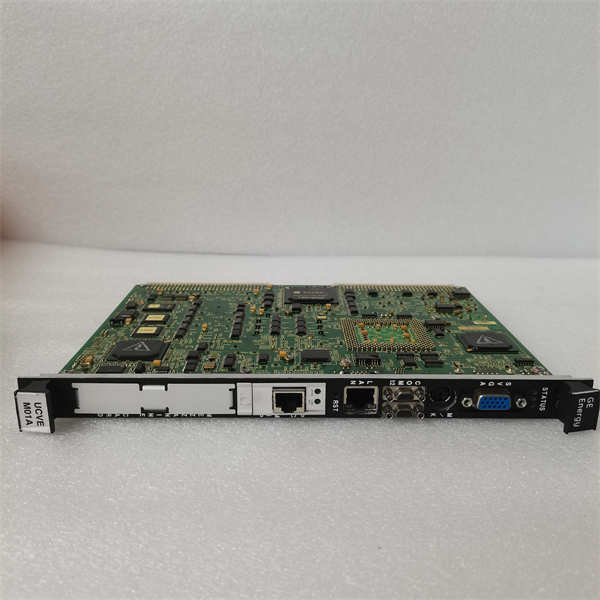
Nothing kills a shift faster than an HMI that freezes during a startup sequence. You’re staring at a blank screen while the turbine spins up, blind to critical parameters. The GE IS215UCVEH2AF fixes that bottleneck. It’s the dedicated comms brain for the Mark VIe system, handling the heavy lifting of data traffic between the VME control rack and your operator stations. Unlike the older H1 models, this “H2” revision with the “F” suffix packs dual Ethernet ports that actually sustain throughput under load without dropping packets.Field teams prefer the H2AF because it handles the Modbus TCP polling from third-party DCS systems without choking the primary control loop. The dual-port architecture lets you segregate traffic: one port for the secure control LAN, the other for plant-wide monitoring. It runs cool even in unventilated cabinets hitting 60°C. Just be warned: the flash memory on these units is sensitive to dirty power. If your 24V supply ripples more than 5%, expect random reboots. Install a decent filter or don’t blame the card when it acts up.
Quality SOP & Tech Pitfalls (The Reality Check)
The Lab Report (SOP)
Every unit gets the full workup. We start with a microscope check on the RJ45 magnetics and solder joints to rule out counterfeit refurbs. Then, we mount it on a live Mark VIe test rack. We flood both Ethernet ports with simulated Modbus traffic for 6 hours to stress the buffer. We measure input voltage tolerance with a Fluke 87V, ensuring it holds lock down to 21V DC. Firmware version is verified against the latest GE GFK-2358 documentation. Finally, it’s packed in static-shielding bags with desiccant.The Engineer’s Warning (Pitfalls)
Here is the classic mistake: Ignoring the IP address dip-switches or software config before installation. The IS215UCVEH2AF doesn’t auto-magically pull an IP in many legacy Mark VIe setups; it often relies on hardcoded settings or a specific bootp server. I watched a commissioning team waste three days because they swapped a failed unit with a fresh one that had a default IP of 0.0.0.0, causing an address conflict on the control VLAN. Also, watch the cable shielding. These Ethernet ports are susceptible to ESD if you plug in unshielded Cat5e in a high-noise environment. Ground the shield at both ends, or prepare for intermittent “Link Down” alarms that will drive you crazy.
Installation & Configuration Guide
Phase 1: Pre-Installation
⚠️ CUT POWER TO THE RACK. Wait 15 seconds. Document the IP address configuration from the old card or the system logic database. Take a photo of the Ethernet cable labeling. Do not guess the VLAN assignment.Phase 2: Removal
Disconnect the Ethernet cables first; inspect the clips for breakage. Release the card ejector levers. Slide the module out smoothly. If it resists, check for obstructions—do not force it and bend the backplane pins.Phase 3: Installation
Verify the IP configuration matches the system requirement before inserting. Some revisions require manual DIP switch setting for the last octet; others rely entirely on software. Seat the IS215UCVEH2AF firmly until the levers lock. Reconnect Ethernet cables, ensuring a solid “click.”Phase 4: Power-On & Testing
Apply 24V DC power. The “Power” LED should go solid green immediately. The “Link” LEDs on the Ethernet ports should illuminate within 10 seconds if the switch is active. Ping the module from the Engineering Workstation. Check the diagnostic buffer for any “Communication Timeout” errors. If the status LED flashes red, re-check your IP settings and subnet mask.
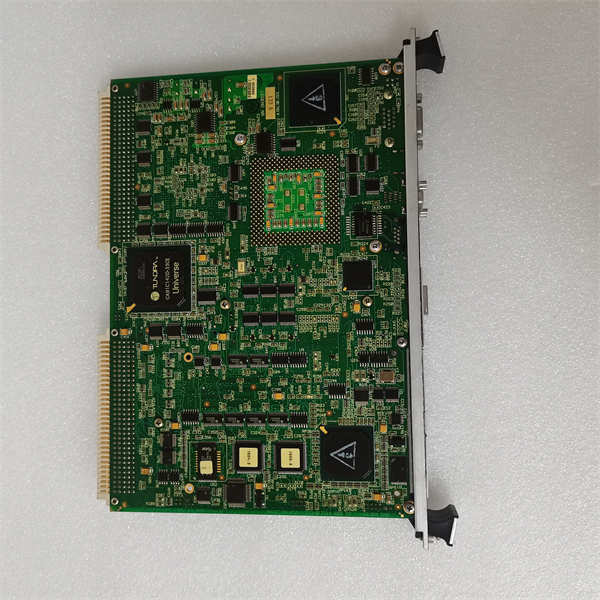
IS215UCVEH2AF GE
Compatible Replacement Models
| Compatibility Tier | Model Number | Notes |
|---|---|---|
| ✅ Drop-in Replacement | IS215UCVEH2AF | Exact match. Preferred for all new installs. |
| ⚠️ Software Compatible | IS215UCVEH2AE | Hardware identical, older firmware rev. May require a firmware flash update (30 mins). |
| ⚠️ Software Compatible | IS215UCVEH1AD | Single Ethernet port version. Requires logic change to utilize dual-path redundancy. Not recommended for critical paths. |
| ❌ Hardware Mod Required | IS215UCVEMxx | Different form factor/function (VME Interface). Will not fit or function as HMI. |
Frequently Asked Questions (FAQ)
Can I swap this module without tripping the turbine?
Yes, usually. The Mark VIe architecture is redundant. If you have a TMR (Triple Modular Redundant) setup, pulling one HMI comms card shouldn’t trip the machine, provided the other two paths are healthy. However, you will lose visibility on that specific path. Verify your redundancy status before pulling anything.Why are my Ethernet link lights flashing erratically?
This usually points to a duplex mismatch or a bad cable. The IS215UCVEH2AF defaults to auto-negotiate. If your switch is hard-coded to 100Full, they might fight. Set both ends to auto-negotiate first. If that fails, replace the patch cable; industrial vibration breaks internal strands often.Does the “F” suffix matter compared to “E” or “D”?
Yes. The “F” revision typically includes updated magnetics for better noise immunity and a newer bootloader. While an “E” might work, GE often mandates the latest suffix for compliance with newer cybersecurity patches or firmware loads. Stick to the suffix specified in your bill of materials.How do I load the firmware onto a blank replacement?
You can’t do it from the front panel. You need the GE ToolboxST software and a direct connection to the service port (if accessible) or via the network using the bootp/tftp process. Have the correct .ffu file ready before you start. If you mess up the flash, you brick the card.Is this compatible with non-GE HMIs like Wonderware or Ignition?
Absolutely. That’s its main job. It exposes data via Modbus TCP/IP. Just ensure you map the correct register addresses defined in the GE signal list. Don’t expect it to speak native OPC UA without a gateway; it’s a Modbus server primarily.




