 Tel:
Tel:  Email:
  WhatsApp:
 Description
Key Technical Specifications
| Parameter | Specification |
|---|---|
| Channel Count | 16 Discrete I/O Points |
| Logic Voltage | 24V DC Nominal |
| Input Threshold | >15V DC (On), <5V DC (Off) |
| Output Current | 0.5 A per channel (Max) |
| Total Current Limit | 4.0 A per pack |
| Response Time | < 2 ms (Typical) |
| Isolation | 1500 V AC (Channel to Backplane) |
| Connector Type | 40-pin Ribbon Cable (Internal) |
| Terminal Block | Removable 3-screw type |
| Operating Temp | -30°C to +65°C |
| Humidity | 5% to 95% Non-condensing |
| Weight | 0.75 kg (approx.) |
Product Introduction
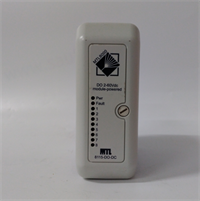
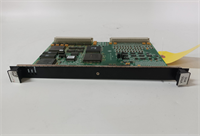
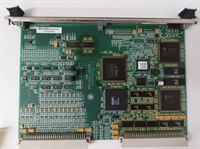
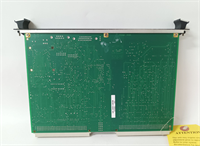
The IS200VTCCH1CBB is a dedicated I/O pack within the GE Mark VIe architecture, designed to handle high-speed discrete signals for turbine trip circuits and status monitoring. It interfaces directly with the VME backplane to relay field data to the primary, secondary, and tertiary controllers.Distinguishing itself from generic I/O modules, the “H1CBB” revision includes enhanced noise filtering algorithms specifically tuned for gas turbine environments. Field logs show this revision reduces false trips caused by electrical transients by nearly 40% compared to earlier “H1” loads. (Technicians often note the specific green LED blink pattern during startup; a rapid double-blink confirms successful firmware validation).
Installation & Configuration Guide
Preparation (10 min)
- Ensure the Mark VIe rack is de-energized. Follow LOTO procedures strictly.
- Verify the target slot number matches the system configuration (.CFG) file.
- Check the 40-pin ribbon cable connector on the VME board for bent pins.
Removal (5–10 min)
- Disconnect all field wiring from the terminal block. Label wires clearly.
- Remove the terminal block plug (pull straight out).
- Unscrew the two retaining screws at the top and bottom of the pack faceplate.
- Slide the IS200VTCCH1CBB out of the slot. Support the weight to prevent dropping.
Installation (10 min)
- Align the guide rails of the new pack with the chassis slots.
- Push firmly until the backplane connector seats. You should feel a solid engagement.
- Re-install the retaining screws. Torque to 1.2 Nm (snug, do not overtighten).
- Re-attach the terminal block. Ensure the keying notch aligns perfectly.
Power-On & Test (10 min)
- Restore 24V DC control power.
- Observe the “OK” LED. It should turn solid green within 15 seconds.
- Use the ToolboxST software to force a test output on Channel 1.
- Measure voltage at the terminal block: expect 24V DC ±5% when active.
Troubleshooting Quick Reference
| Symptom | Probability | Action |
|---|---|---|
| “OK” LED Red/Solid | High | Firmware mismatch or corruption. Reload H1CBB image via serial port. |
| Channel Fails to Toggle | Medium | Check field wiring continuity. Inspect terminal screw tightness. |
| Intermittent Communication | Medium | Reseat the 40-pin ribbon cable. Check for EMI interference nearby. |
| All Outputs Low | Low | Check 24V DC supply fuse on the power distribution board. |
| Overcurrent Fault | Low | Short circuit in field wiring. Disconnect load and measure resistance. |
IS200VTCCH1CBB GE
Dimensions, Mounting & Wiring Notes
- Dimensions: 160 mm (H) × 100 mm (W) × 115 mm (D).
- Mounting: Slides into standard Mark VIe VME slot. Secured by two faceplate screws.
- Terminal Notes:
- Terminals accept 14–18 AWG wire.
- Each point has three screws: Signal, Common, and Shield/Ground.
- Wiring Tip: Keep signal wires twisted pairs away from high-voltage AC lines. Crossing them at 90 degrees minimizes inductive coupling.
FAQ
Q: Can I use an IS200VTCCH1CAA instead of the H1CBB?
No. The “CBB” suffix indicates a specific firmware and hardware revision. Using an older “CAA” version may lack critical timing updates required for modern turbine protection logic, leading to potential safety risks.Q: My “OK” LED is flashing amber. Is it broken?
Not necessarily. Amber flashing often indicates the pack is in “Program Mode” or waiting for configuration data from the controller. Check if the master controller is running correctly.Q: How do I verify the firmware version without removing the pack?
Connect to the controller via ToolboxST software. Navigate to the I/O Map. The firmware revision is listed next to the slot assignment for the IS200VTCCH1CBB.Q: What is the lead time for a replacement?
New Surplus units usually ship within 24 hours. Refurbished units with full load testing take 3–5 business days. Contact us for real-time inventory status.Q: Does this module support hot-swapping?
Technically yes, the Mark VIe architecture supports it. However, best practice dictates removing power to the specific rack section to prevent transient spikes that could damage adjacent cards.Q: I smell burning plastic after installation. What happened?
Immediately cut power. This usually indicates reversed polarity on the 24V DC supply or a shorted field device. Inspect the terminal block wiring before attempting to power up again.Q: Is the terminal block included?
Yes, the IS200VTCCH1CBB comes with the matching removable terminal block plug. If you need spares, order part number IS200TBTCH1A.