 Tel:
Tel:  Email:
  WhatsApp:
 Description
Key Technical Specifications
- Output Type: 4-20mA Current Sourcing (Loop Powered)
- Channel Count: 8 Independent Analog Output Channels
- Resolution: 16-bit Digital-to-Analog Conversion (DAC)
- Accuracy: ±0.1% of full scale at 25°C (typical)
- Load Impedance: Max 600Ω per channel (depends on supply voltage)
- Update Rate: Configurable scan rates down to 10ms for fast response
- Isolation: Channel-to-channel and channel-to-ground optical isolation (500V RMS)
- Input Voltage: 24V DC nominal (Range: 18–32V DC) for board logic
- Loop Power: Internal 24V DC supply available for 2-wire transmitters (check jumper settings)
- Diagnostics: Open loop detection, short circuit protection, and under-range/over-range flags
- Environmental Rating: Conformal coated (Class G1/G2) for corrosive environments
- Mounting: Standard Mark VIe 21-slot or 12-slot chassis
Product Introduction
When a gas turbine’s fuel valve sticks because an analog card drifted, you don’t just lose production; you risk a hot start or a flameout. The GE IS200DTAOH1ABA is the specific interface I trust to keep those 4-20mA signals rock-solid, even when the control room temperature swings wildly. It’s not a generic PLC output card; it’s built to handle the electrical noise of a turbine hall without introducing the jitter that makes servo valves hunt. I’ve pulled these out of racks covered in ten years of oil mist, cleaned the contacts, and put them back in service with zero calibration drift.The “H1” revision with the “ABA” suffix is a mature, stable platform. GE tweaked the output driver circuitry in this version to reduce noise susceptibility compared to the early ‘F’ revisions. You get true 16-bit resolution, which matters when you’re trying to position an inlet guide vane within 0.5 degrees. One thing to watch: these boards are sensitive to ground loops if you mix internal and external loop power incorrectly. I once saw a new DTAO board cook itself in an hour because a tech tied the internal 24V return to a grounded cabinet rail that was already carrying stray current. Read the jumper settings twice before applying power.
Quality SOP & Tech Pitfalls (The Reality Check)
The Lab Report (SOP)
We treat analog boards with extra care. First, a visual check for burnt resistors or bulging capacitors near the output drivers. Then, we mount the IS200DTAOH1ABA on a test rack and simulate a Mark VIe controller. We cycle each of the 8 channels from 4mA to 20mA and back, measuring the actual current output with a calibrated Fluke 754 Process Calibrator. We check for linearity errors and ensure the step response time is under 50ms. Insulation resistance is tested at 50V DC to avoid damaging the optics. Finally, we log the board serial number and firmware version, then seal it in anti-static packaging with desiccant.The Engineer’s Warning (Pitfalls)
The biggest mistake I see? Ignoring the “Open Loop” diagnostic configuration. If your logic isn’t set to detect a broken wire, a severed cable to a fuel valve will look like a “0%” signal (4mA), potentially causing the turbine to think the valve is closed when it’s actually wide open—or vice versa depending on failure mode design. I watched a unit overspeed because a broken wire wasn’t caught by the diagnostics, and the controller drove the output to max trying to compensate. Also, never swap this board while the loop is energized if you can avoid it. The inductive kickback from the field wiring can spike the output driver. Always de-energize the loop or put the controller in “Force” mode before pulling the card.
Installation & Configuration Guide
Phase 1: Pre-Installation
⚠️ FORCE OUTPUTS SAFE. Put the associated control loops in “Manual” or “Force” mode in the HMI to prevent erratic actuator movement during the swap.
⚠️ PHOTO JUMPERS. Take a high-resolution photo of the W1/W2 jumper blocks on the old board. These determine if the board supplies loop power or uses external power. Getting this wrong kills the board.Phase 2: Removal
Label every wire at the terminal block. Analog wires often share common returns; mixing them up causes ground loops. Disconnect the field wiring carefully. Release the chassis locking mechanism and slide the board out straight. Do not wiggle it excessively; the backplane pins are fragile.Phase 3: Installation
MATCH JUMPER SETTINGS EXACTLY. Before inserting the new IS200DTAOH1ABA, set the power jumpers (Internal vs. External Loop Power) to match your photos. This is the #1 cause of immediate failure. Seat the board firmly until the lock engages. Reconnect field wiring to the correct terminals, ensuring tight torque (4-5 in-lbs). Double-check that no bare wire strands are touching adjacent terminals.Phase 4: Power-On & Testing
Restore control power. Verify the “PWR” LED is green. In ToolboxST, monitor the raw channel values; they should read roughly 4mA (or 0% if scaled) with no load connected. Connect a multimeter in series with one output channel and command a 50% output (12mA). Verify the reading matches within ±0.1mA. Repeat for all active channels. Clear any latched faults in the controller.
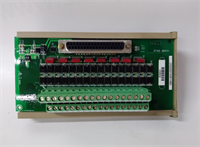
IS200DTAOH1ABA GE
Compatible Replacement Models
- ✅ Drop-in Replacement: IS200DTAOH1AAA – The base version of the H1 revision. The “ABA” suffix usually denotes a minor component change or coating difference. Functionally identical in 99% of applications. Verify firmware compatibility.
- ⚠️ Software Compatible: IS200DTAOG1AAA – Previous generation (G1). Hardware is nearly identical, but may require a firmware downgrade or project recompilation in ToolboxST. Expect 20 mins for software verification.
- ❌ Hardware Mod Required: IS200DAIOH1A – This is a combined Analog Input/Output board with different channel counts and pinouts. It will not fit the same logical slot configuration without significant project changes and rewiring. Do not use as a direct swap.
Frequently Asked Questions (FAQ)
Can I calibrate this board in the field?
No, not in the traditional sense. The IS200DTAOH1ABA is a digital board; calibration is performed via software trim factors in the ToolboxST project file, not by turning potentiometers on the card. If the board output is physically off by a large margin, the DAC chip is likely damaged, and the board needs replacement.What happens if I mix up the internal and external power jumpers?
If you set the jumper to “Internal” but connect an external 24V supply to the loop, you create a conflict between two voltage sources. This usually results in a blown fuse on the board or a fried output driver transistor. If you set it to “External” but don’t provide external power, the loop won’t function, and your valves won’t move. Always verify the schematic before setting jumpers.Why is my output reading 22mA or 3mA?
These are diagnostic “fault currents.” A reading of ~22mA typically indicates an “Over-range” or internal board fault. A reading of ~3mA (or 0mA) often indicates an “Open Loop” detection (broken wire). Check the controller diagnostics in ToolboxST for specific channel alarm codes. It’s rarely a calibration issue; it’s usually a hardware fault or wiring break.Is the “ABA” suffix critical for my system?
In most cases, no. GE uses suffixes like “ABA” to denote minor manufacturing changes (e.g., a different brand of capacitor or a thicker conformal coat). It is generally backward compatible with the “AAA” version. However, always cross-reference the specific part number with your GE Project Properties file to ensure no known incompatibilities exist for your specific firmware version.How do I handle spare boards to prevent ESD damage?
Keep them in their original anti-static bags until the moment of installation. Never touch the exposed circuit traces or connector pins with bare hands. The CMOS chips on these boards are sensitive to static voltages as low as 50V, which you can’t even feel. Wear a grounded wrist strap when handling the board outside the bag. I’ve seen too many “DOA” boards that were killed by a tech sliding them across a plastic benchtop.