 Tel:
Tel:  Email:
  WhatsApp:
 Description
Key Technical Specifications
| Parameter | Specification |
|---|---|
| Processor | 1.8 GHz Intel Pentium M |
| User Memory | 256 MB (Application + Data) |
| Max I/O Capacity | 128,000 discrete points |
| Analog Channels | Up to 4,000 channels |
| Communication Ports | 2 x Ethernet (10/100 Mbps), 1 x Serial (RS-232/485) |
| USB Port | 1 x Type B (for programming) |
| Power Requirement | 5 V DC @ 2.8 A (typical backplane load) |
| Operating Temp | 0°C to 60°C (32°F to 140°F) |
| Protocol Support | Modbus TCP/IP, SRTP, EGD, OPC |
| Redundancy | Supported (requires partner CPU and sync modules) |
| Mounting | RX7i Universal Backplane (slots 1-8) |
| Certifications | UL, cUL, CE, C-Tick |
Product Introduction
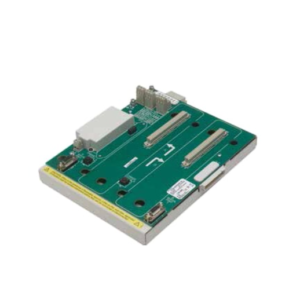
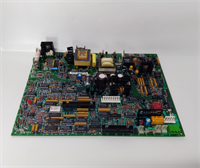
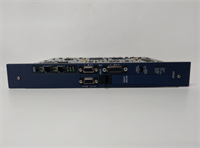
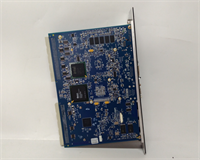
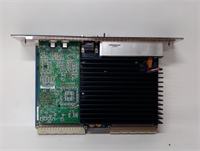
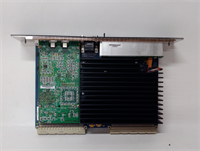
The IC698CRE040 acts as the primary controller for GE Fanuc’s PACSystems RX7i platform, engineered for large-scale industrial applications demanding rapid logic execution and complex motion coordination. It replaces older 90-70 series CPUs while offering significantly higher processing power and memory density.This unit distinguishes itself by sustaining logic scan times below 1 ms even with heavy Ethernet traffic loads. Field installations confirm its ability to manage over 100,000 I/O points without the performance degradation typical of mid-range PLCs.
Installation & Configuration Guide
Preparation (10 min)
- Shut down power to the entire rack. Verify 0 V DC at the power supply terminals with a multimeter.
- Attach an ESD wrist strap to your wrist and the chassis ground. The CPU contains sensitive CMOS components.
- Ensure the target backplane slot is empty and locking levers are fully open.
Removal (5–10 min)
- Label and disconnect all Ethernet and serial cables. Note port assignments (Port 1 vs. Port 2).
- Depress the ejector latches located at the top and bottom of the module faceplate.
- Slide the module straight out. Avoid wiggling; bent backplane pins cause intermittent communication faults.
Installation (10 min)
- Align the IC698CRE040 guide rails with the chassis slot grooves.
- Push firmly until the module seats completely against the backplane connector. You must feel a solid mechanical stop.
- Engage the locking levers. They must click securely. If they resist, the module is not seated correctly.
Power-On & Test (10 min)
- Restore rack power. Observe the CPU LED sequence immediately.
- The OK LED should turn solid green within 15 seconds. Flashing red indicates a firmware mismatch or low battery.
- Connect a laptop via USB or Ethernet. Open Proficy Machine Edition.
- Run a “Verify” operation to ensure the hardware configuration matches the loaded project file.
Troubleshooting Quick Reference
| Symptom | Probability | Action |
|---|---|---|
| OK LED Flashing Red | High | Check battery voltage (replace if < 3.0V). Verify firmware version matches the project requirements. |
| No Ethernet Comm | Medium | Inspect link lights on the port. Confirm IP address does not conflict with other network devices. |
| Module Won’t Seat | Low | Inspect backplane pins for debris or bending. Clean carefully with compressed air only. |
| Random System Faults | Medium | Measure backplane 5V supply under load. Voltage drop below 4.75V causes instability. |
| Battery Alarm Active | High | Replace CR2032 battery immediately while the unit is powered to retain RAM content. |
Dimensions, Mounting & Wiring Notes
- Dimensions: 14.5 cm (H) × 10.2 cm (W) × 16.8 cm (D) – includes handle and connectors.
- Mounting: Slides into RX7i universal backplane slots. Uses integrated locking levers; no screws required.
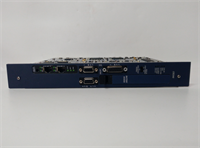
- Terminal Notes: Ethernet ports use standard RJ45 connectors. The serial port is a D-Sub 9-pin male.
- Warning: Do not hot-swap this CPU unless the system is explicitly configured for redundancy and hot-swapping is enabled in the hardware configuration.
IC698CRE040 GE
FAQ
Q: Can I use the IC698CRE040 to replace an older IC697CPU model?
A: No. The physical form factor and backplane pinout differ between the 90-70 series and PACSystems RX7i. You must migrate the entire rack and I/O modules to use this CPU.Q: I see a “BAT” light on. How long do I have before I lose my program?
A: If the CPU is powered, the RAM stays alive regardless of the battery condition. Replace the battery while the unit is ON. If power is lost with a dead battery, the program vanishes instantly.Q: What firmware version comes pre-loaded on this unit?
A: Firmware versions vary by production batch. We verify the installed version during testing and document it in the test report. Always check the label or ask for the specific version before purchasing to match your project.Q: Is this unit new or refurbished?
A: Availability varies. We stock both new surplus (factory sealed) and refurbished units. Refurbished items undergo a 24-hour load test and include a 1-year warranty. Check the specific listing status for condition details.Q: Does this support Proficy Machine Edition v10?
A: Yes, but you must install the appropriate Support Pack. Older versions of the software may not recognize the hardware revision without an update.Q: How much margin should I leave on the 5V power supply?
A: Keep at least 20% headroom. If the CPU draws 2.8A, ensure your power supply can deliver at least 3.5A for that rail to prevent brownouts during peak I/O updates.