 Tel:
Tel:  Email:
  WhatsApp:
 Description
Key Technical Specifications
| Parameter | Specification |
|---|---|
| User Logic Memory | 48 KB (Configurable logic + registers) |
| Data Memory | 12 KB (Registers, tables, constants) |
| Scan Time | ~12 ms per 1k instructions (typical mix) |
| Max I/O Capacity | 12,288 discrete points (system max) |
| Communication Ports | 1x Serial (RS232/485), Genius Bus compatible |
| Battery Type | Lithium 3V (Field replaceable, typically CR2032 or similar pack) |
| Operating Temp | 0°C to 60°C (32°F to 140°F) |
| Power Requirement | 5V DC @ 1.8A (typical backplane load) |
| Physical Size | Single slot width (HP) in Series 90-70 rack |
| Software Support | Logicmaster 90-70 v6.x, Proficy Machine Edition (legacy support) |
| Fault Handling | Last-scan freeze, configurable fault tables |
| Certifications | UL, cUL, CE |
Product Introduction
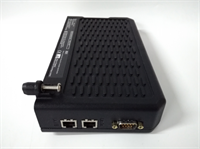
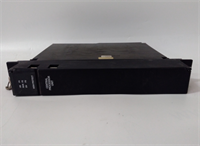
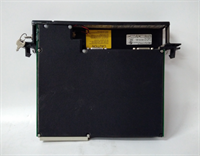
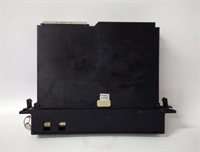
The GE IC697CPX928 serves as the high-performance controller for the Series 90-70 architecture, designed to manage complex logic sequences and large I/O counts in heavy industrial environments. It was the standard choice for automotive assembly lines and power generation control systems prior to the PACSystems migration.This unit differentiates itself from lower-tier models (like the CPX924) by offering 48 KB of logic memory and faster execution speeds, allowing for more complex math instructions and PID loops without exceeding scan time limits. However, being a legacy silicon design, it lacks modern Ethernet ports natively; communication requires separate Genius or Ethernet interface modules installed in adjacent slots.
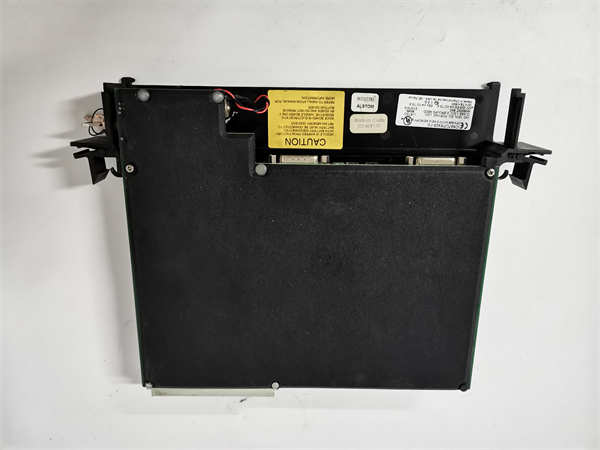
Installation & Configuration Guide
Phase 1: Preparation (10 min)
Lock out rack power. Verify the backplane slot assignment; while flexible, CPUs are typically placed in Slot 1 or 2 for easy access. Inspect the battery compartment on the faceplate. If the unit has been in storage >2 years, assume the battery is dead. Have a fresh 3V lithium battery ready. Check the DIP switches; default is usually all OFF for serial comms.Phase 2: Removal (5–10 min)
Disconnect any serial programming cables. Note the position of the mode switch (Run/Stop/Prog). Take a photo of the DIP switch settings—this is critical for network addressing if used. Loosen the two captive screws. Pull the module straight out using the ejector handles. Do not rock the module side-to-side; the 90-70 backplane connectors are sensitive to lateral stress.Phase 3: Installation (10 min)
Insert the IC697CPX928 into the designated slot. Align the guides carefully. Push firmly until the backplane connector seats—you will feel resistance then a snap. Tighten screws to 4.5 in-lbs. Critical Step: Install the new battery before applying power if the old one was removed or suspect. The logic memory is volatile without backup. Set the mode switch to “PROG” initially.Phase 4: Power-On & Test (10 min)
Restore power. The PWR LED should turn green immediately. The OK LED will flash green during self-test, then go solid. If the BATT LED is red, replace the battery immediately (hot-swap is supported if done within 30 seconds, but cold install is safer). Connect your programming terminal via the serial port. Attempt an “Upload” from the CPU to verify logic integrity. If the upload fails with a checksum error, the RAM may be corrupted.
Troubleshooting Quick Reference
| Symptom | Probability | Action |
|---|---|---|
| OK LED Flashing Red/Green | High | Fatal hardware fault or corrupted RAM. Try clearing memory (loss of program) and reloading. If persists, CPU is defective. |
| BATT LED Red | High | Battery voltage low. Replace immediately. If left too long, logic program is lost upon power cycle. |
| No Serial Communication | Medium | Wrong COM port settings (Baud rate, parity). Default is often 9600/Even/1. Check cable pinout (GE uses a non-standard DTE/DCE mix sometimes). |
| CPU Won’t Go to RUN Mode | Medium | I/O configuration mismatch. The hardware config in the software must match the physical modules exactly. Check for missing module faults. |
| Slow Scan Time (>100ms) | Low | Excessive math instructions or nested subroutines. Review logic for inefficient loops. The 48KB memory fills up fast with unoptimized code. |
Dimensions, Mounting & Wiring Notes
- Dimensions: 1.60″ W × 6.50″ H × 5.90″ D (Single Horizontal Slot)
- Mounting Method: Slides into Series 90-70 universal backplane; secured by two captive front-panel screws.
- Terminal Notes:
- Serial Port: DB9 connector. Pinout varies by cable type; ensure you use a GE-compatible programmer cable (e.g., IC690ACC901).
- Battery Compartment: Located on the front faceplate under a sliding cover. Polarity is marked inside; incorrect insertion damages the holder.
- Mode Switch: 3-position keyless switch (Run, Stop, Prog). No wiring required.
- Heat Dissipation: This CPU runs warm (~50°C surface temp) under load. Ensure rack airflow is not blocked.
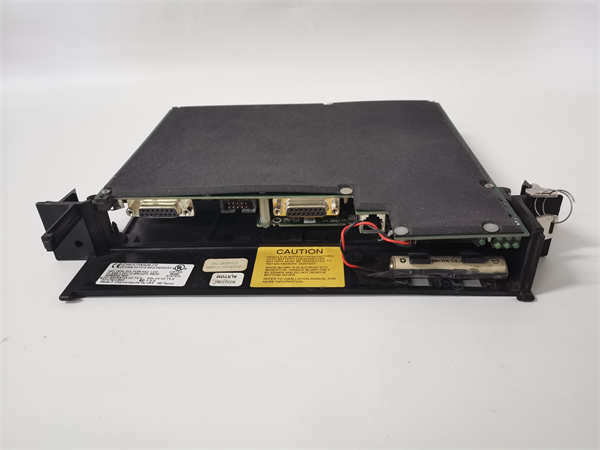
IC697CPX928 GE
FAQ
Q: Can I program this CPU with modern laptops?
Not directly. Modern laptops lack RS232 serial ports. You need a high-quality USB-to-Serial adapter (FTDI chipset recommended) and legacy software like Logicmaster 90-70 running on a VM (Windows XP/7). Proficy Machine Edition supports it but requires older license keys.Q: What happens if I change the battery with the power off?
You will lose the user program and register data. The IC697CPX928 uses volatile RAM for logic storage. Always change the battery while the unit is powered ON, or ensure you have a backup copy of the logic to reload immediately after power-up.Q: Is the IC697CPX928 compatible with Ethernet modules?
Yes, but indirectly. You must install a separate Ethernet Interface module (like IC697BEM731 or similar Genius-to-Ethernet bridges) in the same rack. The CPU talks to the interface module over the backplane, which then handles the TCP/IP stack. The CPU itself has no native Ethernet port.Q: My BATT light is off, but the unit won’t hold logic after a power cut. Why?
The battery contacts may be corroded, or the internal charging circuit has failed. Even if the LED is off (indicating “OK”), the battery might not be making contact. Clean the terminals with contact cleaner and reseat the battery. If the problem persists, the internal supercapacitor or battery circuit is likely dead.Q: Why does the upload speed feel so slow compared to newer PLCs?
The serial communication protocol on the Series 90-70 is limited to 19.2 kbps maximum (often lower). Uploading a full 48 KB program can take several minutes. This is normal behavior for this generation of hardware. Be patient and do not interrupt the transfer, or you risk corrupting the online connection.