 Tel:
Tel:  Email:
  WhatsApp:
 Description
Key Technical Specifications
| Parameter | Value |
|---|---|
| Processor Type | 32-Bit CMOS |
| Clock Speed | 8 MHz |
| User Memory | 48K Words (RAM) |
| Logic Execution | 0.4 ms per 1K Boolean instructions |
| Serial Ports | 1 (RS-232/RS-485 configurable) |
| Global Data | Supported (up to 128 bytes) |
| Fault Tolerance | Hot standby capable (with redundant kit) |
| Battery Backup | Lithium, maintains RAM for 6 months typical |
| Operating Temp | 0°C to 60°C (32°F to 140°F) |
| Power Consumption | 3.5 A @ 5V DC (backplane) |
| Dimensions (HxWxD) | 12.7 x 5.1 x 15.2 cm (approx.) |
| Weight | 0.6 kg (1.3 lbs) |
Product Introduction
The IC697CPM790 acts as the primary controller for GE 90-70 series systems, managing complex sequencing and high-speed data acquisition in heavy industrial environments. Its 32-bit architecture handles large register arrays and floating-point math faster than earlier 16-bit predecessors.With a scan time of 0.4 ms per 1K instructions, this module maintains deterministic control even with 48K words of logic loaded. The enhanced global data capability allows seamless synchronization between multiple racks without extra cabling. (Field reports indicate this CPU rarely fails due to logic overload, unlike the older CPM772 models.)
Installation & Configuration Guide
Phase 1: Preparation (10 min)
- Ensure main rack power is OFF and locked out. Verify 0V at the backplane terminals.
- Confirm slot assignment. The CPU must reside in Slot 1 (leftmost) of the main rack.
- Check DIP switch settings on the front panel. Document current positions before changing anything.
- Inspect the 96-pin backplane connector for bent pins or debris. Clean with compressed air if needed.
Phase 2: Removal (5–10 min)
- Disconnect serial communication cables (DB9 or DB25). Label them “Port 1” or “Port 2” if daisy-chained.
- Remove the battery cover if accessible (some revisions have rear-mounted batteries). Note polarity.
- Loosen the two captive mounting screws at the top and bottom of the faceplate.
- Pull the module straight out using both hands. Do not twist; the connector pins are fragile.
- Real-world detail: If the battery compartment shows white corrosion, clean the contacts with vinegar and a brush before installing the new unit to prevent false low-battery alarms.
Phase 3: Installation (10 min)
- Align the CPU guides with the rack rails. Slide in firmly until the backplane connector seats fully.
- You should feel a solid stop. Visual inspection must show no gap between the module face and the rack.
- Tighten mounting screws to 1.2 Nm. Overtightening cracks the plastic housing near the screw wells.
- Set DIP switches to match your system configuration (e.g., baud rate, run mode). Refer to the GFK-0911 manual.
- Insert a fresh lithium battery if the old one was removed or is >3 years old.
Phase 4: Power-On & Test (10 min)
- Apply rack power. Watch the LED sequence: PWR (Green), OK (Flashing Amber then Green), RUN (Off).
- The OK LED flashes amber during POST. This takes ~10–20 seconds depending on memory size.
- Solid Green OK indicates successful boot. Red OK means hardware fault or bad checksum.
- Connect via serial port using Proficy Machine Edition or DOS-based programmer.
- Verify “Online” status. Monitor scan time; it should read <20ms for typical applications.
Troubleshooting Quick Reference
| Symptom | Probability | Fastest Check | Action |
|---|---|---|---|
| OK LED Solid Red | High | Battery/Checksum | Replace battery. Reload program from backup. Checksum mismatch causes this. |
| No PWR LED | Medium | Backplane 5V | Measure 5V DC at adjacent slot. Check rack power supply (e.g., PWR710F). |
| RUN LED Off (Not Running) | High | Mode Switch | Check DIP switch position. Ensure it is set to “RUN” not “STOP” or “REM”. |
| COMM Timeout | Medium | Baud Rate | Verify DIP switch baud setting matches PC software configuration. |
| Random Faults | Low | Heat/Ventilation | Touch heatsink. If >60°C, check cabinet fans. Overheating causes logic errors. |
| I/O Not Updating | High | Bus Config | Verify rack configuration table in software matches physical I/O layout. |
Dimensions, Mounting & Wiring Notes
- Dimensions: 127 mm (H) x 51 mm (W) x 152 mm (D).
- Mounting: Horizontal DIN rail or vertical rack mount. Vertical mounting requires derating ambient temp by 10°C.
- Terminal Notes: Communication ports use DB9 connectors. Pinout differs from standard PC serial; use GE-specific cables (IC690ACC901).
- Grounding: Connect the rack grounding lug to earth ground using 14 AWG wire minimum. Floating grounds induce communication noise.
- Clearance: Maintain 50 mm clearance above and below for airflow. The processor generates significant heat under full load.
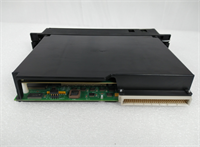
IC697CPM790 GE
FAQ
Q: Can I upgrade from an IC697CPM772 to the CPM790?
A: Yes, physically they fit the same slot. However, you must update the hardware configuration in your programming software and reload the project to utilize the extra memory and speed.Q: My OK light is flashing red slowly. What does that mean?
A: That usually indicates a battery voltage warning or a minor configuration mismatch. Check the battery first. (We see this often when units sit in storage for over a year.)Q: Is the serial port compatible with modern USB-to-Serial adapters?
A: Generally yes, but you must ensure the adapter supports the specific baud rates and handshaking signals (RTS/CTS) required by the 90-70 series. Cheap adapters often drop packets.Q: How much memory does this actually hold?
A: It holds 48K words. Since one word is 16 bits, that equals 96KB of raw data space. This is sufficient for roughly 15,000–20,000 lines of ladder logic depending on complexity.Q: Why is the lead time longer than standard stock items?
A: Since GE discontinued the 90-70 line, we source from verified surplus stocks and perform full refurbishment. Each unit undergoes individual testing, adding 2-3 days to shipping.Q: Does this support Ethernet directly?
A: No. The CPM790 only has a serial port. To add Ethernet, you must install a separate Genius LAN or Ethernet interface module (like IC697BEM731) in another slot.