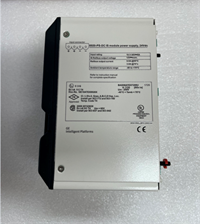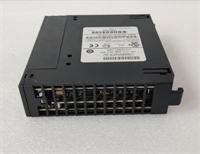
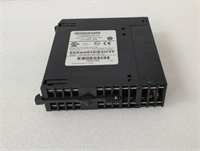
 Tel:
Tel:  Email:
  WhatsApp:
 Description
Key Technical Specifications
| Parameter | Specification |
|---|---|
| User Logic Memory | 24 KB (Configurable logic + registers) |
| Data Memory | 12 KB (Registers, tables, constants) |
| Scan Time | ~0.4 ms per 1k instructions (Boolean mix) |
| Max I/O Capacity | 12,288 discrete points (system max) |
| Communication Ports | 1x RS232 Serial, 1x 10/100 Mbps Ethernet (RJ45) |
| Ethernet Protocols | SRTP (Server/Client), Modbus TCP (Server/Client), Genius Bus (via Ethernet) |
| Battery Type | Lithium 3V (Field replaceable, typically CR2032 style) |
| Operating Temp | 0°C to 60°C (32°F to 140°F) |
| Power Requirement | 5V DC @ 1.2A (typical backplane load) |
| Physical Size | Single slot width (HP) in Series 90-30 rack |
| Software Support | Logicmaster 90-30 v8.x+, Proficy Machine Edition (legacy support) |
| Fault Handling | Last-scan freeze, configurable fault tables, Ethernet diagnostics |
| Certifications | UL, cUL, CE |
Product Introduction
The GE IC693CPU374 is a high-performance CPU module for the Series 90-30 architecture, distinguished by its built-in Ethernet port. This integration eliminates the need for a separate Ethernet interface module (like the IC693NIC001) for many applications, saving rack space and simplifying configuration. It was widely used in water/wastewater, packaging, and material handling systems requiring SCADA connectivity via Modbus TCP or SRTP.This unit offers significantly faster scan times (~0.4 ms/k) compared to earlier 90-30 CPUs, making it suitable for applications with moderate motion control or fast PID loops. The “DJ BF” text found on some labels is typically a date code, factory revision identifier, or a refurbisher’s batch mark and does not alter the core functionality of the standard IC693CPU374 model.
Installation & Configuration Guide
Phase 1: Preparation (10 min)
Lock out rack power. Verify the backplane slot assignment; CPUs are typically placed in Slot 1. Inspect the battery compartment. If the unit has been in storage >2 years, assume the battery is dead. Have a fresh 3V lithium battery ready. Check the DIP switches (if present) or prepare to configure the IP address via software. Note the MAC address label on the side/front for network planning.Phase 2: Removal (5–10 min)
Disconnect any serial or Ethernet cables. Note the position of the mode switch (Run/Stop/Prog). Take a photo of any DIP switch settings. Loosen the two captive screws. Pull the module straight out using the ejector handles. Do not rock the module side-to-side; the 90-30 backplane connectors are sensitive.Phase 3: Installation (10 min)
Insert the IC693CPU374 into the designated slot. Align guides carefully. Push firmly until seated. Tighten screws to 4.5 in-lbs. Critical Step: Install the new battery before applying power if the old one was removed. Set the mode switch to “PROG”. Connect the Ethernet cable to the RJ45 port; ensure the link LED lights up when the switch/hub is active.Phase 4: Power-On & Test (10 min)
Restore power. PWR LED turns green. OK LED flashes then goes solid. If BATT LED is red, replace battery immediately (hot-swap supported within 30s, but cold install is safer). Connect your programming PC via Ethernet or Serial. In Proficy Machine Edition, go to Hardware Configuration. Assign an IP address to the CPU’s embedded port. Download the hardware config. Attempt an “Upload” to verify logic integrity. Ping the CPU IP address to confirm network connectivity.
Troubleshooting Quick Reference
| Symptom | Probability | Action |
|---|---|---|
| OK LED Flashing Red/Green | High | Fatal hardware fault or corrupted RAM. Try clearing memory and reloading. If persists, CPU defective. |
| BATT LED Red | High | Battery voltage low. Replace immediately to prevent logic loss on power cycle. |
| ETH LED Off (No Link) | Medium | Bad Ethernet cable, wrong pinout, or switch port issue. Try a known good patch cable. Check speed/duplex settings (Auto-negotiate is default). |
| Cannot Connect via Ethernet | Medium | Wrong IP address or subnet mask. Firewall blocking SRTP (Port 18245) or Modbus TCP (Port 502). Verify PC network settings match the PLC subnet. |
| Slow Scan Time | Low | Excessive network traffic or complex logic. Review Ethernet buffer usage and logic efficiency. |
Dimensions, Mounting & Wiring Notes
- Dimensions: 1.60″ W × 6.50″ H × 5.90″ D (Single Horizontal Slot)
- Mounting Method: Slides into Series 90-30 universal backplane; secured by two captive front-panel screws.
- Terminal Notes:
- Ethernet Port: Standard RJ45 jack. Supports CAT5/CAT5e/CAT6 cables. Link (Green) and Activity (Yellow) LEDs indicate status.
- Serial Port: DB9 connector. Pinout matches standard GE 90-30 serial (RS232). Used for legacy programming or HMI links.
- Battery Compartment: Front faceplate sliding cover. Polarity marked inside.
- Mode Switch: 3-position keyless switch (Run, Stop, Prog).
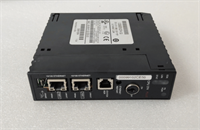
IC693CPU374 DJ BF GE
FAQ
Q: What does “DJ BF” mean on my IC693CPU374 label?
It is likely a manufacturing date code, a revision indicator, or a third-party refurbisher’s batch ID. It does not denote a different functional model. The core specifications remain those of the standard IC693CPU374.Q: Can I use this CPU with older Series 90-30 I/O modules?
Yes. The IC693CPU374 is fully backward compatible with the entire Series 90-30 I/O family (Discrete, Analog, Specialty) as long as they fit in the same rack type (3-slot, 5-slot, 10-slot, etc.).Q: Does the built-in Ethernet support Modbus TCP?
Yes. The IC693CPU374 natively supports Modbus TCP Server and Client, as well as GE’s proprietary SRTP protocol. No additional modules are needed for basic Ethernet comms.Q: How do I program this if my laptop has no serial port?
You can program it directly over Ethernet using Proficy Machine Edition. This is actually preferred for the CPU374 as it is faster than serial. Just ensure your PC and the CPU are on the same subnet.Q: Is the logic memory volatile?
Yes. The 24 KB user memory is RAM backed by a battery. If the battery fails and power is lost, the program will be lost. Always keep a backup copy on your engineering workstation.