
 Tel:
Tel:  Email:
  WhatsApp:
 Description
Key Technical Specifications
| Parameter | Specification |
|---|---|
| Architecture | Dual CPU Hot Standby Redundancy |
| Failover Time | Typically < 1 Scan Cycle (Bumpless transfer for most I/O) |
| User Memory | Up to 256 KB (Shared/Synchronized between Primary and Secondary) |
| Logic Speed | Approx. 0.4 ms/K (Boolean), similar to 90-70 high-speed CPUs |
| Synchronization | Real-time memory synchronization via dedicated link (Fiber or Copper depending on kit) |
| Compatible Racks | Requires Universal Rack (e.g., IC697CHS770) with specific slot arrangement |
| Required Accessories | Sync Module (often integrated or separate cable kit IC697ACC701 series), Redundancy Power Supply |
| Communication Ports | Integrated Serial (SNP/Modbus), Optional Ethernet (via add-on or integrated depending on sub-revision) |
| I/O Capacity | Supports full 90-70 I/O capacity (up to 12,000+ points) |
| Operating Temp | 0°C to 60°C (32°F to 140°F) |
| Mounting | Specific slots in primary and secondary racks (must be mirrored) |
| Software | Proficy Machine Edition (Logic Developer – PLC) with Redundancy Option |
Product Introduction
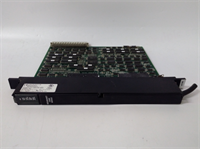
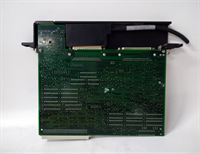
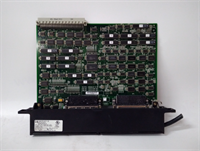
The IC687RCM711B is a specialized CPU module designed for the GE Fanuc 90-70 series to provide high availability through hardware redundancy. In critical processes (power generation, oil & gas, continuous manufacturing) where a single CPU failure would cause costly shutdowns or safety hazards, this module allows two identical CPUs to run in parallel.One CPU acts as the Primary (controlling I/O), while the other acts as the Secondary (Standby). They continuously synchronize logic execution and memory data. If the Primary fails (hardware fault, power loss, watchdog timeout), the Secondary automatically takes control almost instantly, often without disturbing the process output states (“bumpless” transfer). The “B” suffix indicates a specific hardware revision, likely offering improved synchronization speeds or component reliability over earlier versions. (Note: Configuring redundancy requires careful planning of rack layout, cabling, and specific software licensing.)
Installation & Configuration Guide
Preparation (15 min)
Critical: Redundancy requires two identical CPUs, two compatible racks (or a dual-rack chassis), and often specific redundancy power supplies. Verify you have the synchronization cable kit (fiber optic or copper). Ensure both racks are mounted close together (cable length limits apply). Install Proficy Machine Edition with the Redundancy Option license. Backup existing logic if migrating from a non-redundant system.
Removal (10–15 min)
Warning: Removing a CPU from a running redundant system will trigger a failover. Ensure the system is in a safe state or scheduled maintenance window.
- Place the system in STOP mode if possible (though hot swap is supported in some configs, it’s risky without practice).
- Disconnect the synchronization cable first.
- Disconnect communication cables.
- Release the locking tab and slide out the faulty or old CPU.
- Label the unit as “Primary” or “Secondary” based on its DIP switch or software config position.
Installation (15 min)
- Insert the new IC687RCM711B into the exact same slot position in the rack as the original.
- Secure the locking tab.
- Reconnect the synchronization cable between the Primary and Secondary CPUs (or sync modules). Ensure connectors click firmly.
- Reconnect communication cables.
- Configuration Check: Verify the hardware configuration in Proficy ME matches the physical setup (Primary/Secondary definitions, sync port settings). Download the redundancy configuration to both CPUs.
Power-On & Test (20 min)
- Power up the Secondary rack first (if separate), then the Primary.
- Observe LEDs:
- OK/RUN: Should be solid green on the active Primary.
- SYNC: Should indicate active synchronization (often a blinking or solid green LED labeled ‘SYNC’ or ‘LINK’).
- FAULT: Must be OFF.
- Connect via Proficy ME. Go online. Navigate to the Redundancy Status table.
- Verify status shows “Primary Running” and “Secondary Standby” with “Sync Active”.
- Failover Test (Controlled): In a test environment, simulate a failure (e.g., remove power from Primary or force a fault via software). Verify the Secondary takes over seamlessly (check I/O states do not flicker unnecessarily). Restore Primary and verify it resyncs as the new Standby.
Troubleshooting Quick Reference
| Symptom | Probability | Action |
|---|---|---|
| Sync Fault / Link Down | High | Check synchronization cable integrity and connections. Verify fiber polarity if using fiber. Ensure both CPUs are same firmware/hardware rev. |
| Secondary Won’t Go to Standby | Medium | Configuration mismatch. Check that both CPUs have the exact same logic and hardware config downloaded. Verify DIP switches (if any) for Primary/Secondary role. |
| Failover Causes Process Trip | Medium | “Bumpless” transfer failed for specific I/O types. Check if all I/O modules support redundancy handover. Some analog or special modules may glitch. |
| Constant Swapping (Oscillation) | Low | Intermittent fault on Primary causing repeated failovers. Check Primary CPU health, power supply stability, and backplane connections. |
| Memory Mismatch Error | Low | Data in Primary and Secondary got out of sync (e.g., Secondary was powered off too long). Force a full memory download from Primary to Secondary. |
Dimensions, Mounting & Wiring Notes
- Dimensions: Standard 90-70 single-slot width (larger than 90-30).
- Mounting: Must be installed in mirrored slots in two separate racks or a dedicated redundancy chassis.
- Sync Cable: Critical component. Length limits apply (e.g., copper < 10m, fiber up to 100m+). Do not bend fiber cables sharply.
- Power: Both racks need independent, stable power. Using the same AC source for both defeats the purpose of redundancy against power failure.
- I/O Wiring: In true redundancy, I/O is often wired to both racks (dual-cabled) or via a specialized I/O drop that can switch mastership. Simple single-wired I/O might lose visibility during a rack-level failure.
IC687RCM711B GE
FAQ
What is the difference between IC687RCM711 and IC687RCM711B?
The “B” revision typically indicates an updated hardware version with improved components, better noise immunity, or compatibility with newer firmware versions. It is a direct replacement for the non-“B” version but should ideally be paired with another “B” unit for best compatibility.Can I mix a 90-70 Redundancy CPU with a standard 90-70 CPU?
No. Both units in the redundant pair must be identical Redundancy CPUs (e.g., two IC687RCM711Bs). A standard CPU cannot act as a standby partner.Do I need special I/O modules for redundancy?
While standard 90-70 I/O modules work, achieving true “bumpless” transfer for critical outputs often requires specific wiring strategies (e.g., dual-coil relays driven by both racks) or specialized I/O modules that support redundancy handshaking. Standard discrete outputs might briefly toggle during failover if not wired carefully.How is the synchronization handled?
The CPUs exchange data (memory tables, register values, I/O status) over a dedicated high-speed link (the sync cable) every scan cycle. This ensures the Standby CPU has an up-to-date image of the process state.What happens if the sync cable breaks?
The system will detect a “Loss of Sync” fault. Depending on configuration, the Secondary may trip to fault, or the system may continue running on the Primary with redundancy lost (degraded mode), alerting the operator. It will not automatically failover unless the Primary also faults.Is a license required for redundancy?
Yes. You need the Redundancy Option license for Proficy Machine Edition to configure, download, and monitor the redundant system. Without it, you cannot enable the redundancy features in the hardware configuration.Can I hot-swap these CPUs?
The 90-70 system supports some level of hot-swapping, but swapping a CPU in a redundant pair is delicate. It is recommended to place the system in a maintenance mode or ensure the partner CPU is healthy and fully synced before removing the target CPU. Always consult the specific manual for hot-swap procedures.
Quality Transparency Strategy (SOP)
1. Incoming Inspection
Verify model number “IC687RCM711B” and revision. Inspect the synchronization port (often a unique connector) for bent pins or debris. Check the backplane connector integrity. Verify label clarity and MAC/Serial numbers. Look for signs of overheating on the casing.2. Live Functional Testing
Testing redundancy requires a pair of units.
- Setup two 90-70 racks with power and the two RCM711B units.
- Connect the synchronization cable.
- Download a test logic program with redundancy enabled.
- Verify “Primary/Standby” relationship establishes.
- Monitor sync latency and error counters.
- Failover Simulation: Cut power to the Primary. Measure time to Secondary takeover (using a high-speed camera or oscilloscope on a test output). Verify no critical logic errors.
- Restore Primary and verify resynchronization.
- Run for 4 hours with simulated I/O toggling.
3. Electrical Testing
Check backplane current draw against spec. Verify isolation between communication ports and backplane. Test the battery backup circuit (if applicable for RAM retention during total power loss, though redundancy usually handles this).4. Firmware Verification
Read firmware version on both units. They must match exactly for redundancy to work. We ensure the pair we sell (if sold as a pair) has matching firmware. If selling single units, we verify the firmware is compatible with common partner versions. Photos taken of internal board condition (capacitors, heat sinks).5. Final QC & Packaging
Sign off on the Redundancy Failover Test Report. Pack the unit in anti-static bag with rigid corner protection (90-70 modules are heavy). Include a note about the tested firmware version and the requirement for a matching partner. Label includes “Redundancy CPU – Match Firmware”.
Technical Pitfall Guide
Firmware Mismatch (Critical)
In redundancy, firmware versions must be identical on both CPUs. Even a minor revision difference can prevent synchronization or cause erratic failover behavior. Scenario: User replaces a failed Primary with a “newer” B-revision unit without checking firmware, resulting in a “Sync Fault” that keeps the system from going redundant. Always check and match firmware before deployment.DIP/Jumper Misconfiguration
Some redundancy CPUs have DIP switches to hard-code the “Primary” or “Secondary” role, or to set the sync port speed. Incorrect settings here prevent the pair from negotiating roles. Warning: Document switch positions before changing. Default is often “Auto” or determined by software, but hardware overrides exist.Terminal/Cable Incompatibility
The synchronization cable is proprietary or specific pinout. Using a standard serial or ethernet cable will not work and could damage ports. Fiber optic cables require careful handling; dirty connectors cause intermittent sync loss which is a nightmare to diagnose. Always clean fiber ends before connecting.Power Supply Capacity Margin
Redundant systems essentially double the CPU load on the facility’s power infrastructure (two racks running). Additionally, the sync activity adds overhead. Ensure both power supplies are robust. A brownout on one rack can trigger an unnecessary failover if the voltage dips below the CPU’s hold-up time.ESD Damage Risk
The synchronization transceivers are high-speed and sensitive. Static discharge during cable connection can damage the sync port, rendering the unit unable to participate in redundancy (it might still work as a standalone CPU, but not as a redundant pair). Always ground yourself and use ESD-safe mats when handling the sync cables and modules.




