 Tel:
Tel:  Email:
  WhatsApp:
 Description
Key Technical Specifications
| Parameter | Specification |
|---|---|
| Bus Type | GE Genius Global Data Bus (RS-485 based) |
| Max Blocks per Bus | 32 (including the GBC itself) |
| Supported Baud Rates | 93.75, 156.25 Kbps (Common for 713 series); check config for others |
| Global Data Capacity | Up to 128 bytes Input / 128 bytes Output per block (varies by block type) |
| Redundancy Support | Yes (High-availability configurations with dual GBCs, must match revision) |
| Isolation | 1500V RMS isolation between bus and backplane |
| Operating Temp | 0°C to 60°C (32°F to 140°F) |
| Power Requirement | 5V DC @ ~0.8A (drawn from Series 90-70 backplane) |
| Physical Size | Single slot width (HP) in Series 90-70 rack |
| LED Indicators | OK, RUN, FLT, BUS ACT, Block Status LEDs |
| Software Support | Logicmaster 90-70, Proficy Machine Edition (GSCFG tool) |
| Cable Type | Belden 9841 or equivalent (RS-485 shielded twisted pair) |
| Termination | External DIP switch or terminal resistor required at bus ends |
| Revision Note | “B” suffix denotes hardware revision; functionally equivalent to 713 but may have internal component updates. |
Product Introduction
The GE IC687BEM713B is a critical communication interface for Series 90-70 PLC systems utilizing the Genius Bus architecture. It serves as the Genius Bus Controller (GBC), managing high-speed token-passing communication between the central CPU and distributed Genius I/O blocks located remotely. The “B” revision typically signifies an updated version of the original BEM713, potentially offering improved reliability or component availability, though core functionality remains consistent with the Genius protocol standards.This module offloads communication processing from the main CPU, ensuring deterministic performance even with extensive distributed I/O networks. It is essential for maintaining legacy automation systems in industries like power generation, automotive manufacturing, and heavy processing where Genius infrastructure remains operational. Proper configuration of baud rates, drop numbers, and bus termination is vital for stable operation.
Installation & Configuration Guide
Phase 1: Preparation (15 min)
Lock out rack power. Plan your Genius bus topology: identify drop numbers (0–31) for each remote block. Ensure you have shielded twisted-pair cable (Belden 9841). Verify that the first and last devices on the bus have termination resistors enabled (via DIP switches or external terminators). Confirm the baud rate setting in your software configuration matches all devices on the bus. Note: The BEM713B typically supports standard Genius baud rates; verify specific limits in your software config tool.Phase 2: Removal (5–10 min)
Disconnect Genius bus cables from the module terminals. Label cables clearly (Bus A, Bus B if redundant). Note any hardware switch positions (rarely used for primary config). Loosen captive screws and eject the module carefully to avoid backplane damage.Phase 3: Installation (10 min)
Slide the IC687BEM713B into the Series 90-70 rack (any slot, typically near CPU). Secure with captive screws. Reconnect Genius bus wires: Data +, Data –, and Shield. Critical: Ground the shield at one end only (controller side) to prevent ground loops. Ensure termination resistors are active ONLY at the two physical ends of the bus chain.Phase 4: Power-On & Test (15 min)
Restore power. Observe LEDs:
- OK LED: Solid green after self-test.
- RUN LED: Solid green when communicating.
- FLT LED: Off (if no faults).
- Block Status LEDs: Indicate status of connected blocks (Green = OK, Red = Fault/Offline).
Connect programming laptop. Open Genius Configuration utility (GSCFG) in Proficy/Logicmaster. Perform a “Scan Bus”. Software should detect all configured blocks. If blocks show “Offline,” check wiring polarity, termination, baud rate, and drop number settings.
Troubleshooting Quick Reference
| Symptom | Probability | Action |
|---|---|---|
| FLT LED Solid Red | High | Configuration mismatch or hardware fault. Verify configured block list matches physical drops. Check for duplicate drop numbers. |
| Block Status LEDs Flashing Red | High | Communication loss to specific blocks. Check wiring/power at that drop. Verify block address switches. |
| No Communication (All Offline) | Medium | Bus wiring fault. Check Data + / Data – polarity. Ensure termination resistors are present at both bus ends. |
| Intermittent Faults | Medium | Noise interference. Check shield grounding (single point). Ensure cable separation from high-voltage lines. |
| Baud Rate Mismatch | Low | Devices set to different speeds. All devices (GBC and Blocks) must match the configured bus speed. |
Dimensions, Mounting & Wiring Notes
- Dimensions: 1.60″ W × 6.50″ H × 5.90″ D (Single Horizontal Slot)
- Mounting Method: Slides into Series 90-70 universal backplane.
- Terminal Notes:
- Bus Connections: Screw terminals for RS-485 (Data +, Data -).
- Shield Ground: Dedicated terminal for cable shield. Ground at controller end only.
- Drop Addressing: Addresses (0-31) set on remote blocks (rotary switches or software), not typically on the GBC itself.
- Termination: Critical for signal integrity. Missing termination causes data errors, especially at higher baud rates.
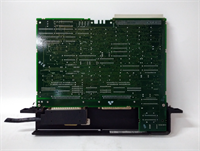
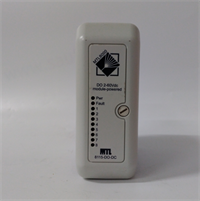
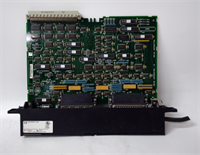
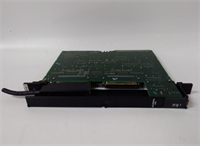
IC687BEM713B GE
FAQ
Q: What does the “B” in IC687BEM713B signify?
It indicates a hardware revision of the original BEM713 model. Functionally, it operates as a standard Genius Bus Controller. The revision may include updated internal components for improved reliability or longevity. It is generally a direct replacement for the non-“B” version, but always verify firmware compatibility if used in redundant pairs.Q: Can I mix Genius blocks from different series (e.g., IC600, IC693)?
Yes, the Genius Bus protocol allows mixing different series of GE Fanuc Genius blocks (IC600, IC610, IC693, IC697) on the same bus, provided they are all configured for the same baud rate and unique drop numbers.Q: What is the maximum distance for the Genius Bus with this module?
Without repeaters, the maximum distance is approximately 4,000 feet (1.2 km) at lower baud rates (e.g., 93.75 Kbps). Distance decreases as baud rate increases. Use Genius Bus Repeaters to extend range beyond these limits.Q: Do I need to configure the BEM713B in the hardware config?
Yes. You must add the IC687BEM713B to your hardware configuration in Logicmaster/Proficy and define the expected Genius blocks (by Drop Number and Type). A mismatch between physical setup and software config will cause faults.