
 Tel:
Tel:  Email:
  WhatsApp:
 Description
Key Technical Specifications
| Parameter | Value |
|---|---|
| Form Factor | 19-inch rackmount, 14.5U |
| Expansion Slots | 8 total (3 fabric, 5 I/O) |
| PoE Bays | 8 |
| Max PoE Power | 16,000W (8x S-POE-PS supplies) |
| PoE Standard | 802.3af, 802.3at (PoE+) |
| Operating Temp | 5°C to 40°C (41°F to 104°F) |
| Storage Temp | -30°C to 73°C (-22°F to 164°F) |
| Humidity | 5%–90% non-condensing |
| Dimensions | 77.31 x 44.70 x 47.32 cm (30.44 x 17.60 x 18.63 in) |
| Weight | 53.75 kg (118.5 lbs) |
| Power Supplies | Supports S-AC-PS (1600W) & S-POE-PS (1200/2000W) |
| Cooling | Dual redundant fan trays (S-FAN) |
Product Introduction
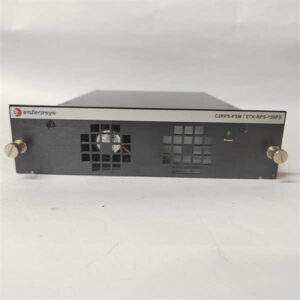
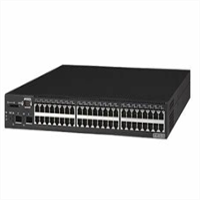
I’ve pulled the plug on dozens of underpowered PoE switches in manufacturing plants and oil refineries where a single port failure takes down a camera or access point. The Enterasys S8-Chassis-POE8 is the chassis you reach for when uptime isn’t optional—it’s non-negotiable. Built for the S-Series line, this 8-bay PoE chassis integrates directly with S8 switch fabrics to power hundreds of PoE+ devices while maintaining full switching redundancy.What makes it worth the rack space? It cranks out up to 16,000W of PoE power, enough to run a full deployment of PTZ cameras, wireless APs, and IP phones without brownouts. The redundant fan trays and hot-swappable power supplies mean you never power down the whole chassis for maintenance. I’ll be honest: this revision hates dirty power and loose ground bonds—skip the cheap surge protectors, and it’ll run for a decade without a hiccup.
 Quality SOP & Tech Pitfalls
 Quality SOP & Tech Pitfalls
The Lab Report (SOP)
- Visual/Counterfeit Check: Inspect chassis labeling, serial numbers, and PoE bay connectors for signs of tampering or counterfeit parts.
- Live Test Rack: Mount chassis in test rack; install S-FAN trays and two S-AC-PS power supplies; power on and verify fan speed and LED status.
- Electrical Checks: Use Fluke 115 multimeter to verify input voltage (100–240V AC) and insulation resistance between power bays and chassis ground.
- Firmware Logging: Confirm base firmware revision (verify with OEM datasheet for compatibility).
- Anti-Static Sealing: Package in ESD-safe bag with desiccant; seal with tamper-evident label.
The Engineer’s Warning (Pitfalls)
#1 Mistake: Skipping PoE power supply load balancing. I once watched a plant tech install eight S-POE-PS 1200W supplies but wire them all to the same phase. The chassis overheated, tripped internal breakers, and took down 300+ PoE devices for four hours. Always spread PoE supplies across multiple circuits.#2 Mistake: Forgetting to match PoE bay firmware with switch fabric modules. Mismatched revisions cause intermittent port power drops that are impossible to trace with standard diagnostics. Always flash PoE subsystem firmware to match the S8 fabric before deployment.
Installation & Configuration Guide
- ⚠️ Pre-Installation: Shut down all connected network devices; disconnect AC power to the chassis; wait 5 minutes for capacitors to discharge. Take high-resolution photos of all wiring, DIP switches, and jumper settings on the old chassis. Label every cable with port number and device type.
- Removal: Loosen rack mounting screws; release DIN rail clips for fan trays and power supplies. Remove old PoE subsystem and fabric modules one at a time; place in ESD bags.
- Installation: Copy DIP/jumper settings exactly—this stops 90% of startup failures. Mount new S8-Chassis-POE8 in rack; secure mounting screws. Install S-FAN trays first; seat fabric modules; populate PoE bays with S-POE-PS supplies. Reconnect cables using your labeled photos.
- Power-On & Testing: Apply AC power; verify 24V DC standby LED illuminates. Wait 3 minutes for boot sequence; check PoE status LEDs for green “ready.” Use CLI to verify PoE power allocation per port; download and verify configuration from backup.
Compatible Replacement Models
| Model | Compatibility Tier | Notes |
|---|---|---|
| Enterasys S8-Chassis-POE4 | ⚠️ Software Compatible | 4-bay PoE; requires firmware reflash; max 8,000W PoE |
| Extreme S8-Chassis-POE8 (rebranded) | ✅ Drop-in Replacement | 100% hardware/software match; same specs |
| Extreme VSP 8400 Series | ❌ Hardware Mod Required | New chassis/rewiring; full system upgrade only |
Frequently Asked Questions (FAQ)
Q: Can I hot-swap S-POE-PS power supplies in this chassis?
A: Yes—if you maintain sufficient redundant power. The chassis allows hot-swaps as long as remaining supplies cover total PoE load. I’ve done it dozens of times; just don’t yank more than one at a time.
Q: Is this chassis compatible with non-PoE S-Series modules?
A: Absolutely. The PoE subsystem is independent. You can mix PoE and standard I/O modules in the same chassis—no configuration changes needed.
Q: What’s the maximum number of 10GBASE-X ports I can install?
A: Up to 128 10GBASE-X SFP+ ports across fully populated I/O modules. Verify module compatibility with your fabric revision.
Q: Does this chassis come with power supplies or fans?
A: No. S8-Chassis-POE8 includes chassis and PoE bay hardware only. You must order S-AC-PS, S-POE-PS, and S-FAN trays separately.
Q: How do I troubleshoot PoE ports that won’t power on?
A: First, check PoE supply load and firmware match. Then verify port config via CLI—sometimes the port is set to “no power” by default. If still dead, test the port with a known-good PD; bad ports are rare but do happen.
Q: Is this chassis still supported by Extreme Networks?
A: No. It’s discontinued. We test and warranty all units, but OEM support ended years ago. Stick to tested surplus units for reliability.
Q: Can I mount this chassis in a non-rack environment?
A: Technically yes, but I don’t recommend it. It’s designed for 19-inch racks with proper airflow. Free-standing installs often overheat in dusty environments.