

 Tel:
Tel:  Email:
  WhatsApp:
 Description
Key Technical Specifications
| Parameter | Value |
|---|---|
| Product Model | C200/10/1/1/1/00 |
| Manufacturer | ELAU (Schneider Electric) |
| System Platform | PacDrive |
| Control Capability | Multi-axis (Up to 8 axes) |
| Communication Protocols | EtherCAT, CANopen |
| Programming Standard | IEC 61131-3 |
| Power Rating | 750 W |
| Voltage Rating | 200 V |
| Protection Class | IP65 (Dust-tight/Water-resistant) |
| Max Torque | 7.1 N·m (Instantaneous) |
| Rated Torque | 2.4 N·m |
| Max Speed | 4500 r/min |
| Weight | 2.3 kg |
Product Introduction
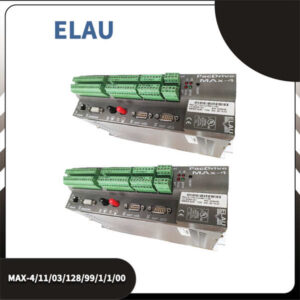
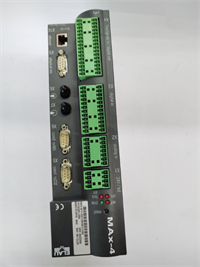
The ELAU C200/10/1/1/1/00 is a sophisticated motion controller belonging to the PacDrive C200 series by Schneider Electric. It is engineered to provide precise, real-time control for dynamic automation tasks. This unit integrates control, drive, and communication functions into a single compact module, significantly simplifying system architecture and reducing wiring complexity in industrial cabinets.Designed primarily for high-speed applications, the C200/10/1/1/1/00 excels in environments requiring tight synchronization between multiple axes. It supports the IEC 61131-3 programming standard, allowing engineers to develop custom logic and motion sequences efficiently. Its robust construction, featuring an IP65 rating (specifically regarding the motor/drive integration), makes it suitable for harsh industrial environments where dust and moisture are concerns.

Installation & Configuration Guide
Preparation (15 min)
- Verify System Compatibility: Ensure your PLC or master controller supports EtherCAT or CANopen protocols.
- Check Firmware: Verify the firmware version (e.g., V00.24.X) matches the requirements of your existing PacDrive system to prevent compatibility errors.
- Gather Tools: Prepare a torque screwdriver, Ethernet cable (for configuration), and the appropriate power supply cables (200V).
Removal (If replacing)
- Lockout/Tagout: Disconnect the main 200V power supply.
- Disconnect Cables: Unplug the motor power, encoder, and communication cables. Note the pinout or take a photo for reference.
- Unmount: Release the DIN rail clip or unscrew the mounting bolts to remove the unit from the panel.
Installation (20 min)
- Mount Unit: Secure the C200/10/1/1/1/00 onto a standard DIN rail or flat panel surface. Ensure adequate airflow for cooling.
- Connect Power: Wire the 200V power supply to the designated terminals. Ensure the ground connection is solid to minimize electrical noise.
- Connect Fieldbus: Attach the EtherCAT or CANopen cable to the communication ports.
- Connect Motor: Wire the servo motor cables (Power/Encoder) to the drive outputs.
Power-On & Test (25 min)
- Apply Power: Energize the 200V supply. The status LEDs should illuminate.
- Establish Communication: Connect a PC running the configuration software (e.g., PacDrive Workbench) to the controller.
- Verify Axis: Check that the controller detects the connected axes and that the “Ready” status is active.
- Jog Test: Perform a low-speed jog test to verify motor rotation direction and encoder feedback.
Troubleshooting Quick Reference
| Symptom | Probable Cause | Corrective Action |
|---|---|---|
| Drive Fault / Red LED | Overcurrent / Short Circuit | Check motor cables for shorts or loose connections. Verify the motor winding resistance. |
| Communication Loss | EtherCAT/CANopen Error | Verify the baud rate settings and termination resistors on the bus. Check cable integrity. |
| Motor Not Moving | Enable Signal Missing | Ensure the “Enable” signal is active in the PLC logic. Check the 24V control voltage. |
| Overheating | Poor Ventilation | Ensure the unit is not mounted in a confined space without airflow. Check ambient temperature. |
| Position Error | Encoder Noise | Check the encoder cable shielding. Ensure the cable is routed away from high-voltage power lines. |
Dimensions, Mounting & Wiring Notes
- Dimensions: Compact form factor designed for panel mounting. Weight is approximately 2.3 kg.
- Mounting: Compatible with standard 35mm DIN Rail or flat surface mounting using M4 screws.
- Wiring: Uses screw terminals or connectors (depending on the specific sub-variant) for power and I/O. The motor connection typically uses a “flying lead” or direct connector interface.
- Cooling: The unit relies on conduction cooling through the heatsink; ensure the mounting surface allows for heat dissipation.
FAQ
1. What is the difference between the C200 controller and a standard servo drive?
The C200/10/1/1/1/00 is an integrated motion controller, meaning it combines the logic processing (PLC-like functionality) and the servo drive (amplifier) into one unit. A standard servo drive typically only amplifies signals from a separate controller. This integration reduces cabinet space and wiring.2. Can I use this with a non-ELAU motor?
While it is optimized for ELAU (Schneider) motors (like the SH series), it can potentially drive third-party motors if the electrical parameters (voltage, current, impedance) match and the encoder type is supported. However, configuration will be more complex and requires manual parameter tuning.3. What does the “IP65” rating apply to?
The IP65 rating generally applies to the motor and the drive’s ability to withstand harsh environments when properly mounted and sealed. It indicates protection against dust ingress and low-pressure water jets, making it suitable for washdown areas in food and beverage packaging.4. Is this part compatible with the newer Schneider M262/M251 controllers?
The C200 is part of the legacy PacDrive ecosystem. While both use EtherCAT, direct compatibility depends on the software environment (Machine Expert vs. older PacDrive Workbench). Migration usually requires a project conversion or re-implementation.5. How do I reset the drive if it faults?
You can typically reset the drive via the digital input (Reset command) or through the software interface by clearing the fault register. If the fault persists (e.g., Overcurrent), the hardware may be damaged and require repair.