Tel:
Tel:  Email:
  WhatsApp:
 Description
Key Technical Specifications
| Parameter | Value |
|---|---|
| Part Number | VPM-82403X |
| Interface | 32-bit PCI (5V) |
| Video Input | RS-170 (Monochrome) |
| Resolution | 640 x 480 pixels |
| Scan Rate | 60 Hz (Non-interlaced) |
| Pixel Depth | 8-bit |
| Memory | 2 MB Image Memory |
| Processor | On-board DSP |
| Connector Type | High-density video I/O |
| Operating Temp | 0°C to 55°C |
| Dimensions | Standard PCI Form Factor |
Product Introduction
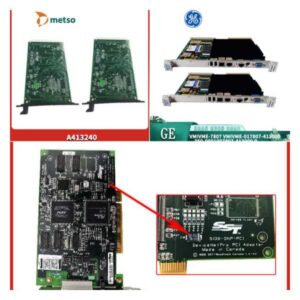
The Cognex VPM-82403X is a dedicated frame grabber designed to capture and process monochrome video signals in automated inspection environments. It serves as the interface between analog cameras and the host PC, converting optical data into digital information for analysis. This board is a standard component in legacy vision systems, particularly within the In-Sight 5000 series controller architecture.In practical applications, this module handles the heavy lifting of image acquisition to offload the main CPU. It supports a 640 x 480 resolution at a 60Hz refresh rate, ensuring stable image capture for high-speed production lines. The on-board processing capabilities allow it to execute specific vision tools independently, reducing latency in decision-making loops.

Installation & Configuration Guide
Phase 1: Preparation (10 min)
- Power Down: Disconnect the main power supply to the PC or controller chassis.
- ESD Safety: Attach a grounded wrist strap to your wrist and a metal part of the chassis. Static discharge can fry the sensitive DSP chips instantly.
- Slot Check: Verify the target slot is a 5V PCI slot. Do not force a 3.3V card into this slot (or vice versa); the keying notch is different.
Phase 2: Removal (5–10 min)
- Cable Management: Disconnect the video input cable from the existing board. These connectors are often tight; pull straight back to avoid bending pins.
- Extraction: Unscrew the bracket screw and gently rock the board side-to-side to release it from the PCI connector.
- Inspection: Check the gold fingers for oxidation. If they look dull, clean them with >90% isopropyl alcohol before installing the replacement.
Phase 3: Installation (10 min)
- Alignment: Align the VPM-82403X bracket with the chassis slot.
- Seating: Apply firm, even pressure on the top edge of the board until it clicks into the PCI slot.
- Securing: Fasten the bracket screw. Do not overtighten; you risk stripping the chassis threads.
- Cabling: Reconnect the camera cable. Ensure the locking screws (if present) are tightened to prevent vibration loosening.
Phase 4: Power-On & Test (10 min)
- Boot Sequence: Power up the system. Listen for the standard BIOS beep.
- Device Manager: Check the Windows Device Manager (or System BIOS) to ensure the PCI device is recognized without a “Code 10” error.
- Software Handshake: Open the Cognex In-Sight Explorer software. Verify the board appears in the sensor list.
Troubleshooting Quick Reference
| Symptom | Probable Cause | Action |
|---|---|---|
| PC fails to boot | Loose connection or short | Reseat the board firmly. Check for foreign objects under the PCB. |
| No image / Black screen | Cable or Power issue | Verify 12V/24V power to the camera. Check the I/O cable continuity. |
| Image noise / Snow | Grounding loop | Ensure the camera and PC share a common ground. Check shielding. |
| Software cannot connect | Driver mismatch | Confirm firmware version matches the In-Sight Explorer version. |
| Intermittent faults | Overheating | Check that airflow over the board is not blocked by cables. |
Dimensions, Mounting & Wiring Notes
- Form Factor: Standard PCI size.
- Mounting: Requires a standard PCI slot (Slot 1, 2, etc.) on the backplane or motherboard.
- Wiring: The video input uses a proprietary high-density connector. Pinout configuration must match the specific camera model (e.g., analog CCD).
- Clearance: Ensure 15mm clearance above the board for heat dissipation.
FAQ
Q: Is this board compatible with In-Sight 5110?
A: Yes, the VPM-82403X is the core processing board used in the In-Sight 5000 series, including the 5110 and 5400 models. It plugs directly into the backplane.Q: Can I use this in a modern Windows 10 PC?
A: Only if your motherboard has a legacy PCI slot. Most modern consumer boards only have PCIe. You would need a PCI-to-PCIe adapter, which can sometimes cause timing issues with frame grabbers.Q: I see a “VPM-82403X-2” on eBay, is that the same?
A: Be careful. The suffix usually indicates a hardware revision or clock speed difference. While they look identical, firmware compatibility might vary. Stick to the exact part number if possible.Q: How do I know if the board is actually bad?
A: If the system doesn’t POST (Power-On Self-Test) with the card installed, or if the software reports “Hardware Not Found” despite the card being seated, the board is likely dead.Q: Does this come with the camera cable?
A: No, this listing is for the board only. Cables are sold separately as they vary by camera type and length.Q: What is the lead time for testing?
A: We typically require 24 hours to run a full functional test on our vision test bench before shipping. We don’t just pull it from the shelf and ship blind.