 Tel:
Tel:  Email:
  WhatsApp:
 Description
Key Technical Specifications (For Spare Parts Verification)
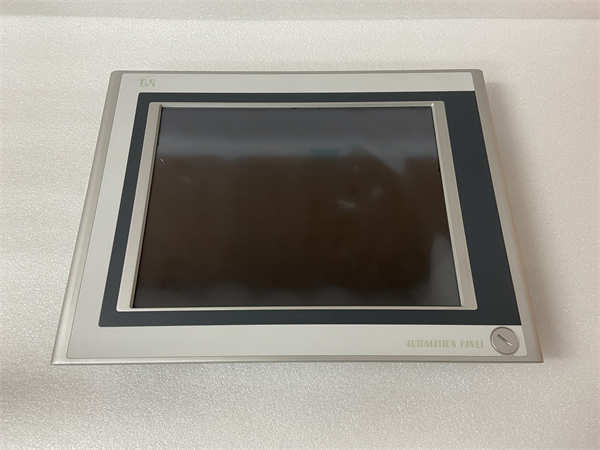
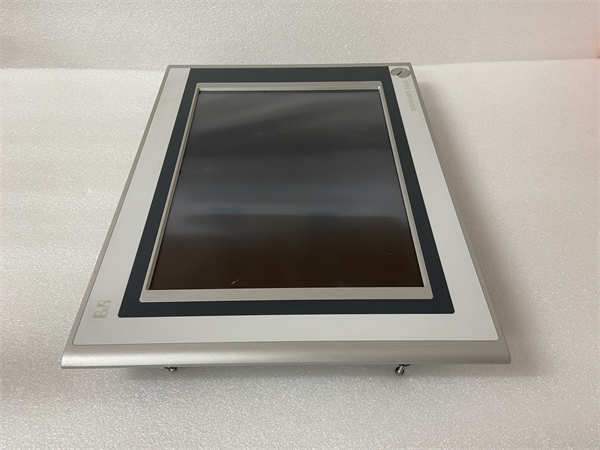
- Product Model: 5AP920.1505-01
- Manufacturer: B&R Automation (ABB Group)
- Series: Power Panel 600
- Display: 15″ TFT color LCD, 1024 × 768 (XGA), resistive touch
- Processor: Intel Celeron M or ULV Pentium M (typically 600 MHz–1.0 GHz, depending on batch)
- Memory: 256–512 MB DDR RAM (soldered or SO-DIMM)
- Storage: 2 GB CompactFlash (CF) card or onboard DOM (Disk-on-Module)
- Operating System: Windows CE 5.0 or Windows Embedded Standard (pre-installed)
- Runtime Environment: B&R Automation Runtime (AR) for executing Automation Studio projects
- Interfaces:
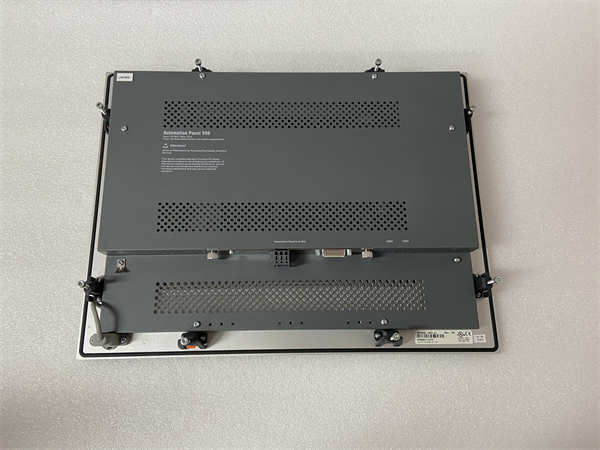
- 2× Ethernet (10/100 Mbps)
- 2–4× USB 1.1/2.0
- RS232/RS485 serial (via internal header or external adapter)
- CF card slot (for backup/recovery)
- Power Supply: 24 V DC ±10%
- Mounting: Panel mount (flush or surface), IP65 front protection
- Software Compatibility: Automation Studio 3.x / 4.x; not compatible with modern AS 5+ or ABB Ability™ tools
System Role and Downtime Impact
The 5AP920.1505-01 functions as both an operator terminal and, in many applications, a soft PLC that executes real-time control logic via B&R’s Automation Runtime. In such configurations, its failure doesn’t just disable visualization—it stops the entire machine control sequence, leading to immediate production loss.
Even when used solely as an HMI, its obsolescence creates critical vulnerabilities:
- No remote desktop or secure web access (lacks modern protocols)
- Inability to integrate with cloud monitoring or IIoT platforms
- Increasing difficulty running legacy Automation Studio projects due to OS/driver incompatibilities
Replacement typically requires re-engineering the HMI application, as newer B&R panels use different screen resolutions, touch technologies, and runtime environments—making direct drop-in replacement impossible without software migration.
Reliability Analysis and Common Failure Modes
Despite ruggedized design, the 5AP920.1505-01 is prone to several age-related failures:
- Touchscreen degradation: Resistive touch layers wear out after ~1 million actuations; common symptoms include unresponsive areas or “ghost touches.”
- CompactFlash/DOM failure: Industrial-grade flash memory has limited write cycles; repeated log writes or improper shutdowns accelerate wear, leading to boot failures or corrupted runtime images.
- Backlight/inverter failure: CCFL backlights dim over time; inverters fail due to thermal stress, causing dark or flickering displays.
- Capacitor aging: Onboard power regulation circuits suffer from electrolytic capacitor drying, resulting in random reboots or failure to power on.
- Thermal issues: Poor ventilation in control cabinets causes CPU throttling or premature fan (if equipped) failure.
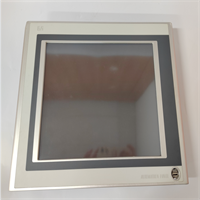
B&R 5AP920.1505-01
Lifecycle Status and Migration Strategy
B&R officially discontinued the Power Panel 600 series (including 5AP920.1505-01) in the early 2010s. No new units are available, and ABB no longer provides repair services, drivers, or technical documentation for this generation.
Continued use poses significant operational and cybersecurity risks:
- No security patches for Windows CE (end-of-life since 2013)
- Incompatibility with TLS 1.2+, modern OPC UA stacks, or secure remote access
- Lack of support in current Automation Studio versions
Recommended Actions:
- Immediate:
- Secure at least one tested spare unit.
- Create a full disk image backup of the CF/DOM using a forensic duplicator.
- Archive the original Automation Studio project (.apj) and runtime configuration.
- Short-Term:
- Replace failing touchscreens with compatible third-party overlays (limited success).
- Upgrade internal storage to industrial-grade SLC CF cards if still bootable.
- Long-Term Migration:
- Migrate to a B&R Power Panel T70/T80 or Smart Display series (e.g., 4PPC70.0571-20B2) running Automation Runtime on Linux or Windows IoT.
- Re-engineer the HMI application in Automation Studio 5/6 with responsive design for new screen resolutions.
- Consider decoupling HMI and PLC functions: run logic on an ACOPOS or X20 controller, and use the panel purely for visualization.