 Tel:
Tel:  Email:
  WhatsApp:
 Description
Key Technical Specifications
| Parameter | Specification |
|---|---|
| Manufacturer | Bently Nevada (GE) |
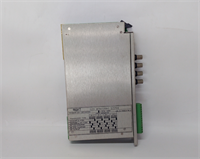
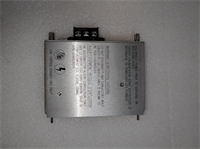
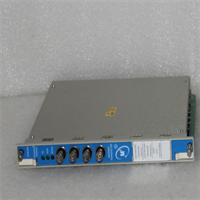
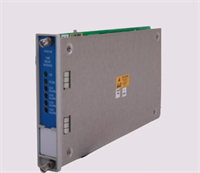
| Part Number | 133323-01 |
| Module Type | Modbus RS485 I/O Module |
| Host Module | 3500/92 Communication Gateway (136180-01) |
| Communication Protocol | Modbus RTU (Serial) |
| Physical Interface | RS485 (2-wire) |
| Data Rate | Configurable (Standard Serial Rates) |
| Function | Data Exchange / Register Mapping |
| Mounting | Internal slot on 3500/92 Main Board |
| Application | Machinery Protection / Condition Monitoring |
Product Introduction
Let’s be honest, the Bently 3500 system is the industry standard for a reason—it’s built like a tank. But the system is only as good as its ability to talk to your DCS. The 133323-01 is the specific interface card that handles that heavy lifting for serial communication. It plugs directly into the main 3500/92 gateway board to give you that reliable Modbus RTU over RS485 connection.I see this specific part number (133323-01) specified constantly in oil and gas refineries because RS485 is immune to the electrical noise that kills RS232 connections over long distances. It allows you to map your vibration, position, and alarm data directly into Modbus registers. It’s a small piece of hardware, but without it, your 3500 rack is an island, and you’re flying blind on the HMI.

Quality SOP & Tech Pitfalls (The Reality Check)
The Lab Report (SOP)
We don’t just throw these in a box. Since this is a communication module, we verify the physical interface and the logic.
- Visual Inspection: We check the connector pins for the internal bus. These slide into the main board, so bent pins are a common failure mode we screen for.
- Live Test: We mount it onto a test 3500/92 carrier and hook it up to a Modbus simulator. We verify that we can read and write to the registers.
- Configuration Check: We ensure the module is recognized by the System 1 software or the 3500 Rack Configuration Software.
The Engineer’s Warning (Pitfalls)
Here is the biggest mistake I see on site: Ordering the wrong part.
The part number 133323-01 is just the RS485 I/O module. It is a daughter card. It requires the main 3500/92 Communication Gateway module (Part Number 136180-01) to function.
Field Disaster Story: I once got a frantic call from a plant manager who bought five of these 133323-01 modules to replace “broken communication cards.” When they arrived, he realized he only had the small daughter boards and no main carrier boards to plug them into. He had to order the full assembly (136180-01 + 133323-01) and wait another week for delivery, causing massive downtime. Don’t be that guy. Check your chassis before you buy.
Installation & Configuration Guide
Swapping this module is straightforward, but you need to be careful with the configuration software.
- Pre-Installation (Safety First):
- ⚠️ Power Down: Turn off the 3500 rack power. While the system supports hot-swapping some cards, messing with internal communication daughter boards is risky if you aren’t an expert. Save your data first.
- Backup Config: Save your current rack configuration file (.cfg) from the 3500 Config software.
- Removal:
- Remove the 3500/92 module from the rack.
- Unscrew the faceplate if necessary to access the internal boards (depending on the specific revision).
- Carefully unplug the existing I/O module from the main board stack.
- Installation:
- Align Pins: Line up the 133323-01 module with the connector on the 136180-01 main board. Press it in firmly.
- Secure: Ensure it is seated flat. Reassemble the faceplate.
- Wiring: Connect your RS485 twisted pair cable to the terminal block (usually labeled Data+ and Data-). Watch your polarity.
- Power-On & Testing:
- Power up the rack.
- Open the 3500 Rack Configuration Software.
- Go to the Communication Gateway settings. Ensure the “Modbus Map” is loaded.
- Verify the “OK” LED on the front of the 3500/92 module is solid green.
Compatible Replacement Models
| Compatibility | Model / Part Number | Notes |
|---|---|---|
| ✅ Drop-in Replacement | 133323-01 | This is the standard RS485 module. Direct replacement. |
| ⚠️ Hardware Variant | 125736-01 | This is the RS232/RS422 version. Not compatible if your system is wired for RS485. |
| ⚠️ Hardware Variant | 136188-02 | This is the Ethernet/RS485 combo module. Requires different firmware/config. |
| ❌ Incompatible | 3500/22 | This is a Transient Data Interface, completely different function. |
Frequently Asked Questions (FAQ)
Q: Does this module support Modbus TCP/IP?
A: No. The 133323-01 is strictly for Modbus RTU (Serial) over RS485. If you need Ethernet (Modbus TCP), you need to look at the 136188 series modules or ensure your main gateway supports it.Q: Can I use this with a 3500/25 Keyphasor module?
A: Indirectly, yes. The 133323-01 sits in the 3500/92 Communication Gateway slot. It communicates with the backplane, so it can transmit data from any module in the rack (like the 3500/25, 3500/40, etc.) to the DCS via Modbus.Q: My DCS is reading “garbage” data. Is the module broken?
A: Probably not. 90% of the time, this is a Baud Rate mismatch or Endianness issue. Check that the Baud Rate in the 3500 Config software matches your DCS exactly (e.g., 9600 vs 19200). Also, check if your DCS expects High-Byte/Low-Byte or Low-Byte/High-Byte register ordering.Q: Is the 133323-01 the same as the 136180-01?
A: No! As I mentioned in the warnings: 136180-01 is the main board (the carrier). 133323-01 is the small card that plugs into it. You usually need both to make a working communication gateway.Q: What is the max cable length for this RS485 connection?
A: RS485 is good for long runs. You can typically go up to 1200 meters (4000 feet) at lower baud rates (9600), provided you are using proper shielded twisted pair cable and have the termination resistors enabled at the last device.