 Tel:
Tel:  Email:
  WhatsApp:
 Description
Key Technical Specifications
| Parameter | Specification |
|---|---|
| Manufacturer | Bently Nevada (GE) |
| Part Number | 149992-01 |
| Module Type | 16-Channel Relay Output Module |
| Host System | 3500 Rack (Requires Rack Interface Module) |
| Output Type | Electromechanical Relay (Form C) |
| Channel Count | 16 Independent Channels |
| Max Switching Voltage | 250 VAC / 30 VDC |
| Max Switching Current | 25 A (AC) / 30 A (DC) |
| Logic Programming | User-configurable (Alarm/OK/Trip) |
| Software Req. | 3500 Rack Configuration Software v3.3+ |
| Physical Size | Full-Height (occupies 2 slots effectively in logic) |
Product Introduction
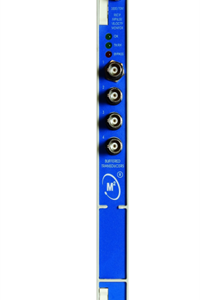
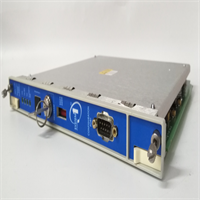
If you are running a Bently 3500 system, the 149992-01 is the muscle behind the brain. While your monitor modules (like the 3500/42 or 3500/45) are busy calculating vibration and position, the 3500/33 is the one actually pulling the trigger when things go south.I’ve installed dozens of these in turbine control panels. It’s a 16-channel relay module, which gives you massive flexibility. You aren’t just stuck with a simple “Alarm” or “Trip” light. You can program these relays to perform voting logic—meaning you can set it up so Relay 1 only trips if both Channel 1 and Channel 2 see a fault (AND logic), or if either sees a fault (OR logic).Field Note: The 149992-01 is the standard “Alarm Drive” version. It’s robust, but be careful with the voltage ratings. I’ve seen guys try to switch 48V DC loads with this and wonder why the contacts welded shut. Stick to the 30V DC limit for safety and longevity.
Quality SOP & Tech Pitfalls (The Reality Check)
The Lab Report (SOP)
We treat relay modules with extra respect because mechanical parts wear out.
- Contact Resistance Test: We use a milliohm meter to check the resistance across the relay contacts. If it’s higher than a few milliohms, the contacts are pitted or dirty. We reject it.
- Coil Integrity: We measure the coil resistance to ensure it matches the factory spec (prevents open-circuit failures).
- Live Actuation: We hook it up to the 3500 rack and force the relays to click via software. We listen for the “snap”—a weak click means a weak spring or worn mechanism.
- Insulation Test: We meg the terminals to the backplane to ensure there’s no leakage, which causes nuisance trips.
The Engineer’s Warning (Pitfalls)
The “Zone 2” Voltage Trap.
This module has a specific limitation regarding Hazardous Areas (Zone 2 / Class I Div 2).
Field Disaster Story: A client in a petrochemical plant installed these modules to switch 110V AC solenoid valves. The hardware handled it fine initially, but during a safety audit, they failed their certification because the 149992-01 has a voltage restriction (often limited to 30 Vrms or specific derated values) when used in Zone 2 certified racks to maintain creepage distances. They had to rip them out and use external interposing relays. Check your load voltage against the Zone 2 certificate before installing.
Installation & Configuration Guide
This isn’t just a plug-and-play card; it needs to be told what to do, or it sits there doing nothing.
- Pre-Installation (Safety First):
- ⚠️ Power Down: While the 3500 supports hot-swapping, I never recommend it for relay modules. You don’t want a relay clicking on and off while you are wrestling the card into the slot.
- Check Slot Position: The 3500/33 is a Full-Height module. It takes up the space of two standard half-height slots (or requires a specific full-height slot). It must be placed to the right of the Rack Interface Module (RIM).
- Removal:
- Unscrew the faceplate screws.
- Pull the module straight out.
- Label Your Wiring: If you are replacing an old one, take a photo of the terminal block wiring. The screw terminals are small, and it’s easy to mix up “Common” and “Normally Open.”
- Installation:
- Slide the new 149992-01 into the rack.
- Tighten the Ejector Screws: These aren’t just for holding it in; they ensure the backplane connector seats fully.
- Wire your field devices to the terminal blocks.
- Configuration (The Important Part):
- Open 3500 Rack Configuration Software (v3.3 or later).
- You must define the Relay Logic. By default, they might be set to “De-energized.”
- Map your alarms: Select which monitor channels (e.g., 3500/42 Ch 1) trigger which relay on the 3500/33.
- Download the config to the rack.
Compatible Replacement Models
| Compatibility | Model / Part Number | Notes |
|---|---|---|
| ✅ Drop-in Replacement | 149992-01 | Standard 16-Channel Relay Output. Direct replacement. |
| ⚠️ Functional Variant | 149992-02 | This is the Failsafe version. It behaves differently during power loss. Only swap to this if your logic is designed for failsafe operation. |
| ⚠️ Older Version | 149986-01 | Older 16-channel relay module. Check firmware compatibility. |
| ❌ Incompatible | 3500/15 | This is an Acquisitive Relay Module (ARM), totally different architecture (half-height). |
Frequently Asked Questions (FAQ)
Q: Can I use this module to trip a turbine?
A: Yes, that is exactly what it is designed for. However, for critical shutdown (SIL applications), you usually want to use the 149992-02 (Failsafe) version or ensure you have redundant relays in a voting configuration. The -01 is a standard duty relay.Q: Why is my “OK” relay chattering?
A: If the relay is clicking on and off rapidly, your machine is likely hovering right on the edge of your alarm setpoint. Check your hysteresis settings in the monitor module. Alternatively, check your 24V DC supply voltage; if it’s sagging below 20V, the relay coil might not hold.Q: Does this module come with terminal blocks?
A: Sometimes yes, sometimes no. The 149992-01 usually uses standard screw terminals. If you buy this as a “surplus” item, verify if the terminal block (the green plug) is included. We always ship ours with the terminals attached.Q: What software do I need to program the logic?
A: You need the 3500 Rack Configuration Software. You can’t program the complex AND/OR voting logic from the front panel display (if you even have a display module). You need a laptop connected via the Serial or Ethernet port.Q: Can I mix this with 3500/25 Keyphasor modules?
A: Yes. The 3500/33 sits in the rack and listens to the backplane. It can take inputs from any monitor module in the rack (3500/40, 3500/42, 3500/25, etc.) and trigger a relay based on their status.