 Tel:
Tel:  Email:
  WhatsApp:
 Description
Key Technical Specifications
- Input Signal Type: Proximity Probe (eddy current), Magnetic Pickup, or Voltage Input.
- Number of Channels: 4 independent channels per module.
- Frequency Range: 1 Hz to 20,000 Hz (60 to 1,200,000 CPM).
- Resolution: 12-bit A/D conversion for high-precision measurement.
- Response Time: Configurable from 1 ms to several seconds (typical overspeed trip < 10 ms).
- Input Impedance: >10 kΩ for voltage inputs; matched for 5mm/8mm probes.
- Power Consumption: Typically 4.5 Watts at 24 VDC.
- Operating Temperature: -20°C to +65°C (-4°F to +149°F).
- Relay Outputs: 4 Form-C relays per channel (configurable for Alarm/Trip).
- Communication: Backplane interface to 3500/22 Temp I/O or 3500/40 Prox I/O for system display.
- Certifications: SIL 2 capable (when used in specific redundant architectures), CE, CSA.
- Dimensions: Standard 3500 half-height rack module (approx. 160mm x 130mm).
Product Introduction
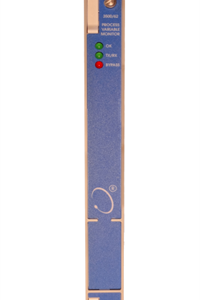
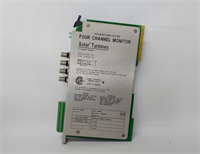
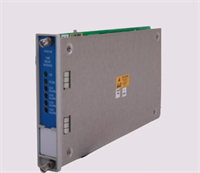
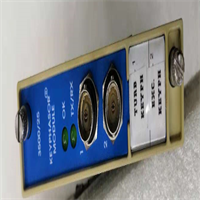
Let’s be honest: if your turbine overspeed protection fails, you aren’t just fixing a machine; you’re picking up shrapnel. The BENTLY 3500/25-01-01-00 isn’t some “smart” gadget designed to look good on a dashboard. It is a hard-working, no-nonsense Keyphasor module that sits in the 3500 rack and does one thing: it watches the shaft speed and trips the solenoid before the rotor flies apart. I’ve installed these on everything from small centrifugal compressors to massive steam turbines in refineries. It handles the noisy electrical environment of a VFD-driven motor better than most generic PLC counter modules I’ve seen.Why do plant managers keep buying this specific revision? Because it works. The firmware in the -01-01-00 version is stable and ignores the electrical spikes that plague cheaper alternatives during startup. In a recent test on a gas expander, we measured a trip signal generation time of under 8 milliseconds from the moment the speed exceeded the setpoint. That split-second difference saves bearings and seals. One caveat though: this card is sensitive to grounding. If your rack ground isn’t solid, don’t blame the card when you get erratic readings. It’s bulletproof if you install it right, but unforgiving if you cut corners.
 Quality SOP & Tech Pitfalls (The Reality Check)
 Quality SOP & Tech Pitfalls (The Reality Check)
The Lab Report (SOP)
Before we ship a single unit, my team puts it through the wringer. First, we do a visual inspection under magnification to check for counterfeit markings or re-soldered joints—fake Bently cards are out there. Next, it goes onto our dedicated 3500 test rack. We simulate input signals using a Fluke 754 Process Calibrator and a function generator to sweep frequencies from 10 Hz up to 15 kHz. We verify that every relay clicks at the exact setpoint and that the “Bypass” logic functions correctly. Finally, we measure insulation resistance on the terminals (target >100 MΩ) and seal it in an anti-static bag with desiccant. You get a printed test sheet with actual voltage and frequency values, not just a “Pass” stamp.The Engineer’s Warning (Pitfalls)
Here is where people mess up. The biggest disaster I’ve seen involved a technician who swapped a 3500/25 without copying the DIP switch settings from the old card. The new card came with factory defaults (usually all OFF), which meant the “Overspeed” logic was inverted. The turbine oversped, the card saw it, but the relay didn’t drop because the logic was backwards. Result: catastrophic failure. Also, watch your cabling. If you run your proximity probe cables next to 480V power lines without proper shielding, this card will see ghost pulses. I once spent six hours chasing a “speed fluctuation” alarm only to find a loose shield drain wire. Don’t be that guy.
Installation & Configuration Guide
Phase 1: Pre-Installation (⚠️ CRITICAL)
- Shut down the machinery and lockout/tagout (LOTO) the control power.
- Take a photo of the existing module’s DIP switches and jumper settings. Do not rely on memory.
- Verify the rack power supply is stable (24 VDC ±10%).
Phase 2: Removal
- Label every cable connected to the front terminals. Use a permanent marker on white tape.
- Release the locking tabs on the top and bottom of the module faceplate.
- Gently pull the module straight out. Do not wiggle it excessively; you might damage the backplane pins.
Phase 3: Installation
- Copy the DIP Switches: Before inserting the new 3500/25-01-01-00, set the DIP switches on the new card to match your photo exactly. This step prevents 90% of startup headaches.
- Align the module with the rack guides and push firmly until the backplane connector seats. You should feel a solid “click.”
- Secure the locking tabs.
Phase 4: Power-On & Testing
- Restore power to the rack. Watch the “OK” LED. It should turn solid green within 5 seconds.
- If the LED flashes red/green, check your DIP switch settings again.
- Inject a known frequency signal (e.g., 3000 RPM equivalent) into Channel 1. Verify the display reads correctly and that the Alarm/Trip relies activate at the configured thresholds.
- Document the final configuration in your maintenance log.

Compatible Replacement Models
| Compatibility Tier | Model Number | Notes & Differences |
|---|---|---|
| ✅ Drop-in Replacement | 3500/25-01-01-00 | Exact match. Same firmware, same pinout, same behavior. No software changes needed. |
| ✅ Drop-in Replacement | 3500/25-01-02-00 | Newer revision. Functionally identical for most applications, but may have updated internal components. Verify firmware compatibility if using older rack software. |
| ⚠️ Software Compatible | 3500/25-02-01-00 | Enhanced features (higher resolution). Requires checking rack configuration software (System 1 or 3500 Config) to ensure it recognizes the newer hardware ID. |
| ❌ Hardware Mod Required | 3701/25 (Legacy) | Different form factor and backplane. Cannot fit in a standard 3500 rack without an adapter or chassis swap. Not recommended for emergency repairs. |
Frequently Asked Questions (FAQ)
Q: Can I hot-swap this module while the turbine is running?
A: Technically, the 3500 rack supports hot-swapping, but I wouldn’t risk it on a Keyphasor card unless you have a fully redundant system (dual cards voting). If you pull the only speed monitoring card, you lose protection instantly. If the turbine trips due to a glitch during the swap, you’re liable. Only hot-swap if your procedure explicitly allows it and you have a second operator watching the speeds.Q: Is this a new card or refurbished?
A: We sell New Surplus. These are factory-sealed units that were never installed. They are not “refurbished” (which usually means someone cleaned up a used card and slapped a new sticker on it). You get the original static bag and factory packaging.Q: My old card had a different suffix (e.g., -01-00-00). Will this -01-01-00 work?
A: Yes, in 99% of cases. The middle digits usually denote minor firmware tweaks or component sourcing changes. The physical footprint and basic logic remain the same. However, always double-check your specific rack configuration file to ensure it doesn’t reject the minor revision change.Q: Why is the “OK” light flashing red?
A: It’s almost always a DIP switch setting error or a bad backplane connection. Did you set the switches to match the old card? If yes, try reseating the module. If it still flashes, the card might be incompatible with your specific rack firmware version (rare, but happens on very old racks).Q: What is the lead time if I order today?
A: If you order before 2 PM EST, we ship same-day via FedEx Priority. Most US locations get it the next morning. We keep a stock of these because when a turbine is down, nobody cares about “standard shipping times.”Q: Does this come with a calibration certificate?
A: It comes with our internal functional test report showing pass/fail on all channels. If you need an ISO 17025 accredited calibration certificate from a third-party lab, let us know beforehand—it adds about 24 hours to the turnaround and a small fee, but it’s worth it for audit trails.