 Tel:
Tel:  Email:
  WhatsApp:
 Description
Key Technical Specifications
| Parameter | Specification |
|---|---|
| Product Name | ABB TET10611355-0-6050000 I/O Module |
| I/O Configuration | 32 Analog Inputs / 32 Digital Inputs |
| Scan Time | 120 ms (cyclic) |
| Power Supply | 24 V DC ±10% |
| Mounting | S900 Rack / DIN Rail |
| Communication | 800M Fieldbus / Ethernet |
| Operating Temp | -20°C to +60°C (Industrial) |
| Certification | CE, UL Listed (Fieldbus) |
| Form Factor | Standard S900 Module Size |
Product Introduction
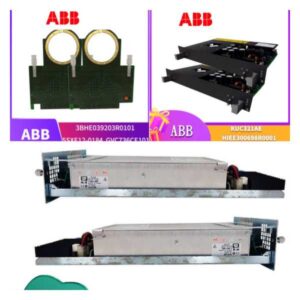
The ABB TET10611355-0-6050000 is a high-density Input/Output (I/O) module designed for the AC 800M process control system. This module serves as the sensory and actuation bridge between the central controller and the plant floor, providing a robust interface for analog and digital signals.Engineered for the demanding environments of the oil & gas, pulp & paper, and power industries, this module features a 120ms cyclic scan time to ensure real-time responsiveness. It is a critical component for expanding the I/O capacity of an 800M control system without compromising performance.
Installation & Configuration Guide
Preparation (10 Minutes)
Ensure the control system rack is powered down. Verify the firmware version of the controller is compatible with this module revision. Gather anti-static wrist straps and the necessary screwdrivers for the S900 backplane.Removal (If Replacing)
Open the module cover by releasing the locking latches. Carefully pull the module straight out of the backplane. Do not twist or force the module; if resistance is felt, check for connector jams.Installation (10 Minutes)
Align the module with the empty slot in the S900 rack. Slide it in gently until the front connector mates with the backplane. Secure the module using the captive screws on the side. Close the cover and reapply the locking latches.Power-On & Test (15 Minutes)
Restore power to the rack. Observe the status LEDs on the module faceplate. The “OK” LED should illuminate solid green. Access the system configuration software to verify the module is recognized and the I/O points are active.
Troubleshooting Quick Reference
| Symptom | Probable Cause | Action |
|---|---|---|
| Red Fault LED | Loose Connection | Re-seat the module in the backplane. Check for bent pins. |
| No I/O Data | Firmware Mismatch | Update the controller firmware to the latest revision. |
| Intermittent Signal | Ground Loop | Check grounding straps on the rack. Ensure star grounding. |
| Overheat | Ventilation Blocked | Clear dust from the rack vents. Ensure proper airflow. |
Dimensions, Mounting & Wiring Notes
- Dimensions: 40mm (H) x 200mm (W) x 120mm (D)
- Mounting: S900 DIN Rail or Rack Mount (MSA Standard)
- Wiring: Terminals are spring-cage type. Torque to 0.5 N·m. Verify wire gauge (22-26 AWG) before connection.
FAQ
Q: Is this module hot-swappable?
A: Yes, the TET10611355-0-6050000 supports hot-swapping. You can remove or insert it while the system is running, provided the controller firmware supports the operation. Always ensure the module is mechanically seated before powering up.Q: What is the difference between TET and TEB modules?
A: TET modules are specifically designed for the AC 800M system and feature Ethernet/IP communication. TEB modules are typically terminal blocks used for physical wiring termination. Do not mix them.Q: Can I use this in an S800 system?
A: No. This is an S900 module. The S800 and S900 systems use different backplanes and firmware protocols. Attempting to use this in an S800 rack will result in a hardware failure.Q: What is the warranty on this unit?
A: We provide a 12-month warranty on all surplus ABB modules. This covers manufacturing defects but excludes damage from ESD or improper installation.Q: How do I verify the firmware version?
A: Press the “Display” button on the front of the module to view the firmware revision. Alternatively, read it via the System Configuration Tool in the 800M environment.