 Tel:
Tel:  Email:
  WhatsApp:
 Description
Key Technical Specifications
| Parameter | Specification |
|---|---|
| Input Channels | 2 Independent Quadrature Channels (Channel A & B) |
| Signal Type | Incremental Encoder (TTL/HTL compatible, 24V DC) |
| Inputs per Channel | A, B, Z (Index), and Inverted versions (/A, /B, /Z) for noise immunity |
| Max Input Frequency | Typically 200 kHz per channel (Hardware dependent) |
| Counting Mode | 1x, 2x, or 4x multiplication (configurable via software) |
| Counter Resolution | 32-bit signed integer (prevents overflow in long travel apps) |
| Supply Voltage | 24V DC (Nominal), Range 19.2–30V DC |
| Current Consumption | ~100mA (Logic) + Load current from encoders (if powered by module) |
| Isolation | Galvanic isolation between Field side and Internal Bus (2.5 kV) |
| Diagnostics | Wire break detection, Signal integrity monitoring, Overflow/Underflow flags |
| Mounting | DIN Rail (S800 I/O baseplate compatible) |
| Communication | S800 I/O Bus (Profibus-DP or Ethernet/IP backbone dependent) |
| Operating Temp | -25°C to +70°C |
Product Introduction
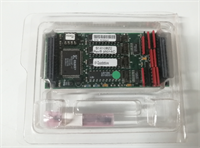
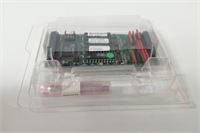
In high-speed web handling, winding, or precision positioning applications within an ABB 800xA system, standard digital inputs are simply too slow and inaccurate to track encoder pulses. The ABB IP-QUADRATURE module is the dedicated solution for this. It offloads the intense task of pulse counting from the main AC 800M CPU, handling it in hardware at speeds up to 200kHz without missing a single beat, even during communication bus scans.I’ve deployed these in paper machine draw control sections where maintaining sync between two rollers within 0.1% is critical. The module’s ability to handle differential signals (A and /A) makes it incredibly robust against the electrical noise typical in drives-heavy environments. Unlike generic high-speed counters, this module integrates natively with ABB’s QuadratureIn function blocks, allowing for seamless configuration of scaling, preset values, and velocity calculation directly in Control Builder. One thing to watch: ensure your encoder’s voltage level (5V vs 24V) matches the module’s expectation, as some older encoders output 5V TTL which might need a level shifter if the module expects 24V HTL.
Quality SOP & Tech Pitfalls (The Reality Check)
The Lab Report (SOP)
Our testing protocol for the IP-QUADRATURE involves a signal generator simulating dual-channel quadrature outputs at varying frequencies (from 1 Hz to 200 kHz). We verify that the count value read by the AC 800M controller matches the generated pulse count exactly, checking for missed pulses at max speed. We test all counting modes (1x, 2x, 4x) and verify direction detection by swapping phase A and B logically. We also simulate wire breaks on the A, B, and Z lines to ensure the diagnostic bits trigger correctly in the controller. Finally, we check the “Latch” function (capturing position on an external trigger) if supported by the specific firmware revision.
The Engineer’s Warning (Pitfalls)
Cable Length and Noise. This is the #1 issue. Quadrature signals are high-frequency. If you run long cables (over 50 meters) without proper shielding or differential signaling, you will get false counts. The module supports differential inputs (/A, /B); always use them if your encoder supports it. If you only wire A and B (single-ended) in a noisy drive cabinet, electromagnetic interference (EMI) from nearby VFDs can look like extra pulses, causing the position to drift randomly.Configuration Mismatch. The physical wiring is only half the battle. In Control Builder M, you must configure the QuadratureIn block to match the hardware setup (e.g., 4x counting mode vs 1x). If your encoder has 1000 PPR (Pulses Per Revolution) and you set the block to 1x, your resolution is poor. If you set it to 4x but the wiring is wrong, you might get erratic jumps. Also, beware of the Index (Z) pulse. Some applications use it for homing; if the logic expects a Z pulse every revolution and your encoder doesn’t have one (or it’s not wired), the homing sequence will hang forever.Power Supply Loading. Some IP-QUADRATURE modules can power the connected encoders (24V out). Check the total current draw of your encoders. If you daisy-chain five encoders off one module’s 24V supply, you might brownout the module logic, causing communication faults on the S800 bus. It’s often safer to power encoders from a dedicated, clean 24V PSU and just use the module for signal reading.
Installation & Configuration Guide
- Pre-Installation ⚠️
- Verify Encoder Specs: Check PPR, voltage level (5V/24V), and output type (Push-Pull, Open Collector, Differential).
- Check Cable: Use twisted pair, shielded cables for encoder signals. Shield should be grounded at the cabinet end (360° clamp).
- Backup Logic: Save the current Control Builder project.
- Removal
- Disconnect encoder cables and label them (Motor 1 Enc, Motor 2 Enc).
- Disconnect the S800 bus connector.
- Unlatch and remove the module from the baseplate.
- Installation
- Insert the new IP-QUADRATURE module into the baseplate.
- Wire Differentially: Connect A, /A, B, /B, (and Z, /Z if available) to the corresponding terminals. Do not skip the inverted lines if your encoder has them.
- Power: If powering encoders from the module, ensure polarity is correct. If using external power, connect the signal commons (0V) together to establish a common reference.
- Reconnect the S800 bus.
- Power-On & Configuration
- Power up the I/O station. Verify the module status LED is green (no red fault).
- Open Control Builder M.
- Locate the hardware configuration for the S800 station. Ensure the IP-QUADRATURE module is defined correctly in the hardware tree.
- Download the hardware configuration.
- In the logic, insert the
QuadratureInfunction block. Map the inputs to the correct hardware addresses. - Set parameters:
PulsesPerRev,CountingMode(1x/2x/4x),FilterTime. - Download logic and monitor the
PositionandVelocityoutputs while rotating the shaft. Verify direction and magnitude.
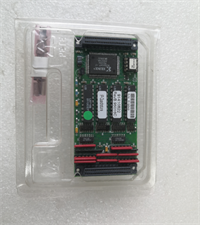
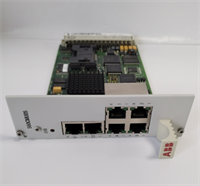
IP-QUADRATURE ABB
Compatible Replacement Models
| Compatibility Tier | Model Number | Notes |
|---|---|---|
| ✅ Drop-in Replacement | IP-QUADRATURE (3BSE020838R1) | Exact match. Standard high-speed encoder module for S800. |
| ⚠️ Functional Equivalent | IP-QUADRATURE (Older Rev) | Previous hardware revision. Functionally identical but may require a firmware update in the S800 station or slight parameter adjustment in Control Builder. |
| ⚠️ Newer Generation | S800 High-Speed Counter (Specific Part #) | ABB occasionally updates the S800 line. Newer modules may have higher frequency limits or Ethernet direct connect. Requires hardware config update. |
| ❌ Incompatible | Standard DI Module (e.g., DI810) | Cannot handle high-frequency quadrature decoding. Will miss pulses and provide garbage data. |
Frequently Asked Questions (FAQ)
Can I use this module with a 5V encoder?
The standard IP-QUADRATURE modules are typically designed for 24V industrial encoders (HTL/TTL 24V). If you have a 5V encoder (common in servo motors), the 24V input threshold might not recognize the 5V “High” signal reliably. You will likely need an external line driver or level shifter to convert 5V to 24V before connecting to this module. Check the specific datasheet for “Input Low/High Voltage thresholds.”What happens if I lose power? Does it remember the position?
No. The IP-QUADRATURE is a volatile counter. When power is lost, the count value resets (usually to 0 or undefined). For absolute positioning, you must use an Absolute Encoder (which requires a different interface module or serial communication) or implement a “Homing” routine in your logic that moves the machine to a known reference point (using the Z-index pulse or a limit switch) upon startup to reset the counter.Why is my velocity reading fluctuating wildly?
Velocity is calculated by measuring the change in position over a specific time interval. If the time interval is too short or the encoder resolution is low relative to the speed, the calculation can be noisy. Try increasing the filter time constant in the QuadratureIn function block or averaging the velocity over a longer cycle time in your logic. Also, check for electrical noise (see “Cable Length” warning above).Can I connect two encoders to one module?
Yes, the standard IP-QUADRATURE module typically has two independent channels. You can connect two separate encoders (e.g., Line Shaft and Motor Shaft) to the same module. Each channel has its own hardware counter and address in the controller.Is this module hot-swappable?
In a redundant S800 I/O system with proper configuration, the S800 bus supports hot-swapping. However, replacing a high-speed counter module while the machine is running will cause a temporary loss of position data for those axes. The controller might trip on “Encoder Fault” or “Following Error.” It is highly recommended to stop the relevant machine section before swapping this module.