 Tel:
Tel:  Email:
  WhatsApp:
 Description
Product Introduction
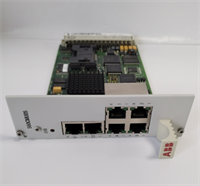
When your S500 station stops responding to the master PLC or the logic scan hangs, the culprit is often the central processor, specifically the ABB 07KT94 GJR5252100R0161. This CPU module acts as the brain of the S500 distributed I/O system, handling local logic execution and gateway functions between field devices and higher-level controllers.Sourcing a reliable replacement for this specific revision (R0161) has become critical as ABB phased out the S500 line years ago. In our experience refurbishing older plants, this unit consistently handles complex boolean logic with a deterministic scan time of roughly 0.8 ms per 1k instructions. While modern Ethernet-based controllers offer faster speeds, the 07KT94 remains perfectly adequate for discrete manufacturing tasks where stability trumps raw speed. Honestly, replacing the entire I/O architecture just to upgrade the CPU is rarely cost-effective when a verified spare can extend the system life by another decade.
 Key Technical Specifications
| Parameter | Value |
|---|---|
| Part Number | GJR5252100R0161 |
| Order Code | 07KT94 |
| Processor Type | 16-bit Microcontroller |
| User Memory | 512 KB (Program + Data) |
| Scan Time | Approx. 0.8 ms / 1k instructions |
| Communication Ports | 1x RS-232, 1x RS-485 (Software Configurable) |
| Protocol Support | Modbus RTU, ASCII, Point-to-Point |
| I/O Capacity | Up to 63 Local I/O Modules (S500 Bus) |
| Battery Backup | Integrated Li-Ion (Typ. 5 Years Retention) |
| Operating Voltage | 24 V DC ±20% |
| Power Consumption | Typ. 350 mA at 24 V DC |
| Operating Temp | -20°C to +60°C |
| Storage Temp | -40°C to +70°C |
| Dimensions | 128 x 28 x 225 mm (W x H x D) |
| Weight | 0.4 kg |
| Mounting | DIN Rail or S500 Backplane |
Application Scenarios & Pain Points
The shift supervisor is yelling because the packaging line halted; the S500 station isn’t updating its outputs, and the “CPU Fault” LED is blinking red. Without a spare ABB 07KT94 GJR5252100R0161, you are staring at a prolonged outage while hunting for a vendor who actually has stock. This CPU is the linchpin for older automation islands that still run vital processes today.
- Automotive Assembly: Robotic weld cells often use S500 systems for safety interlock monitoring. If the CPU fails, the safety circuit opens, stopping the entire line. A quick swap restores the <10 ms response time needed for safe operation.
- Food & Beverage Packaging: Can you afford to lose batch data if the controller crashes mid-run? This module retains logic and counters via battery backup, ensuring production counts aren’t lost during power blips or hardware swaps.
- Water Treatment Facilities: Remote pump stations rely on the RS-485 port for SCADA telemetry. A failing CPU breaks the Modbus link, leaving operators blind to tank levels. Replacing it re-establishes the critical data pipe.
- Pharmaceutical Manufacturing: Validation rules require consistent logic execution. If the scan time varies wildly due to a degrading processor, batch records become invalid. The 07KT94 offers stable, deterministic performance.
- Material Handling: Conveyor sortation systems need rapid decision-making. When the CPU lags, packages get misrouted. Upgrading to a fresh unit eliminates the latency caused by aging components.
Case Study: A distribution center in Ohio faced intermittent faults on their main sortation controller. The maintenance team swapped power supplies and checked wiring, but the “Watchdog Timeout” errors persisted. They finally suspected the CPU. After installing a tested 07KT94 from our inventory and downloading the backup program, the system ran continuously for three months without a single glitch. The 1,500 part saved an estimated 50,000 in downtime and overtime labor.
Quality Control Process (SOP Transparency)
 Quality Control Process (SOP Transparency)
We don’t just box and ship; we verify. Every GJR5252100R0161 leaves our bench only after passing these steps. We can share test videos or photos upon request—transparency matters more than a glossy certificate.
- Inbound Inspection: We trace every unit back to its source documentation (OEM packing lists or customs forms). Our team checks the hologram on the label and verifies the serial number format against ABB databases. Visually, we look for any signs of repair, burnt components, or yellowing plastic—which usually means heat stress.
- Live Functional Test: We install the module into a dedicated ABB S500 test rack powered by a stable 24 V DC supply. After the power-on self-check (looking for correct LED sequences), we download a test program to verify memory integrity (read/write cycles on all 512 KB). We then simulate I/O traffic on the backplane and test both serial ports using a loopback adapter to confirm data transmission. Finally, we let it run for 24 hours, logging temperature rise.
- Electrical Parameters: Using a Megger insulation tester at 500 V, we confirm isolation resistance is >10 MΩ between the bus and communication ports. Ground continuity is checked to ensure safety paths are intact.
- Firmware Verification: We connect via the service port to read the internal firmware version and battery voltage status. If the battery is below 3.0V, we replace it with a fresh industrial-grade cell before shipping. We photograph the version screen for your records.
- Final QC & Packaging: A senior technician signs off on the test report. The unit goes into an anti-static bag, sealed with humidity control packs. We wrap it in bubble wrap, place it in a double-wall carton, and apply a “QC Passed” label with the date and tester ID.
Installation Pitfalls Guide (“Lessons Learned” Voice)
I’ve seen good engineers burn weekends fixing mistakes that took five minutes to avoid. Don’t be that guy. Here is what actually goes wrong in the field.
- Firmware Version Mismatch: The 07KT94 has had several firmware revisions over the years. ❗ Warning: If your application uses specific system functions or libraries compiled for an older version, a newer CPU might reject the load or behave erratically. Always check the firmware version on the old unit before removing it.
- DIP Switch / Jumper Misconfiguration: The communication mode (RS-232 vs. RS-485) and termination resistors are often set via DIP switches on the side of the card. Take a photo. Then take another one. I once saw a site spend six hours troubleshooting “noise” on the network, only to find the termination resistor switch was flipped on the new CPU.
- Terminal Wiring Incompatibility: The communication ports use small screw terminals. If you use a screwdriver that’s too wide, you’ll strip the screw head. If you overtighten, you crack the plastic housing. Use the right size driver and torque gently. Also, verify pinouts; don’t assume Pin 2 is always TX.
- Power Supply Undersizing: CPUs draw a significant chunk of the 24 V DC budget, especially during startup. If your PSU is marginal, adding a new CPU might cause a brownout that resets the whole rack. Measure the total current draw and ensure you have at least 20% headroom.
- ESD Damage: You touch the connector pins without a wrist strap because “it’s just a quick swap.” Zap. The microcontroller fries. Now you have a brick. Wear the strap. It costs $10; the card costs significantly more. And never insert the card while power is applied—hot-swapping the CPU is a guaranteed way to kill the backplane.